Quady3D AI
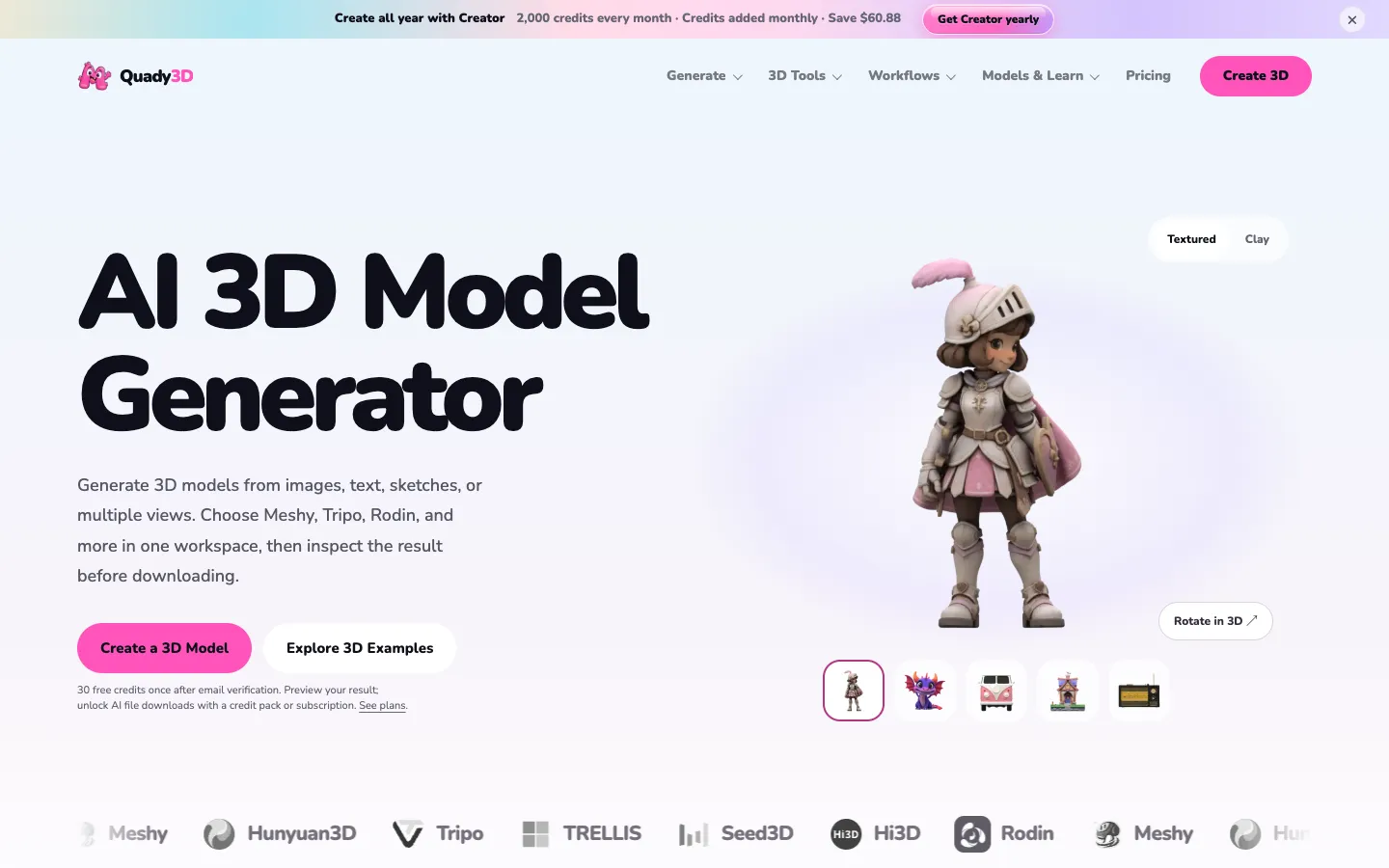
A browser tool that turns a photo, text prompt, sketch or several photos of one object into a downloadable 3D model, where you can choose between Meshy, Tripo, Rodin, Hunyuan3D and other 3D AI models in one place.
Short description
Quady3D AI is a website that makes 3D models from images, text prompts and sketches. It runs AI models built by other companies, about 19 versions in all, including Meshy 7.1, Tripo H3.1, Rodin 2.5, Tencent's Hunyuan3D, Microsoft's TRELLIS.2, ByteDance's Seed3D and OpenAI's GPT-6 Astra.
You upload a photo, type a prompt, draw a sketch or add two to four photos of the same object from different angles, then pick a model. Before it runs, the site shows how many credits the job will cost. Credits are the prepaid units each generation uses, and some models use far more than others. When the model is ready you can spin it around in the browser to check every side, then download it as a GLB, OBJ or STL file, depending on the model. GLB and OBJ files open in Blender and game engines, and STL is the usual format for 3D printing.
Paid plans can also add a skeleton and animation to characters, split a model into parts and color those parts for multicolor printing. Free browser tools repair, shrink and convert STL, 3MF, GLB and OBJ files without using credits.
Quady3D is for people making game assets, 3D printing hobbyists, people creating product visuals and Blender users who want to try several models without paying for a separate subscription to each. It connects to Blender, to Bambu Studio for 3D printing, and to AI assistants and your own code. It launched in October 2026 and is run from San Francisco.
Features
Image, text and sketch to 3D: Makes a 3D model from a single image, a text prompt or a sketch.
Multi-image to 3D: Combines two to four photos of the same object, taken from different angles, into one more accurate model.
Many 3D AI models in one place: About 19 model versions from Meshy, Tripo, Rodin (Hyper3D), Hunyuan3D, TRELLIS, Seed3D, Hi3D, Pixal3D and GPT-6 Astra, all with one account.
Credit cost shown before you generate: Shows what your chosen model and settings will cost before the job runs. If a generation fails, you get the credits back.
3D preview in the browser: Lets you spin the finished model around, with its textures or in a plain gray "clay" view, to check the back and hidden areas before you download.
Export and conversion: Downloads GLB, OBJ or STL files depending on the model, and converts them to 3MF, PLY, FBX or glTF.
Rig & Animate: Gives generated characters a skeleton so they can move, and adds animation. Paid plans only.
AI Split and AI Multicolor: Breaks a model into separate parts and colors them for printing in more than one color.
PBR materials: Makes textures from text or an image with Patina models. PBR materials respond to light the way real surfaces do.
Free file tools: Repairs STL files, makes STL and GLB files smaller and converts between formats. They run on your own device and don't use credits.
3D print cost estimator: Works out what a print costs from the material weight and print time your slicer (the software that prepares a model for your printer) gives you, plus your own material and labour rates.
Developer API: Lets your own code get a price quote, start a job, recover it and download the result, with Python and TypeScript SDKs (ready-made code libraries).
Pricing
Every generation uses credits, and the cost depends on the model. Tripo H3.1 starts at 20 credits, Meshy 7.1 at 120 and GPT-6 Astra at 800, so Basic's 600 monthly credits cover five Meshy 7.1 runs.
Free: 30 credits once you verify your email. You can generate and preview models, but downloading an AI-made model needs a paid plan or a credit pack.
Basic: $11.99 a month, or $119.99 a year ($10 a month). 600 credits a month, one generation at a time, 2GB of storage.
Creator: $29.99 a month, or $299 a year ($24.92 a month). 2,000 credits a month, two generations at a time, 10GB of storage.
Studio: $119 a month, or $1,199 a year ($99.92 a month). 8,500 credits a month, four generations at a time, 50GB of storage.
Credit packs: one-time top-ups from $9.99 for 200 credits up to $94.99 for 5,000. Buying any pack also lets you download models.
Enterprise: custom pricing for teams.
Integrations
Platforms: Web browser, a Blender add-on, a Bambu Studio bridge for macOS, a Chrome extension and an API. The research found no desktop or mobile app, and doesn't say which operating systems the Blender add-on supports.
Blender Bridge: Sends a finished GLB file into the Blender scene you have open. Needs Blender 4.2 LTS or newer.
Bambu Studio Bridge: Compares five ways to place a model on the print bed, using Bambu Studio's own print estimates. macOS only.
MCP server and Agent Skill: Let AI assistants and coding agents create and fetch 3D models. MCP is a standard way for AI assistants to use outside tools.
Python and TypeScript SDKs: Let developers add 3D generation and file downloads to their own apps.
3D Viewer for Chrome: Opens STL, GLB, glTF and OBJ files from your computer without uploading them.
Platforms
- Web
- Blender add-on
- Bambu Studio bridge (macOS)
- Chrome extension
- API
Frequently asked questions about Quady3D AI
How do I turn an image into a 3D model with Quady3D?▼
Upload one clear image of a single object, pick a model such as Tripo, Meshy or Rodin, and check the credit cost before you generate. When the job finishes, spin the model around in the browser to check the sides the photo didn't show, then download it. For a more accurate result, the multi-image mode combines two to four photos of the same object, depending on the model.
Can I turn an image into a 3D model for free?▼
You can try it for free, but downloading costs money. Verifying your email gives you 30 credits once, enough for a few previews on the cheaper models. To download an AI-made model you need a subscription, from $10 a month billed yearly, or a one-time credit pack from $9.99 for 200 credits. The STL repair and file conversion tools are free and don't use credits.
Can I convert an image to an STL file for 3D printing?▼
Yes. Many of the models export STL directly, and the built-in converters turn GLB or OBJ files into STL or 3MF. Expect to fix the model before printing, because AI-made models can have holes, very thin parts and the wrong size. Quady3D has free tools to repair and shrink STL files, plus a Bambu Studio bridge for choosing how to place the model on the print bed.
Which is better for image to 3D, Meshy or Tripo?▼
It depends on the object, and Quady3D lets you run both on the same image to compare. In Quady3D's own test, with the same image and a 30,000-face target, Meshy 7.1 produced a 3.80 MiB GLB file and Tripo H3.1 a 1.43 MiB file. They also cost different amounts: Tripo H3.1 starts at 20 credits and Meshy 7.1 at 120.
Can I use AI-generated 3D models in Blender or a game engine?▼
Yes, if you download a GLB or OBJ file. The Blender Bridge sends a finished GLB straight into the Blender scene you have open, on Blender 4.2 or newer. For games, check the textures and the polygon count first. The polygon count is the number of small flat faces that make up the model. Characters may need a skeleton before they can move, and paid plans include Rig & Animate for that. Whether you can use a model commercially depends on the terms of the model you picked and your rights to the original image.
Similar tools
Alternative AI options