Screenlet
A Chrome extension that puts any website inside a MacBook, iPhone, iPad or Studio Display frame, records it with your webcam and voice, and adds automatic zooms on your clicks in a browser editor, with a one-time $29 payment to remove the watermark.
Short description
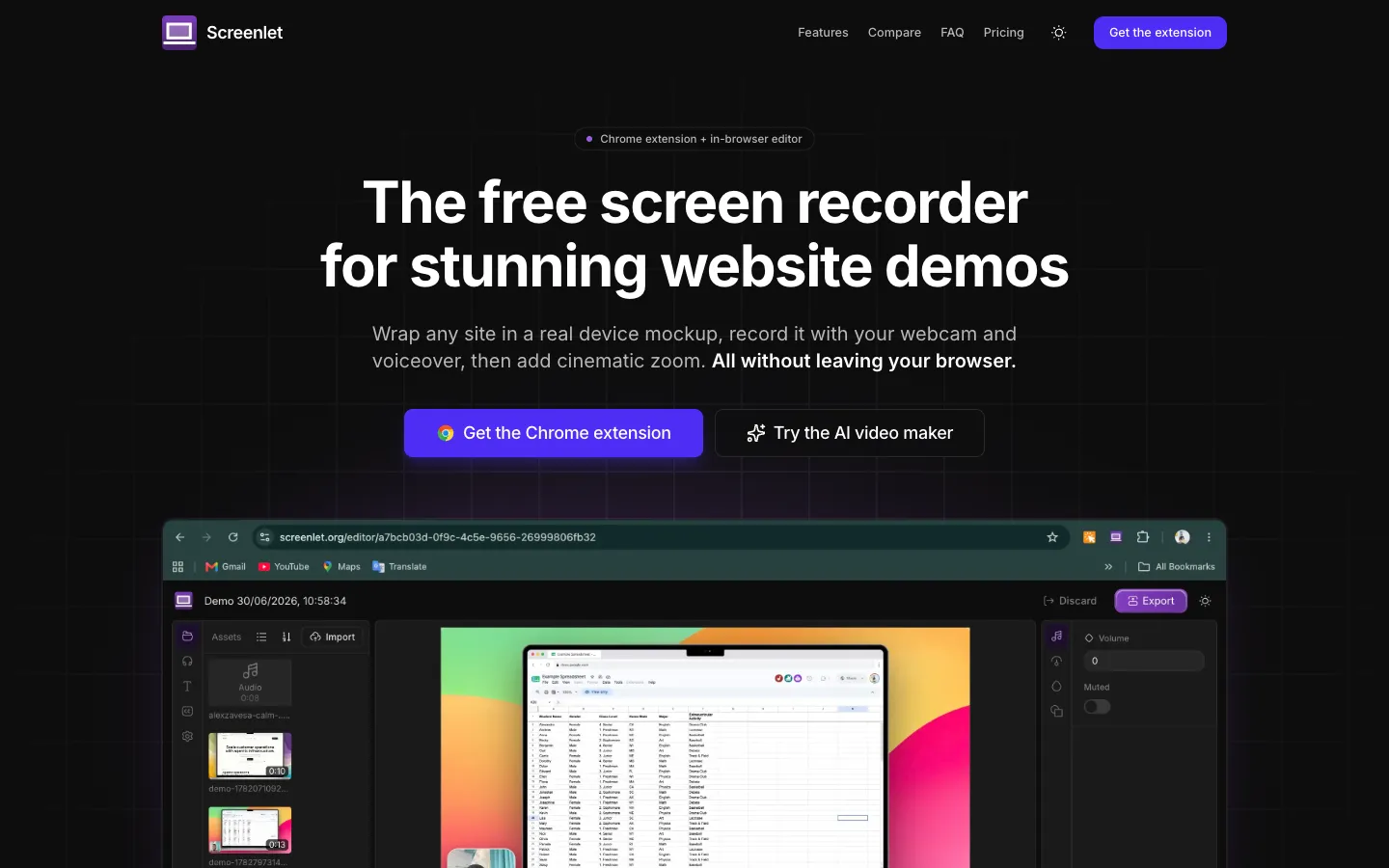
Screenlet is a screen recorder and device mockup maker that runs as a Chrome extension. You open the site you want to show and place it inside a device frame such as an iPhone 17 Pro Max, MacBook Pro, iPad Pro or Apple Studio Display. Then you either save a PNG image of the mockup or record a demo video with a webcam bubble and a voiceover from your microphone.
Screenlet logs every click while you record. When the video opens in the browser editor, those clicks have already become zooms, and you can retime them, remove them or add more before exporting MP4 or WebM at up to 1080p. Recording and editing happen in your browser, and the vendor says videos aren't uploaded to its servers. The editor is built on OpenCut, an open-source video editor. A separate AI video maker on the website writes and narrates short "this vs that" comparison videos with an animated character, using Google Gemini for the script and voice. It's metered and needs the paid license.
Screenlet is aimed at founders, marketers and developers who make product demos, landing page visuals and tutorials, especially on Windows or Linux, where Screen Studio doesn't run. It launched in June 2026 and is built by a solo developer based in Delhi, India.
Features
Device mockups for any website: Frames the current page in a MacBook Pro 16, MacBook Air, Dell Latitude, iPad Pro, Apple Studio Display or iPhone 17 Pro Max, with a simulated macOS, Windows or iOS browser window around it. The phone frame loads the site's real mobile layout.
Frameless backdrops: Floats the page over a background instead of a device, with macOS wallpapers, gradients, solid colors or your own image. You can adjust the size, corner rounding, shadow and background blur.
Transparent PNG mockups: Exports a high-resolution screenshot with the device frame built in and a see-through background.
Webcam and voiceover: Adds a webcam bubble you can drag and resize, plus a voiceover from your microphone, recorded with the screen into one HD video. You can pause and resume and use a custom cursor.
Several video shapes: Records in 16:9 (widescreen), 4:3, 1:1 (square) or 9:16 (vertical), or a custom area you drag out.
Automatic click zoom: Every click becomes a zoom when the video opens in the editor. You can remove or retime the zooms and add extra ones anywhere the cursor moved.
Free browser video editor: A web editor built on OpenCut handles the zoom edits and exports MP4 or WebM at up to 1080p.
AI "this vs that" video maker: Name two things and add their logos, pick one of five characters (Presenter, Robot, Hero, Cat or Wizard), a voice and a language, and Gemini writes and narrates a comparison video. It renders in your browser in 9:16, 1:1 or 16:9, with optional captions and your own watermark. Each video uses one credit.
Recordings stay on your device: Screen recordings, webcam video and microphone audio are made and saved on your computer, and editor projects are kept in the browser's own storage. Only the AI video maker sends text (the two names, the language and the length) to Gemini.
No account needed: Install the extension and record without signing up. A license key, emailed after you buy, unlocks the paid plan.
Pricing
The free plan has every recording and editing tool but adds a watermark. One payment removes it, with no subscription. AI comparison videos use credits: one credit makes one video.
Free: $0. Device mockups, recording, the zoom editor and webcam plus voiceover at 1080p, with a small "screenlet.org" watermark on exports. No signup.
Lifetime: $29 one-time. Removes the watermark, unlocks unlimited recordings and screenshots, includes 25 AI video maker videos, works on up to 3 devices and includes future updates. Commercial use is allowed, and one license covers one user.
AI video top-ups: 30 videos for $12 or 75 videos for $25. They need the Lifetime plan; without it the purchase is refunded automatically.
Refunds: Purchases are generally non-refundable. The vendor asks you to get in touch within 14 days if something doesn't work or you were charged by mistake.
Team or enterprise plans: Not published.
Integrations
Platforms: A Chrome extension that also works in other Chromium browsers (browsers built on the same engine as Chrome) on Windows, macOS, Linux and ChromeOS, plus a web editor and a web AI video maker. There's no desktop app to install, and the vendor doesn't mention recording desktop apps outside the browser. The research doesn't mention a mobile app.
Chromium browsers: Google Chrome, Microsoft Edge, Brave, Opera and Comet.
Google Gemini: Writes and voices the narration in the AI video maker, using text only.
Dodo Payments: Handles checkout and emails the license key.
Platforms
- Chrome and other Chromium browsers on Windows
- macOS
- Linux and ChromeOS
- web
What users love about Screenlet
Simple to pick up: An early user on the Chrome Web Store says the interface is clean and easy to find your way around, so they were making website demos and walkthroughs without a learning curve.
Polished results with little effort: A user who switched from paid recorders says the built-in device mockups and automatic zooms make videos look professional with almost no editing, and called it a free stand-in for Loom and Screen Studio.
Good quality for quick clips: Users mention smooth recording and sharp output for short video snippets.
Frequently asked questions about Screenlet
Is there a Screen Studio alternative for Windows?▼
Screenlet is one option. It runs as a Chrome extension, so it works on Windows, Linux, macOS and ChromeOS anywhere Chrome or another Chromium browser runs, with no desktop app to install. It covers the Screen Studio-style parts of a demo: automatic zoom on clicks, webcam and voiceover, and device mockups. It records browser tabs and websites, and the vendor doesn't mention recording desktop apps outside the browser.
Is there a free screen recorder with no watermark?▼
Screenlet's free plan includes recording, mockups, the zoom editor and webcam plus voiceover at 1080p, but exports carry a small "screenlet.org" watermark. Removing it takes the Lifetime plan, a one-time $29 payment with no subscription, which also unlocks unlimited recordings and screenshots on up to 3 devices.
How do I use a screen recorder extension in Chrome?▼
With Screenlet, you add the extension from the Chrome Web Store and open the site you want to record, with no account needed. Pick a device frame or a wallpaper backdrop, choose a video shape, and switch on your camera or microphone if you want them; Chrome asks for permission the first time. When you stop, the video opens in Screenlet's web editor with zooms already placed on your clicks, and you export MP4 or WebM.
How do I make a website mockup video?▼
Open the site in Chrome, use Screenlet to put it inside a device frame such as a MacBook Pro, iPad Pro or iPhone 17 Pro Max, then record yourself clicking through it. The phone frame loads the site's real mobile layout. Adjust the automatic zooms in the editor and export at up to 1080p in 16:9, 4:3, 1:1 or 9:16 for landing pages, social posts or app store listings.
What is a free alternative to Loom?▼
Screenlet has a free plan and a one-time $29 Lifetime plan instead of a monthly subscription. Loom gives you hosted share links, while Screenlet exports an MP4 or WebM file you keep, and recording is processed in your browser. It adds device mockups and click zooms, so it suits polished product demos more than quick video messages. Free exports carry a watermark.
Similar tools
Alternative AI options