
agent-browser
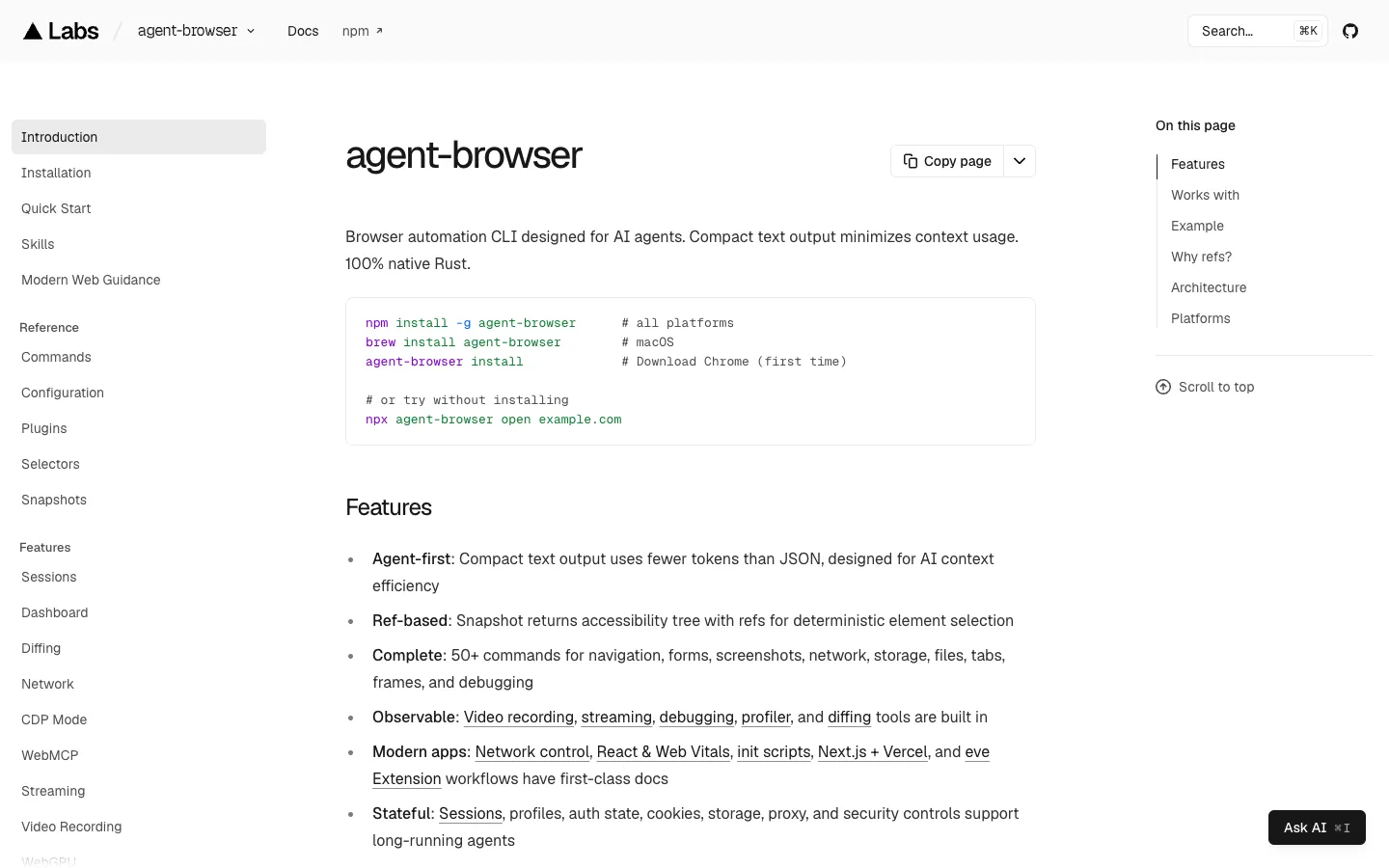
A free, open-source (Apache 2.0) command-line tool from Vercel Labs, written in Rust, that lets coding agents such as Claude Code, Codex and Cursor open web pages, read them as a short numbered list of elements, and click, type or take screenshots from the terminal.
Short description
agent-browser gives an AI agent a real browser that it drives one command at a time. The agent opens a page with agent-browser open, then runs snapshot, which returns the page as a short text outline (an accessibility tree) where every element gets a label such as @e1. The agent clicks or fills a field by that label, takes another snapshot to check what happened, and carries on. Vercel says a snapshot costs about 200 to 400 tokens, compared with about 3,000 to 5,000 for the page's full HTML, so the agent's memory fills up far more slowly.
A small Rust program passes each command to a background process that keeps Chrome open between commands and controls it through the Chrome DevTools Protocol, Chrome's built-in remote control interface. It downloads its own copy of Chrome by default. It can also connect to the Chrome you already have open, use the Lightpanda or Obscura browser engines, drive Mobile Safari in the iOS Simulator, or run on cloud browsers from Browserbase, Browserless, Browser Use, Kernel and AgentCore.
Vercel Labs builds it, and any agent that can run shell commands can use it. It comes with instructions (skills) that teach agents how to use it, and it can also run as an MCP server. The repo was created in January 2026, and the current release is v0.42.0, from November 10, 2026.
Features
Numbered page snapshots:
snapshot -ilists the clickable and typeable parts of a page as text, each with a label like@e1. The agent acts on that exact element and doesn't have to work out CSS selectors.Low token use: Vercel puts a snapshot at about 200 to 400 tokens, against about 3,000 to 5,000 for the page's full HTML.
Over 50 commands: Covers navigation, clicks, forms, dragging, file uploads, screenshots, PDFs, network control, cookies and storage, tabs, frames, pop-up dialogs and debugging. CSS selectors, visible text, XPath and plain descriptions like
find role buttonalso work.Browser stays open between commands: Each step is one short terminal command. A hidden (headless) browser shuts itself down after an hour with no commands, by default.
Skills for coding agents:
npx skills add vercel-labs/agent-browseradds a small skill that tells the agent to fetch its instructions from the installed tool, so they always match your version. Extra skills cover Electron apps, Slack and testing your own app.Your own Chrome or other engines:
--cdpor--auto-connectattaches it to a Chrome window you already have open, and--engineswitches to Lightpanda or Obscura.Mobile Safari testing: Drives Mobile Safari in the iOS Simulator, with tap and swipe commands. This needs a Mac with Xcode and Appium.
Live dashboard:
agent-browser dashboard startopens a local page on port 4848 that shows the browser live next to a feed of the agent's commands.Recording and debugging: Video recording, live streaming, before-and-after page comparisons, console and error capture, a profiler, and React and Web Vitals checks come built in.
Security controls: A password vault keeps stored logins out of what the AI sees. You can also limit which sites the agent may visit, block or require approval for risky actions such as running scripts or downloads, and mark page content so the agent can tell it apart from real instructions. These limits are off until you turn them on.
Chat mode:
agent-browser chat "open google.com and search for cats"turns a plain request into browser commands and runs them. It needs anAI_GATEWAY_API_KEY.Experimental WebMCP support: Finds and calls tools that websites offer to AI agents through Chrome's WebMCP feature.
Pricing
Free and open source: Apache 2.0 licence, installed from npm, Homebrew or Cargo. Neither agent-browser.dev nor the repo lists any paid plan.
Chat mode: Needs a Vercel AI Gateway API key. agent-browser.dev doesn't list AI Gateway prices.
Cloud browsers: Browserbase, Browserless, Browser Use, Kernel and AgentCore each need your own account and API key. agent-browser.dev doesn't list their prices.
Integrations
Coding agents: Claude Code, Cursor, GitHub Copilot, OpenAI Codex, Google Gemini, opencode and any other agent that can run terminal commands.
MCP clients:
agent-browser mcpruns it as an MCP server, the standard way AI apps plug in outside tools.Cloud browser providers: Browserbase, Browserless, Browser Use, Kernel and AgentCore, chosen with the
-pflag, for when running a browser on your own machine isn't practical.Browser engines: Chrome for Testing by default, plus Lightpanda and Obscura.
iOS Simulator: Mobile Safari, through Appium and its XCUITest driver.
Vercel: Setup guides for Next.js, Vercel Sandbox and eve agents.
Platforms
- macOS
- Windows
- Linux
- CLI
- MCP server
What users love about agent-browser
Far lighter than Playwright MCP: Several developers who used both say it eats much less of the agent's context than Playwright's MCP server. One called it "much better than the playwright MCP", and another dropped Playwright MCP from their workflow for it.
Agents choose it on their own: A Claude Code user says that when the agent is offered a choice of browser tools, it strongly prefers this one, which they hadn't seen it do with any other tool.
Works with your logged-in Chrome: Developers connect it to their everyday Chrome with
--auto-connect, and like that it keeps a session alive across separate commands.Cheap, repeatable automations: A developer automating accounting software with Claude Code moved most of the steps into a fixed script that runs through agent-browser and says it cut costs by roughly 10 to 18 times.
Short commands: Users like how simple commands such as
click,fillandfind role buttonare for an agent to call.
What users complain about agent-browser
Windows install problems: Several of the busiest GitHub issues come from Windows users who hit "Daemon failed to start" or path errors when installing. They're marked fixed, but Windows clearly got less attention early on.
Outside contributions wait a long time: A user who otherwise loves the tool says some of their pull requests have sat for months.
Plain Playwright can do the same job: One developer got equally good results from Playwright for scraping and browser chores.
Leftover Chrome processes: Users reported hidden Chrome helper processes left running at high CPU after sessions ended. That issue is also marked fixed.
Frequently asked questions about agent-browser
Is agent-browser free?▼
Yes. It's open source under the Apache 2.0 licence, free to install from npm, Homebrew or Cargo, and there are no paid plans. You only pay for other services you choose to use: the chat command needs a Vercel AI Gateway API key, and cloud browsers like Browserbase or Browserless need your own account with that provider.
What is the difference between agent-browser and Playwright MCP?▼
agent-browser is a command-line tool, so any agent that can run terminal commands can use it. Playwright MCP is a server that the agent connects to through MCP. agent-browser returns a short text snapshot with labels like @e1, which Vercel puts at about 200 to 400 tokens, against about 3,000 to 5,000 for a page's full HTML. If your client works better with MCP, agent-browser mcp runs it as an MCP server too.
How do I use agent-browser with Claude Code?▼
Install it with npm install -g agent-browser or brew install agent-browser, then run agent-browser install once to download Chrome. Add the skill with npx skills add vercel-labs/agent-browser, or add a line to your AGENTS.md telling the agent to run agent-browser skills get core before using it. Claude Code then drives the browser with commands like open, snapshot -i, click @e1 and close.
Is agent-browser safe?▼
It has a password vault that keeps stored logins out of what the AI sees, plus site allowlists, rules for which actions are allowed, approval prompts for risky actions, and markers that help the agent ignore instructions hidden in web pages. All of those limits are opt-in, so out of the box the agent can visit any site and take any action. It also warns you when the Chrome it's driving is missing security updates.
Does agent-browser work with my existing Chrome?▼
Yes. --cdp or --auto-connect attaches it to a Chrome window you already have open, so the agent can use sites you're logged in to. By default it starts its own copy of Chrome, and it can also use the Lightpanda or Obscura engines or a cloud browser.
Similar tools
Alternative AI options