Hold to Talk
A Mac menu bar dictation app where you hold Option-Space, speak and let go, and your words are pasted into the app you're typing in, using cloud transcription that keeps no audio on its servers.
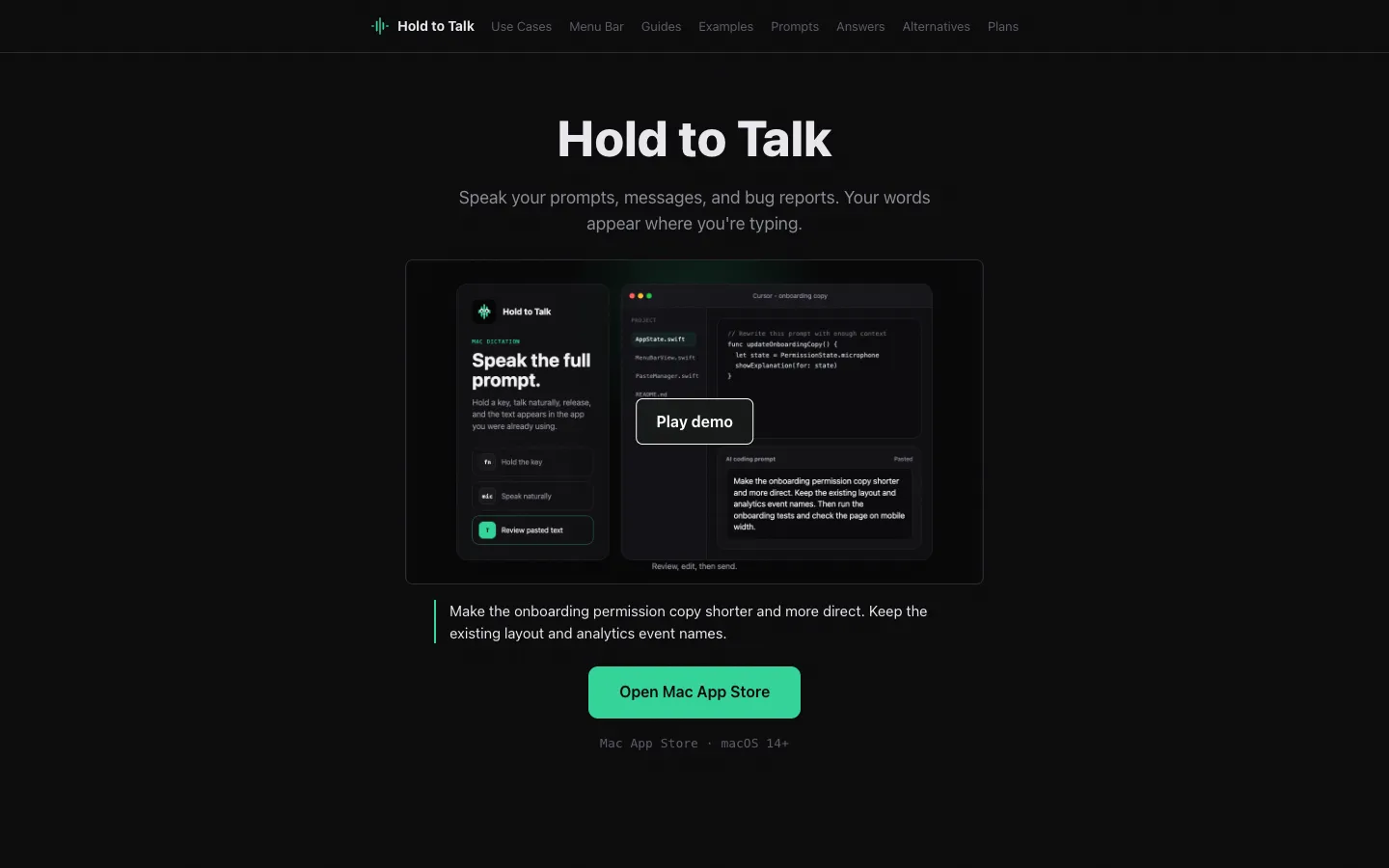
Short description
Hold to Talk sits in the macOS menu bar with no dock icon or window. You hold Option-Space (or a shortcut you choose), say what you want to write and release the key. The text is pasted into the field you were already typing in, whether that's Slack, an email, a browser form, a note, a code editor, Terminal or an AI prompt box in ChatGPT, Claude, Cursor or Claude Code. The standard shortcut only pastes, so you read the text before anything gets sent.
Speech is transcribed in the cloud, by default with Whisper Large v3 running on Groq. The company says audio is thrown away once the text comes back and is never used to train models, and your transcript history stays on your Mac. This keeps it quick, but it needs an internet connection. A vocabulary list helps with names and technical terms.
The app is designed for short dictations repeated through the day. The company says plainly that it doesn't record meetings, keep a notes workspace or rewrite your text with AI. It suits developers, people who write long AI prompts and anyone who writes in lots of Mac apps.
NS EC Holdings, LLC publishes Hold to Talk. The Mac app arrived on the Mac App Store on August 6, 2026, and an iPhone and iPad app with a voice keyboard followed on September 22, 2026. There's a free plan, and Pro costs $10 a month.
Features
Hold-to-talk shortcut: Hold Option-Space, speak and release. You can change the shortcut in Settings, and the microphone is only on while you hold the key.
Pastes into the app you're using: Text lands in the focused field in Slack, browsers, email, notes, code editors and Terminal, so there's nothing to copy across. A few secure or custom text fields may refuse the paste.
Review before sending: The standard shortcut pastes editable text and never submits it. The App Store listing also describes an optional Option-Shift-Space shortcut that pastes and presses Return for when you do want to send.
Custom vocabulary: Add names, work terms and odd spellings to a list so they come out right.
Fast cloud transcription: Uses Whisper Large v3 on Groq by default, and short dictations often show up in under a second on a fast connection. The privacy policy also lists an optional realtime streaming mode and optional cleanup and "most accurate" modes that use OpenAI.
No audio kept on servers: Audio travels over HTTPS, gets transcribed and is discarded. Hold to Talk doesn't store, log or replay audio or transcripts on its servers, and doesn't train models on them.
Transcript history on your Mac: Recent transcripts are saved locally, and you can clear the history or turn it off. Recordings that fail to transcribe stay on your Mac so you can recover them.
Menu bar popover: Shows your shortcut, weekly usage and recent transcripts, and opens settings for the shortcut, vocabulary, paste behavior and privacy.
Two permissions only: It asks for Microphone access and a limited paste permission that macOS lists under Accessibility, which it uses only to press Command-V. It doesn't use Input Monitoring or read other apps' screens.
Switch mics mid-recording: Version 1.2.75 (November 2026) lets you move between AirPods and your Mac's microphone during a recording and warns you if any audio was missed.
iPhone and iPad voice keyboard: The separate iOS app lets you dictate inside the app and copy the text, or turn on a voice keyboard for Messages, email, notes and other apps. It has its own vocabulary list.
Pricing
Free: $0, with about 2,000 words a week on the Mac. You get the same hold, speak and paste workflow in most standard Mac text fields.
Pro: $10 a month for 30 hours of transcription each month. You buy it inside the app through Apple and manage or cancel it in your Apple Account settings. An annual price for the Mac isn't published.
iPhone and iPad: A free download that includes 20 free dictations. Pro covers up to 30 hours a month, billed monthly or yearly from inside the app; the website doesn't list the iOS prices.
Older web subscriptions: Plans bought earlier on holdtotalk.com through Stripe are still managed on the website. All new purchases go through the App Store.
Team or business plan: Not published.
Integrations
AI prompt boxes: Pastes into ChatGPT, Claude, Gemini, Perplexity, Cursor, Codex, Windsurf, Zed and Raycast AI, in the browser or their desktop apps, with no browser extension needed.
Terminal and coding agents: Dictate instructions for Claude Code, text in Warp, shell notes, commit messages, code review comments and GitHub issues.
Work apps: Works in text fields in Slack, Gmail, Notion, Google Docs, Apple Notes, Microsoft Word, Linear and Jira.
Mac App Store: Apple handles installs, updates and Pro billing.
Transcription services: Groq runs the default Whisper Large v3 model and OpenAI handles the streaming and cleanup modes, both reached through Hold to Talk's own server on Cloudflare Workers.
Platforms
- macOS
- iOS
- iPadOS
Frequently asked questions about Hold to Talk
How do you use dictation on a Mac with Hold to Talk?▼
Install Hold to Talk from the Mac App Store (it needs macOS 14 or later) and allow Microphone access and the limited paste permission it asks for. Click into any text field, hold Option-Space, talk normally and let go. The text is pasted where your cursor was so you can check it before sending, and you can pick a different shortcut in Settings.
Is Hold to Talk free?▼
Yes. The free plan covers about 2,000 words a week. Pro costs $10 a month for 30 hours of transcription a month and is billed through your Apple Account. Deleting the app doesn't cancel Pro, so cancel it in your Apple Account subscription settings.
Is Hold to Talk a good offline dictation app for Mac?▼
No, it needs the internet. Audio goes to a cloud service for transcription (Whisper Large v3 on Groq by default), which is how it stays fast. The company says audio is deleted right after transcription and isn't used for training, and your transcript history stays on your Mac. If your audio must never leave your device, the company itself suggests choosing a local, on-device dictation app.
Does Hold to Talk store my audio?▼
Its privacy policy says no. Audio is sent over HTTPS, passed to Groq or OpenAI for transcription and discarded once the text comes back, and nothing is stored, logged or replayed on Hold to Talk's servers. Recent transcripts are kept only on your Mac, and you can clear them or turn history off in settings.
How is Hold to Talk different from Wispr Flow?▼
Hold to Talk does less. It focuses on the Mac, pastes plain voice-to-text into the app you're in without an automatic AI rewriting step, keeps no audio on its servers and charges $10 a month for Pro. Wispr Flow is a cross-platform AI dictation and writing product with AI cleanup and writing-assistant features. Hold to Talk also has no meeting recording or separate notes workspace.
Similar tools
Alternative AI options