
HoldTalk
A Mac dictation app where you hold the fn key, speak and let go, and the text appears at your cursor in any app, transcribed on your Mac by Apple's speech engine and sold for a one-time price.
Short description
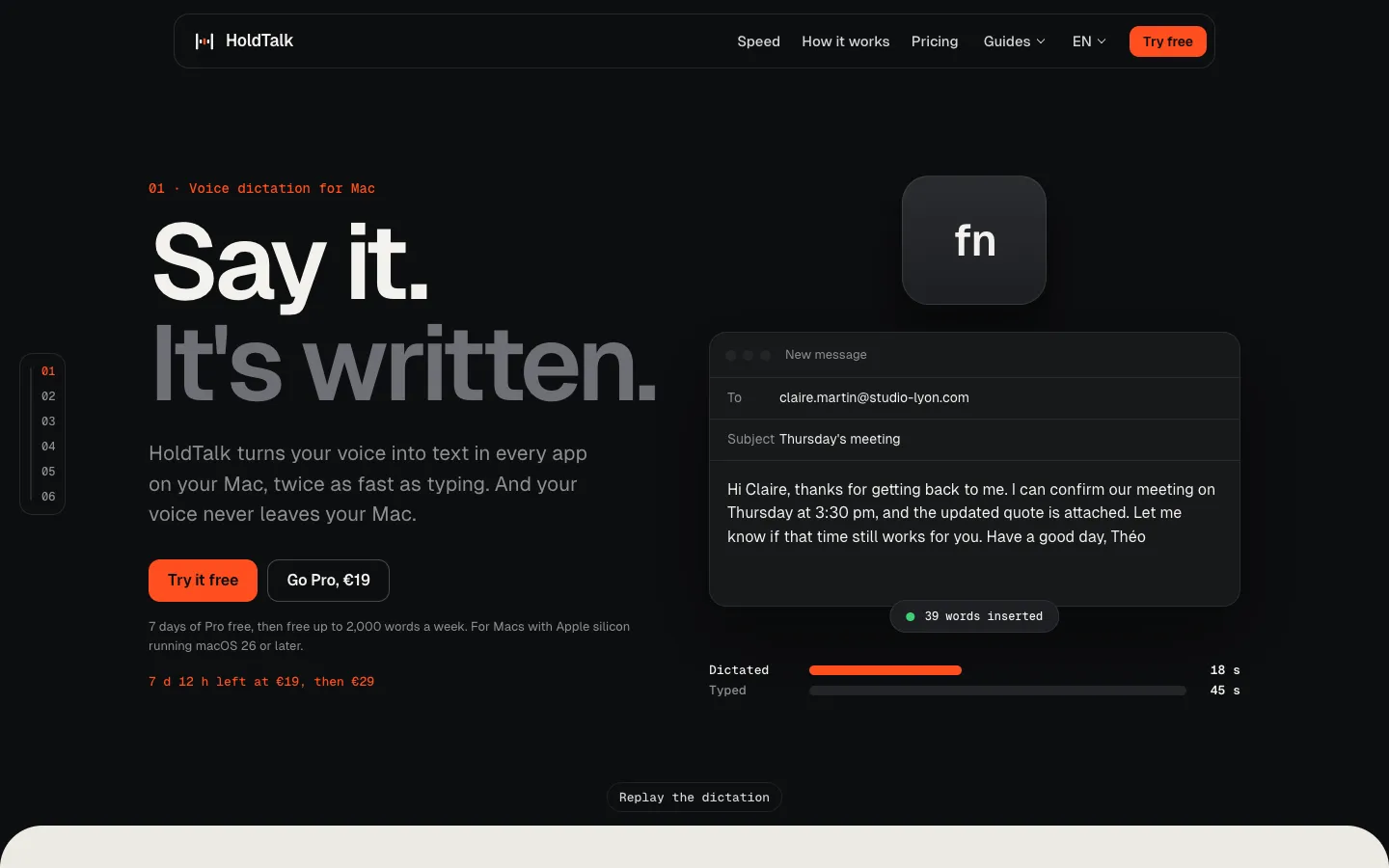
HoldTalk is a voice dictation app for Macs with Apple silicon. You click where you want to write, hold fn and speak. When you let go, the text is pasted at the cursor in Gmail, Outlook, Word, Slack, WhatsApp or any other app that takes typed text. The site says it arrives about 0.3 seconds after your last sentence. For longer passages you can tap fn once and talk hands-free. You don't have to say the punctuation, because commas, periods, times and amounts are written for you.
Transcription runs on the Mac with SpeechAnalyzer, the speech engine Apple added in macOS 26. HoldTalk deletes the audio once it's transcribed and never sends it to a server. There's no account, and the app only goes online to activate a Pro key or when macOS downloads a language. It dictates in English, French and Spanish, has a personal dictionary for names and trade terms, and keeps your last 1,000 texts in case one lands in the wrong window.
The free version starts with 7 days of unlimited dictation, then allows 2,000 words a week. Pro costs 19 euros once until November 15, 2026, and 29 euros after that. HoldTalk is made by Théo Belnou, a sole trader in Valencia, Spain, and launched publicly in early November 2026. The site pitches it to people who write all day, such as doctors, lawyers, consultants and freelancers.
Features
Hold-to-talk in any app: Click in a text field, hold fn, speak and release. The text is pasted at the cursor anywhere you can type, including Gmail, Outlook, Word, Slack and WhatsApp.
Hands-free mode: For long dictation, tap fn once and keep talking without holding the key down.
Automatic punctuation: Talk normally without saying "comma" or "period". Punctuation, times and amounts are written for you.
Quick insertion: The site says text appears about 0.3 seconds after your last sentence.
Transcription on your Mac: Apple's SpeechAnalyzer engine from macOS 26 does the work locally. Audio is deleted after transcription and is never recorded or uploaded, and dictation works offline once a language has been downloaded.
English, French and Spanish: HoldTalk dictates in all three, and the app, site and support are available in each.
Personal dictionary: Add names, brands and trade terms you use often. After each dictation, HoldTalk spells them the way you typed them and fixes words it misheard.
Searchable history: Your last 1,000 texts stay on the Mac, each with the name of the app it went into, so you can find one that was pasted in the wrong place. One click clears the list.
Clipboard and sound handled: Your clipboard goes back to what it held before each paste, and the Mac's sound is muted while you dictate.
Custom shortcut: fn is the default. If another app already uses fn, you can choose a different key in HoldTalk.
No account: The free version works as soon as it's installed. Pro is unlocked with a key sent by email.
Text cleanup (coming): Listed as an upcoming Pro feature that existing Pro buyers will get at no extra cost. It hasn't shipped yet.
Pricing
Free: 7 days of unlimited dictation from the first launch, with no card or account. After that, up to 2,000 words a week, which the site puts at about 15 to 20 minutes of dictation. All three languages, hands-free mode and recent texts are included. The count resets every Monday, a dictation in progress finishes even if it crosses the limit, and words from the trial week don't count.
HoldTalk Pro: 19 euros once until November 15, 2026, then 29 euros. Unlimited dictation, one key for up to 2 Macs, free updates throughout version 1, and every current and future version 1 Pro feature, including text cleanup when it arrives. There's no subscription. A future major version may be offered to key holders at a reduced price.
Refund: Full refund within 14 days of purchase, with no reason needed.
Teams: No team plan is published. The terms ask teams to email support.
Payment: Lemon Squeezy sells the licenses and handles payment, invoices and VAT. Prices are listed in euros only.
Integrations
Any text field on the Mac: HoldTalk uses macOS's Accessibility permission to paste at the cursor, so mail, chat, office and browser apps all work without a separate integration for each.
Apple SpeechAnalyzer: The speech engine built into macOS 26 does the transcription. macOS downloads each language from Apple the first time you use it.
Lemon Squeezy: Handles Pro purchases and license keys. To activate a key, the app sends the key and your Mac's name to Lemon Squeezy once. It also runs HoldTalk's affiliate program, which pays 30% per sale.
Platforms
- macOS
Frequently asked questions about HoldTalk
Is there a free alternative to Wispr Flow?▼
HoldTalk's free version allows 2,000 words a week, the same allowance as Wispr Flow's free desktop plan, and adds 7 days of unlimited dictation when you first open it. Beyond that limit, Wispr Flow charges $15 a month, or $12 a month billed yearly, according to HoldTalk's comparison from October 25, 2026. HoldTalk Pro is a single payment of 19 euros until November 15, 2026, then 29 euros. The catch is that HoldTalk only runs on Macs, while Wispr Flow also works on Windows, iPhone and Android.
How do you use dictation on a Mac?▼
To use Apple's built-in dictation, turn it on in System Settings > Keyboard > Dictation, click in a text field, press the shortcut and speak. HoldTalk replaces the start and stop step with hold-to-talk: hold fn, speak, and the text is pasted at the cursor when you release the key. You don't need to say punctuation, and for long passages you can tap fn once and talk hands-free.
What is a good offline dictation app for Mac?▼
HoldTalk transcribes on the Mac with Apple's speech engine, so it works offline once macOS has downloaded the language you dictate in. It only goes online for that first download and to activate a Pro key. It handles English, French and Spanish.
Does HoldTalk send my voice to a server?▼
No. Your audio is transcribed on the Mac and then deleted, and it's never recorded or uploaded. Your last 1,000 texts, your settings and your personal dictionary are stored in a folder on your Mac. The app has no ads, analytics or tracking, and you don't create an account.
Which Macs can run HoldTalk?▼
You need a Mac with Apple silicon (M1 or later) running macOS 26 or later, because the Apple engine HoldTalk relies on doesn't exist in older versions. There's no Windows or iPhone version. On an older Mac, the developer recommends Apple's built-in dictation.
Similar tools
Alternative AI options