Orca
A free, MIT-licensed AI coding agent that sits in a dock inside the Godot editor, reads your scenes and scripts, writes GDScript and waits for you to apply or reject each change. It runs on your own API key, a local model or an optional Orca Cloud plan from $10 a month.
Short description
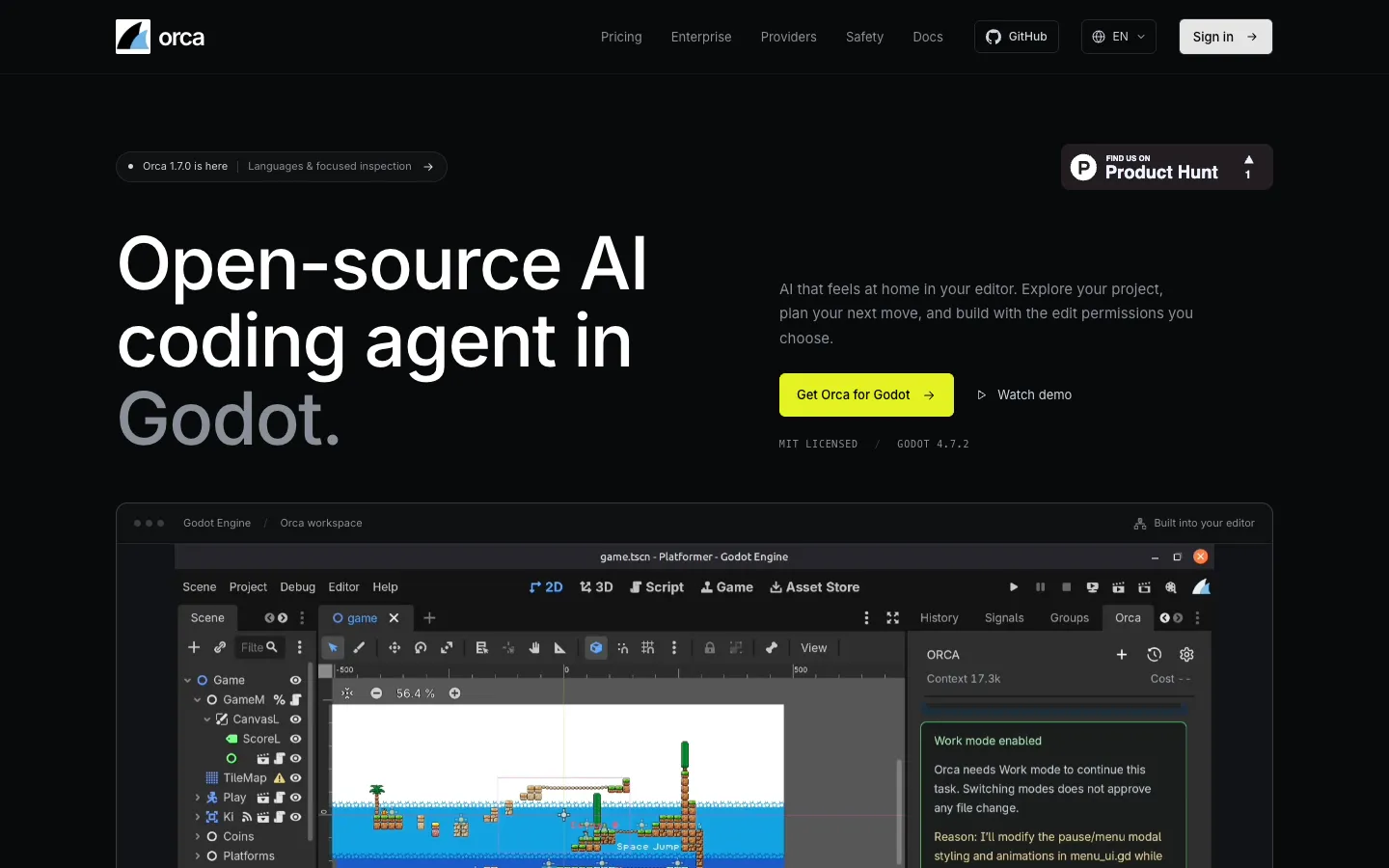
Orca is an open-source AI agent that installs as a plugin in the Godot game engine's editor, so you chat with it in a dock panel next to your scene tree. It knows how Godot projects are put together. It reads saved scene trees, node properties, signal connections, animation tracks, Input Map actions and project settings, and it sees the script you have open, unsaved edits included.
It has two modes. In Plan mode it can only read, so it explores the project and suggests a plan without touching any file. In Work mode it prepares changes as diffs that you apply or reject. Since version 1.6.0 you can let it apply small script edits on its own, while scene and settings changes still wait for you. Every write is checked against the file's hash and unsaved state, and automatic edits keep checkpoints you can revert after a restart.
You choose the model: OpenAI, Gemini, xAI, DeepSeek, OpenRouter, a local server such as Ollama or LM Studio, or Orca Cloud if you'd rather not deal with API keys (the access codes AI providers issue). The plugin itself is free under the MIT License.
It's meant for Godot developers, from beginners to small teams, who want AI help and still want the final say over their project. Version 1.0.0 came out on September 29, 2026, and 1.7.0 on November 6, 2026. Minghang Chamling makes it and publishes it on GitHub as cold-atom. Where the company is based isn't published.
Features
Runs inside the Godot editor: A dock that follows the editor's scale and opens scripts, scenes, resources and Godot Help topics in the editor straight from its activity list.
Reads Godot projects properly: Inspects saved scene hierarchies, node properties, groups, child instances, signal connections, Input Map actions, project settings and resource dependencies. Version 1.7.0 added focused reads of one node or subtree and read-only views of AnimationPlayer tracks and keyframes.
Live editor context: Sees the active scene, the selected nodes, the open script with your cursor position and unsaved code, and whatever is in the Inspector.
Plan and Work modes: Plan mode can't change the project. Work mode prepares changes, but switching to it doesn't give Orca permission to edit. The Tab key flips between the two.
Diffs you apply or reject: Each proposed change appears as a red and green diff, inline or side by side. GDScript is checked before you see it and again before it's written, and Orca won't overwrite a file you haven't saved.
Optional Auto apply for scripts: Small .gd edits outside the addons/ folder can go through without an Apply click, for one session or remembered for the project. Larger patches, scene and settings changes and addon scripts still need your review, and one click turns it off.
Script recovery after a restart: Automatic edits save local checkpoints, so you can look at the diff and undo the change after the editor restarts. It keeps up to 64 checkpoints or 4 MiB per conversation.
Code navigation: Finds where GDScript functions and variables are declared and where they might be used across your saved scripts, with clickable file and line links.
Run and check a scene: In Work mode it can launch a saved scene in a time-limited process and check simple startup or exit conditions from the output. The vendor says this can't prove your game looks or plays right.
Image attachments: Up to four PNG, JPEG or WebP images per message (10 MiB and 16 megapixels each) with a model that can read images, for example a UI screenshot or a reference picture.
Script references and team guidance: Drag up to four .gd scripts into the prompt as references. An AGENTS.md file in the project root and project skills (saved instruction sets) can hold your team's rules for the agent.
Five languages and in-editor updates: The interface comes in English, Simplified Chinese, Spanish, Japanese and Korean and switches live. A built-in updater checks for releases and installs them with Update & Restart once you confirm.
Pricing
The plugin is free. Orca Cloud, which supplies the AI model so you don't need your own key, is optional.
Plugin: Free and open source under the MIT License. If you use your own provider or a local model, Orca charges nothing and the provider bills its own usage.
Orca Cloud Free: $0, with $3 of AI usage a month on DeepSeek V4.1 Flash only. It resets on the 1st of each month (UTC) and can be paused when the service is busy.
Orca Cloud Starter: $10 a month for $10 of AI usage across DeepSeek V4.1 Flash, GPT-6 Luna, Kimi K2.6 and GPT-6.1 Sol.
Orca Cloud Pro: $20 a month for $20 of AI usage on the same four models.
How usage is counted: Usage is charged at Orca's rate for each model and depends on the model, the length of prompts and replies, images and project context, so it doesn't translate to a fixed number of messages. Unused usage expires at the end of the period. The per-model rates are only shown inside the Orca Cloud console, and annual prices aren't published.
Teams and studios: Pilots, onboarding and ongoing support are quoted per team.
Integrations
Hosted AI providers: OpenAI, Google Gemini, xAI, DeepSeek and OpenRouter with your own API key, plus Microsoft Foundry and Azure.
Local models: Ollama, LM Studio and other local servers that speak the OpenAI API format. Local setups start in chat only, and the agent's project tools unlock after a compatibility test passes and you switch them on.
Custom endpoints: Any OpenAI-compatible server, including one on your network or a remote one once you confirm its exact address.
Orca Cloud: Sign in through the browser and pick a managed model, no API key needed.
Godot Asset Store and GitHub: Install from either. At the time of research the Asset Store had version 1.6.0 and GitHub had 1.7.0.
Platforms
- Godot editor plugin on Windows
- macOS and Linux
What users love about Orca
Feels native to Godot: Several developers say it sits right in the editor and feels made by someone who actually works in Godot. One says it reads the editor context properly and the interface isn't clunky.
Edits you can trust and undo: A developer who once had a project wrecked by another AI assistant says Orca's file permissions and revert system made them comfortable using it.
Fixes real bugs: One user says it understood their project well and fixed bugs they'd been stuck on.
Good for beginners: People who are new to Godot or find coding hard say it helped them build their games and is fun to use.
What users complain about Orca
Small local models struggle: Users running Qwen and other models through Ollama or LM Studio report failed tool calls and chats that broke after the first message. The LM Studio bug was addressed in 1.4.0, and Orca says small models such as qwen2.5-coder:3b don't pass its agent test.
Lots of Apply clicks on long tasks: An early user had to click Apply again and again during long jobs. Auto apply in 1.6.0 handles small script edits, but scene and settings changes still wait for review.
Slow local models timed out: Orca's 30-second limit was too short for Ollama to load a model. Version 1.4.1 added adjustable timeouts from 10 to 600 seconds, with longer defaults for local setups.
Frequently asked questions about Orca
Is Orca free to use?▼
Yes. The Godot plugin is free and open source under the MIT License, and you can run it with your own provider API key or a local model. If you don't want to manage keys, Orca Cloud has a free tier with $3 of usage a month on DeepSeek V4.1 Flash, and paid plans at $10 and $20 a month.
How do you use AI with Godot?▼
With Orca, download the plugin ZIP, extract it into your project so it ends up at addons/orca/, and turn it on under Project Settings, Plugins. Open the Orca dock, connect a model and ask a question in Plan mode, such as how your player movement works. When you want changes, switch to Work mode and apply or reject each diff Orca proposes.
Can I use a local AI model with Godot?▼
Yes. Orca connects to Ollama, LM Studio or another local OpenAI-compatible server, and you don't need an API key if your server doesn't ask for one. Local setups start in chat mode, and the agent tools only unlock after a compatibility test passes and you enable them. Orca doesn't download or run models for you, and it notes that small models such as qwen2.5-coder:3b didn't pass its agent test.
Which Godot versions does Orca support?▼
Orca 1.7.0 supports Godot 4.7.2, and the vendor doesn't claim support for other versions. The Godot Asset Store lists Godot 4.7 as the minimum.
Can an AI agent change my Godot project without asking?▼
Orca won't by default. Plan mode is read-only, and Work mode waits for you to apply or reject each change. If you turn on Auto apply, only small .gd scripts outside addons/ get edited without a click. Scenes, settings and addon scripts still need your review, and every automatic edit saves a checkpoint you can revert.
Similar tools
Alternative AI options