
Structura
An AI autoblogging tool that researches keywords and the pages already ranking on Google, writes SEO-checked posts in the voice of author personas you set up, and publishes them on a schedule as editable WordPress blocks or through an API, using your own OpenAI, Gemini or Claude key.
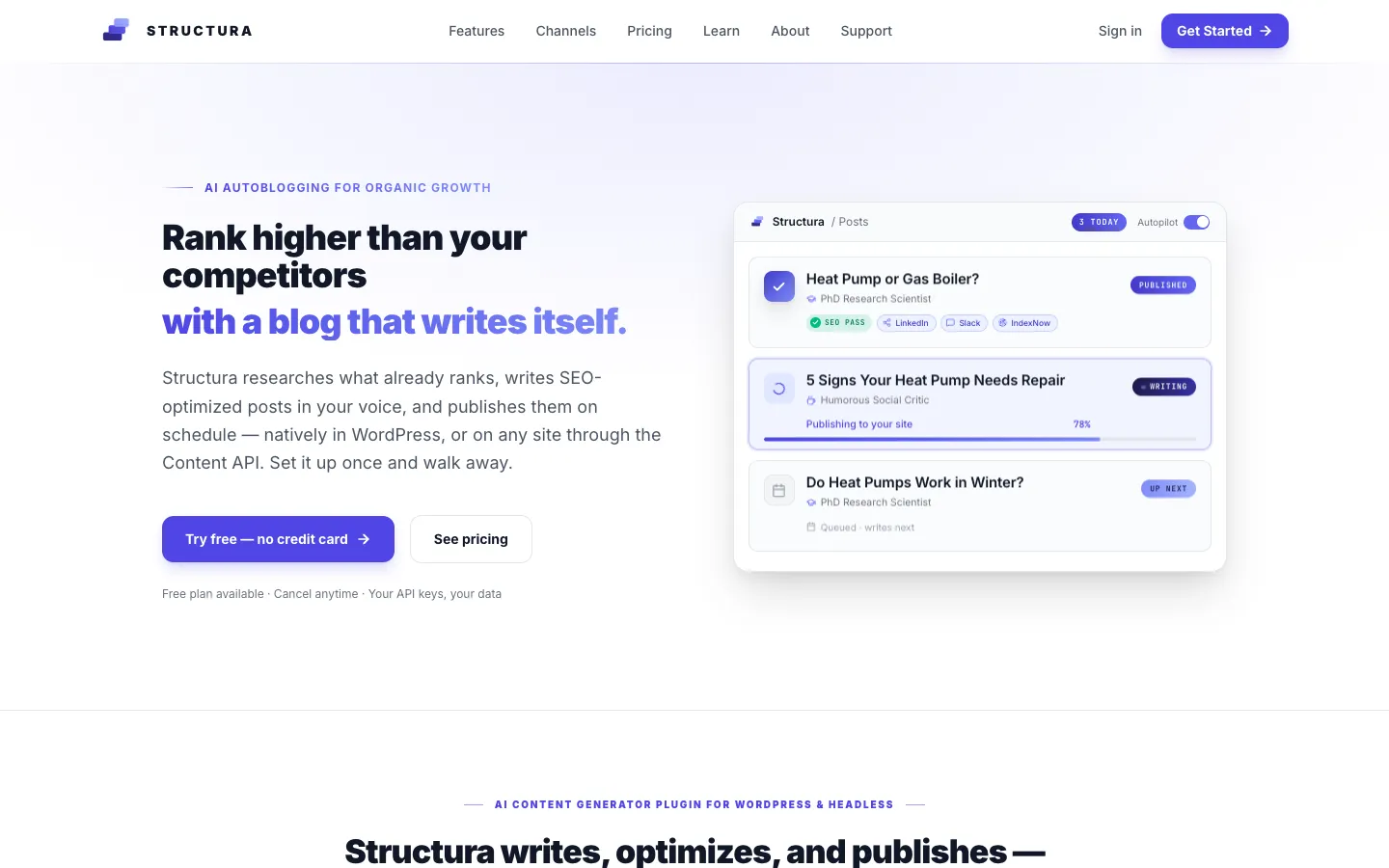
Short description
Structura runs a company blog on its own, for small businesses and agencies. You describe your business by pasting in key pages, pick a campaign strategy (Traffic Magnet, Quick Wins, Conversion or Authority), set up author personas and choose a schedule from weekly up to three posts a day. From then on, Structura researches keywords and the pages already ranking for them, writes each post, adds checked outbound links and images, runs a 20+ point on-page SEO check and publishes with no one touching it. If you'd rather approve each post first, it can hold them for review.
The output format sets it apart. On WordPress it writes posts as Gutenberg blocks, the building blocks of WordPress's own editor, instead of pasting one big chunk of HTML. Posts stay editable in any theme and pass the Yoast and Rank Math SEO plugin checks. Sites built on other tools get the same posts as structured data from a hosted Content API. After a post goes live, Structura shares it to LinkedIn, Slack, Discord, Telegram, WhatsApp and email, notifies search engines, and uses a Google Search Console connection to rank which posts to improve next.
You pay per site. The Free and BYOK ("bring your own key") plans run on your own AI account, and Structura adds nothing to what the AI provider charges. The Cloud plan includes the AI, images and short vertical videos. Structura is made by Xerx, a WordPress agency run by Yurii Vasilyev in Innsbruck, Austria, which used it on client sites from early 2024 before releasing it to the public in 2026.
Features
Campaign Architect: Reads the pages you paste in (features, about, pricing) and suggests a campaign name, a goal and one of four strategies: Traffic Magnet, Quick Wins, Conversion or Authority. A campaign with no keywords can write from its goal alone.
Keyword Bank: Finds 20 to 50 keywords per campaign and suggests a main keyphrase for one-off posts (BYOK and Cloud).
Live Google research: On paid plans it checks live Google results, pulls the outlines of the top-ranking competitor pages and measures their length, heading structure and image count, then writes to cover what they miss.
Author personas: Virtual authors with their own tone, reading level and expertise, assigned per category. Each one is credited to a real author on the site and gets the structured author data search engines read.
Native WordPress blocks: Writes posts as real Gutenberg blocks with images saved to your site in WebP format, alt text, and categories and tags set, instead of one block of HTML or Markdown. New campaigns default to 1,200-word posts.
20+ point SEO check: Covers the meta title, URL slug and description, where and how often the keyphrase appears, readability rules, internal links to pages that already rank, and FAQ and How-To schema (the code that can earn rich results on Google). It's built to pass Yoast and Rank Math.
Checked outbound links: Builds a list of trusted sources for your niche and language, and checks that every outbound link works before publishing. Referral links to other sites are marked as sponsored.
Scheduler and autopilot: Publishes daily, weekly or up to three times a day. Paid plans write posts ahead of time, so a scheduled post goes live in under a second, and editors can leave review notes in the WordPress editor.
Sharing to channels: When a post goes live it sends a LinkedIn post rewritten in your voice with the featured image, plus notices to Slack, Discord, Telegram, WhatsApp and email. It can also send a webhook (an automatic message to another app) and ping IndexNow, which tells Bing and Yandex the page is new.
AI video: On Cloud, turns each post into a 30 to 60 second vertical video for YouTube Shorts, TikTok and Reels, with title cards, an AI voiceover and captions timed to each word.
Search performance: A read-only Google Search Console connection shows clicks, impressions, position and search queries for each post. It flags posts close to page one, posts losing traffic, posts competing with each other for the same search and pages Google hasn't indexed, and sends a digest email every Monday.
Content API for other sites: Sites built with Next.js, Astro or any other front end can pull published posts from a fast, public API, with the same features as the WordPress plugin. The changelog adds setups for sites made with Lovable, Replit and v0.
Pricing
Prices are per site. On the plans that use your own AI key, you pay the AI provider directly for what you use.
WordPress.org plugin: $0 with no account. Posts with paragraphs and headings only, on your own OpenAI, Gemini or Claude key. No featured image, meta fields or Content API.
Free: $0 with a free account and license. 1 active campaign, automatic scheduling, featured image generation, automatic meta fields, the Content API and community support, on your own AI key. It doesn't include images inside posts, the full set of blocks, the SEO check, Google research, the Keyword Bank, checked outbound links, Search Console or channel sharing.
BYOK: $15 per site a month, or $144 per site a year ($12 a month). Everything in Free, plus the 20+ point SEO check, Google and competitor research, the Keyword Bank, checked outbound links, all sharing channels, Search Console, up to 10 active campaigns and priority support that replies within 1 business day. Your AI provider bills you directly, with no markup.
Cloud, 30 posts: $49 per site a month, or $468 per site a year ($39 a month). AI included, so you don't need your own key. 30 posts, 90 images and 10 AI videos per site a month, unlimited campaigns and same-day support.
Cloud, 100 posts: $149 per site a month, or $1,428 per site a year ($119 a month). 100 posts, 150 images and 40 AI videos per site a month.
Cloud discounts for more sites: Billed yearly, per site per month. 30 posts: $39 for 1 to 4 sites, $34 for 5 to 9 sites and $30 for 10 to 24 sites. 100 posts: $119, $105 and $90 for the same groups. For 25 or more sites, your own branding (white-label), single sign-on or a custom data processing agreement, you contact sales.
Billing terms: Paying yearly saves two months. Cancel anytime, upgrades are prorated and taxes are added at checkout. A Cloud post counts once it's delivered, including its research, writing and images. BetaList listed the code LAUNCH50 for 50% off the first year.
Integrations
AI providers: OpenAI, Google Gemini and Anthropic Claude on your own key, and every own-key plan can connect all three. There's also a documented way to plug in a self-hosted or other model.
SEO plugins: Posts are formatted for Yoast SEO and Rank Math.
Google Search Console: A read-only connection on BYOK and Cloud.
Sharing channels: LinkedIn (your personal profile or a company page, after you sign in to LinkedIn and give access), Slack, Discord, Telegram, WhatsApp, email, signed webhooks and IndexNow.
Site builders: Setups for sites made with Lovable, Replit and v0, which receive each article at a page on the site. Shopify and Webflow are marked "Soon".
Platforms
- WordPress plugin
- Web
- API
What users love about Structura
Posts arrive as real WordPress blocks: Early users say drafts come in as clean, editable blocks instead of one chunk of HTML, so there's little to tidy before or after publishing.
Green SEO scores without a manual pass: A WordPress user who ran it before it was in the plugin directory says posts scored clean on Yoast and Rank Math for SEO and readability straight away.
Link checks save cleanup: A blogger who used it for first drafts over a few weeks says checking links before publishing removes a surprising amount of cleanup, and estimates it saves 30+ minutes a post.
One workflow you can watch: A tester likes that research, strategy, writing, images, SEO checks, linking and publishing run as one process, with a campaign dashboard that shows each article's stage and any failure before it goes live.
Easy to try and to hand to a team: Users mention a painless setup that produced content within minutes, a mode that needs no account and only an OpenAI key, and personas and campaigns that were quick to teach to colleagues.
What users complain about Structura
Facts still need checking: A regular user caught a wrong statistic in a draft and now double-checks key claims, so it doesn't replace a human editor where accuracy matters.
No long-term ranking proof yet: The same user notes there's no published evidence of how these posts rank over time, and wouldn't publish fully hands-off at volume given Google's spam policy on mass-produced content.
Limited control over writing: A tester wants more say over tone, which sources get cited, internal linking rules and the review step before publishing.
Frequently asked questions about Structura
Can AI write blog posts automatically?▼
Yes. Structura researches a keyword, reads the pages already ranking for it, writes the post in an author persona's voice, adds images and checked links, and publishes it on the schedule you set, from weekly up to three posts a day. You can let it run on autopilot or hold each post for review, and editors can leave notes in the WordPress editor.
What is the best AI autoblogging plugin for WordPress?▼
It depends on whether you want the AI cost inside the subscription. Structura's WordPress plugin is free on WordPress.org and runs on your own OpenAI, Gemini or Claude key, and its BYOK plan is $15 per site a month ($12 billed yearly) with no markup on AI usage. It writes native Gutenberg blocks formatted for Yoast and Rank Math. Its Cloud plan, from $49 per site a month, includes the AI.
Is AI content bad for SEO?▼
Not by itself. Structura's own guide says Google ranks content on quality and purpose rather than on how it was made, and treats pages mass-produced to game rankings as spam. Structura runs a 20+ point on-page check, cites checked sources and adds FAQ and How-To schema to every post, and its Search Console connection flags posts that are losing traffic or competing with each other so you can fix them.
How do I automate blog posts on WordPress?▼
Install the Structura plugin, paste in your key pages so its Campaign Architect can suggest a strategy, create author personas and set a schedule. Each run researches, writes, formats the post as Gutenberg blocks with images and meta fields, and publishes it. On paid plans it also shares the post to LinkedIn, Slack, Discord, Telegram and other channels and pings IndexNow when it goes live.
Is there an Outrank alternative that lets you use your own API key?▼
Structura is one. Its Free and BYOK plans run on your own OpenAI, Gemini or Claude key (the access code from your AI account), billed by the provider with no markup, while Outrank includes the AI in its price. Structura's own comparison admits Outrank is cheaper per article and publishes to more website platforms, while Structura adds social sharing, personas and native Gutenberg output.
Similar tools
Alternative AI options