Thrum
A program for Mac and Linux that lets Claude Code, Codex, Cursor and other coding agents message each other, so you talk to one coordinator agent that hands out the work, has another agent review it and merges the result.
Short description
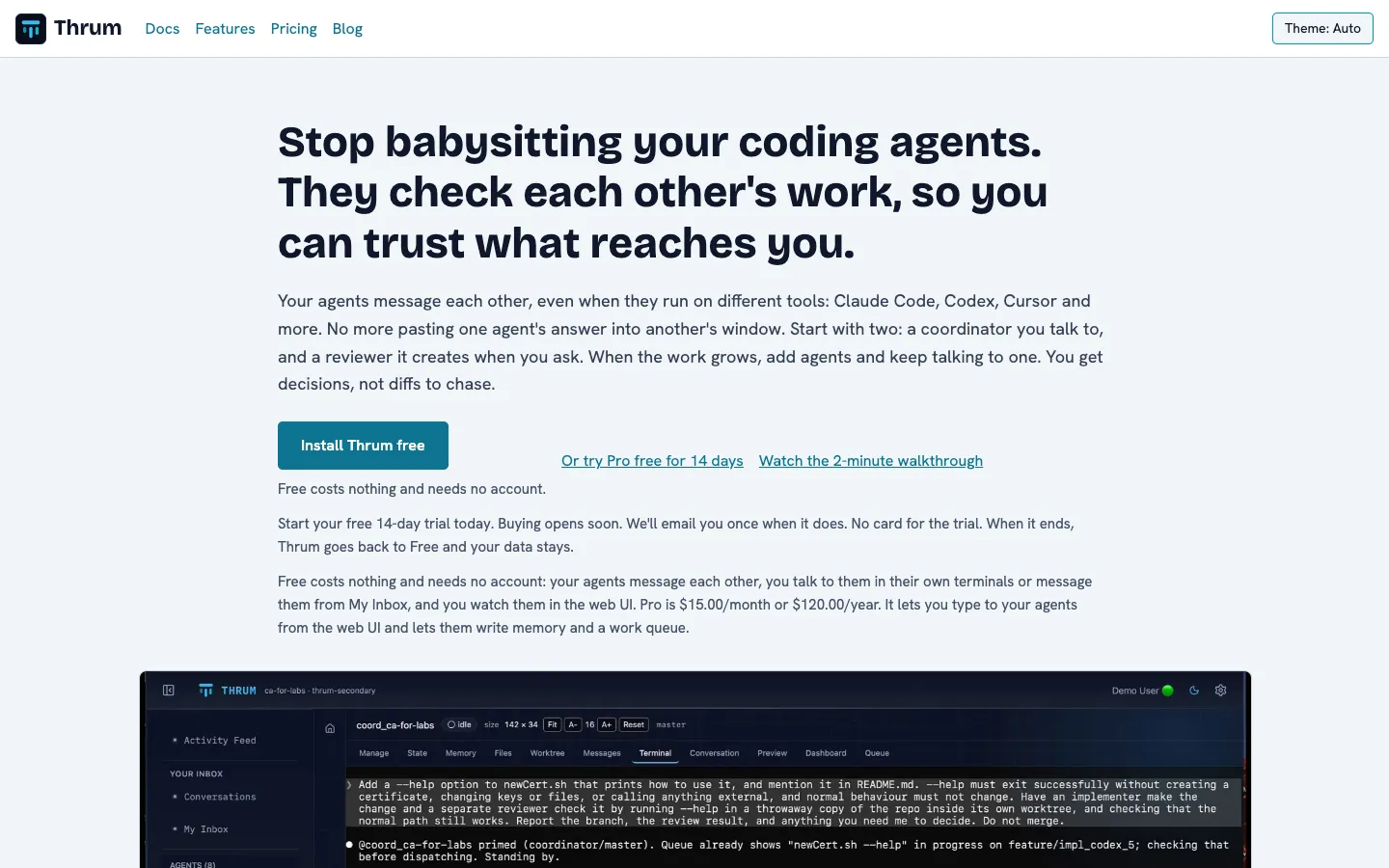
Thrum is for developers who run more than one AI coding agent on real code and are tired of pasting one agent's answer into another agent's terminal. It runs on your own machine, macOS or Linux, next to your Git repository. Each agent gets a name, an inbox and its own worktree, which is a separate checkout of the repository on its own branch so two agents never edit the same files. A local web page in your browser shows the agents and their messages.
After a one-time setup you start a coordinator and write to it in plain words. The coordinator starts the other agents you need, such as a reviewer, an implementer or a gate agent that runs your tests, sends them work by message and comes back to you with decisions to make. By default it merges routine changes itself once they pass review, and you can switch that so it asks you first. Agents can run in Claude Code, Codex, Cursor, GitHub Copilot CLI, opencode, Antigravity or Muse. Thrum never calls an AI model itself, so all tokens come out of the tools you already pay for.
The Free plan needs no account. Pro adds agent memory, a work queue, typing to agents from the web UI, search and email. Leon Letto builds Thrum. It started as an MIT-licensed open-source project in early 2026, and Thrum Pro launched on November 6, 2026.
Features
Agents message each other: Every agent has a name and an inbox, and messages pass between full agents in separate sessions, even when they run on different tools. Messages are stored in the repository's .thrum folder on your machine.
One coordinator to talk to: You send requests in plain words from My Inbox in the web UI or from the coordinator's own terminal. It starts and stops agents, hands out work, answers what it can and passes you the questions that need your call.
Agents check each other's work: The coordinator reviews each branch and is set up to build and test the merged result before it pushes. Reviewers can run on a different model, and implementers are told to start from a failing test.
Gate agent and merge control: A gate agent runs your tests on the merged code, and its verdict lists what it measured and what it didn't. You decide whether the coordinator asks before every merge or handles routine merges on its own.
Mix tools and models: Name the tool and model when you ask for an agent, for example Claude Opus for the implementation and Codex for the tests. Claude Code is the default, and Codex, Cursor, GitHub Copilot CLI, opencode, Antigravity and Muse are also supported.
Permission prompts answered remotely: When an agent stops to ask before running a command, Thrum sends the question to your coordinator and, if you want, to you. Reply approve or deny from My Inbox or Telegram, or by email on Pro, and Thrum presses the key in the agent's terminal.
Restart without re-explaining: Before a restart or a compaction (when the tool shrinks a long conversation to fit), an agent saves a snapshot that its next session loads. Claude Code and Codex agents get their briefing reloaded after a compaction automatically.
Watcher agent: A watcher reads the terminals of the agents on its list on a schedule. It warns an agent that has used about half its context window and nudges agents that have gone quiet. It runs in Claude Code or Muse.
Deployer agent: A deployer runs your scripted deploys. It handles dev and staging by itself, asks the coordinator before production, then checks the deploy and reports back.
Agents keep running in tmux: Each agent runs in its own tmux session, a terminal that keeps going in the background, so the work continues after you close the browser.
Multiple machines: Pair two machines over your local network or Tailscale, then ask your coordinator to reach an agent on the other one by name. Messaging between paired machines is free.
Phone access: Link a Telegram bot once and you can message your coordinator from your phone. Replies come back in the same chat.
Pricing
Free: $0 and no account. Agents message each other on any supported tool. You watch them in the web UI's Terminal tab (view only), answer from My Inbox or type in each agent's own terminal, and you get Telegram, watchers and machine pairing. Agents can read and delete memory, state, the work queue and the dashboard, but can't write to them.
Pro: $15 a month, or $120 a year ($10 a month), per person, for two connected computers. Adds typing to agents from the web UI, Start/Resume/Sleep/Kill buttons for agents, the Conversation view, full-text search of messages and transcripts, writable memory, personal state, work queue and dashboard, installing role bundles, the email bridge and email notifications, an encrypted vault for passwords and tokens, and extra sharing between paired machines.
Pro trial: 14 days free with no card, using a free account. When it ends, Thrum drops back to Free and keeps your data. Buying Pro hasn't opened yet, and the listed price is the planned price.
Pro free for public repositories: Pro costs nothing for each public repository you register on GitHub, GitLab, Bitbucket, Codeberg or Azure DevOps, for as long as it stays public. You need a free account, and the grant covers one repository on the machine that registered it.
AI usage: Not included. Agents spend tokens in your own Claude Code, Codex or other subscription, and reviewers and gates use tokens only when you start them.
Integrations
Claude Code: The default runtime. A Thrum plugin from the thrum-team/thrum-pro marketplace briefs each Claude Code session as a Thrum agent, and jq needs to be installed for that briefing to load on its own.
OpenAI Codex: Runs agents through the Codex CLI with the Thrum plugin.
Cursor: Runs agents through Cursor's agent command-line tool with the Thrum plugin.
GitHub Copilot CLI: Runs agents through the Copilot CLI with the Thrum Copilot plugin from its marketplace.
opencode, Antigravity and Muse: Each runs through its own CLI with the Thrum plugin installed.
MCP server: MCP is a standard way for an AI tool to call another program. Thrum's built-in MCP server lets any tool that supports it send messages, check its inbox, wait for a message and list the other agents.
Beads: Works with the separate Beads issue tracker, so the coordinator can file tasks with dependencies, assign them and close them after checking the work.
Telegram: A Telegram bot carries messages and permission prompts between you and your coordinator, on the Free plan.
Email: On Pro, the email bridge sends agents' messages to your mailbox and takes your replies back, and email notifications send you copies through a mail server you pick.
Tailscale and local network: Pairs your machines so agents can message each other across them.
Git and tmux: Thrum needs Git, a repository with at least one commit and a Git identity, plus tmux to keep each agent running in its own session.
Platforms
- macOS
- Linux
- CLI
- web UI
Frequently asked questions about Thrum
Is Thrum free?▼
Yes. The Free plan costs nothing and needs no account. Your agents message each other, you watch them in the web UI, and you answer them from My Inbox, Telegram or their own terminals. Pro is planned at $15 a month or $120 a year and adds memory, a work queue, search, email and typing to agents from the web UI. You can try Pro for 14 days without a card, and it's free for public repositories you register.
How do you run multiple Claude Code agents at once?▼
With Thrum you start one coordinator in Claude Code and ask it in plain words for more agents, such as a reviewer or an implementer. Each one runs in its own tmux session and its own Git worktree, a separate checkout on its own branch, so they don't overwrite each other's files. The agents message each other through Thrum, and you watch all of them in the web UI on your machine. You need macOS or Linux, Git, tmux, jq and Claude Code.
Can Claude Code and Codex work together?▼
Yes. Thrum lets agents on different tools message each other in the same way. You can ask your coordinator to put a Claude Code agent running Opus on the design and a Codex agent on the tests, and it sends each one its task and brings back both results. Each tool needs its own CLI and the Thrum plugin, and you sign in to each tool yourself.
Can Claude Code agents talk to each other?▼
With Thrum they can. Each agent has a name and an inbox, and messages travel between full agents in separate sessions, which goes further than one agent handing work to its own subagents. Messages are stored in your repository on your machine, and paired machines can exchange them over your local network or Tailscale.
Does Thrum send my code to its servers?▼
No, according to Thrum's security page. The program, the web UI and the messages stay on your machines, and your agents talk to your AI provider directly. A machine with a Pro licence checks in with my.thrum.team once a day, sending a credential and a random installation ID, with no code, prompts or messages. A machine without a licence sends only a one-time install count.
Similar tools
Alternative AI options