TrueScribe
A transcription app for Windows and Linux that runs Whisper on your own computer, free for unlimited local files, with a US$64 one-time Pro licence that adds speaker detection, local translation, meeting recording and batch jobs.
Short description
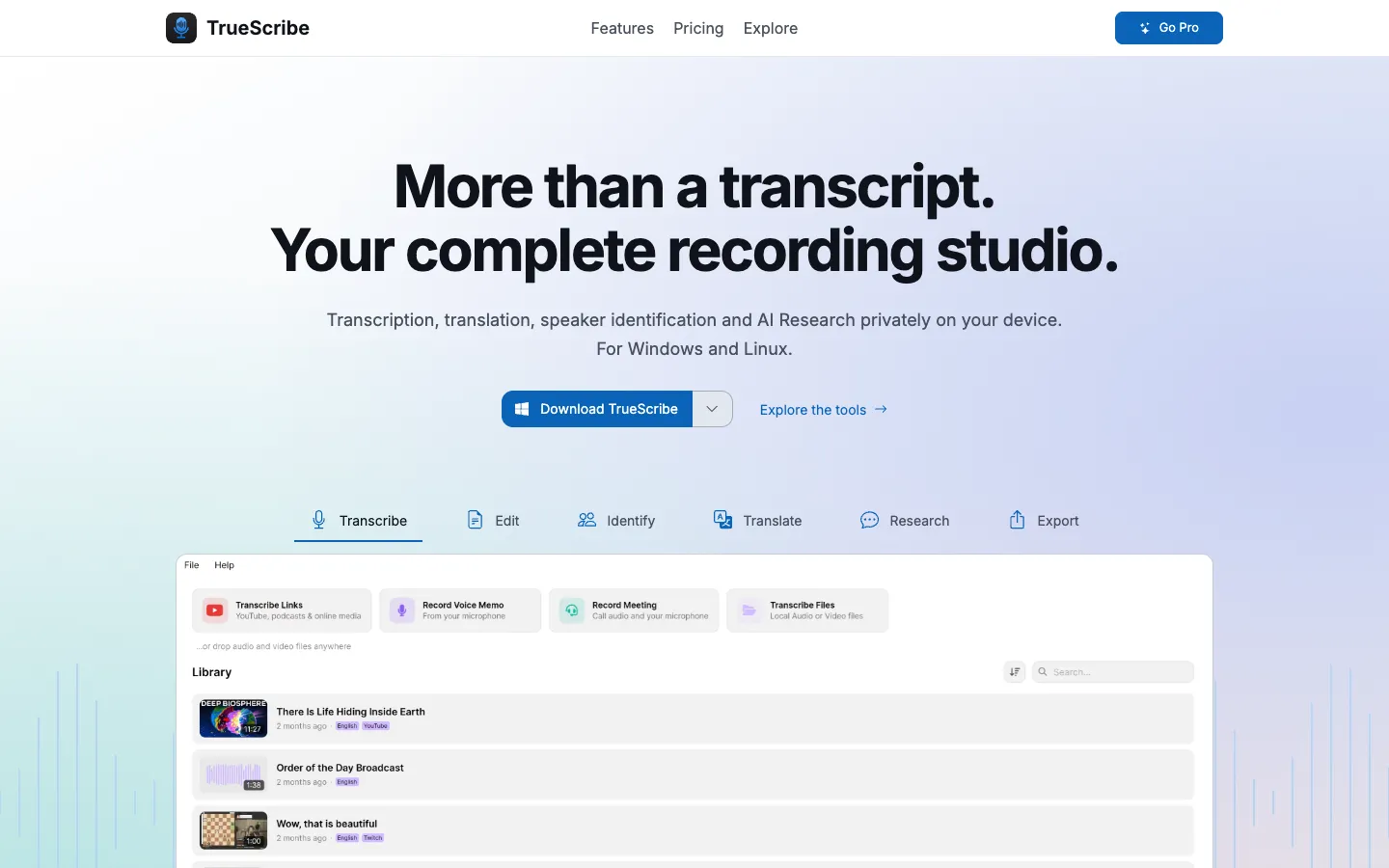
TrueScribe turns interviews, meetings, lectures, podcasts and videos into text on your own Windows or Linux machine. It runs OpenAI's Whisper speech recognition locally and picks a model that suits your hardware. The model downloads once on first use, and after that the app works offline. AMD, Intel and NVIDIA graphics cards speed it up through Vulkan, so you don't have to install NVIDIA's CUDA toolkit or set up drivers. Computers with integrated graphics or no graphics card transcribe on the CPU.
Once a transcript is done, you can play the audio against a waveform, fix the text with undo and redo, search your whole library, ask an AI questions about the transcript (with a local model or a cloud provider you pick) and export text or subtitles. Pro adds speaker detection with NVIDIA Nemotron 3, translation into 25 languages on your computer, meeting recording from any call app without a bot, YouTube and Twitch links, watch folders and batch jobs.
It's a native .NET app, so there's no Python, Docker or browser runtime to install, and you don't need an account. TinyKernel makes it. It reached the Microsoft Store on August 27, 2026, was posted to Hacker News on October 1, 2026 and was featured on BetaList on November 5, 2026. It suits people who want MacWhisper-style local transcription on a Windows or Linux computer.
Features
Local Whisper transcription: Transcribes audio and video files on your computer with any of the available Whisper models. Nothing is uploaded, you don't need an account, and the Free plan has no file or time limits. It detects the spoken language or uses the one you choose.
GPU speed-up without CUDA: Uses AMD, Intel and NVIDIA graphics cards through Vulkan with the driver you already have. Integrated graphics and machines without a graphics card run on the CPU, and the suggested model matches your hardware.
Timestamped editor: Plays the recording against its waveform while you correct the text, with undo and redo.
Speaker detection (Pro): Finds speakers on your computer with NVIDIA Nemotron 3. You name each one, fix who said what, and the labels stay consistent through the transcript.
Local translation (Pro): Translates a transcript into 25 languages on your computer, and you can flip between the translation and the original.
Meeting recording without a bot (Pro): Records Zoom, Microsoft Teams, Google Meet, Discord, Webex or any other call app from your computer. A live transcript labels you and the other side, each side is transcribed separately when you stop, and a summary is written with the AI model you choose. On Windows it offers to start recording when a meeting app turns on your microphone. On Linux you start it yourself.
Questions about a transcript: AI Transcript Research lets you ask about a transcript and follow up in a chat, using a local model or a cloud provider you set up. Pro adds saved one-click prompts for summaries, key points or your own questions.
Custom vocabulary: You enter names and jargon once and new transcripts lean toward the right spelling. Replacement rules fix a term Whisper keeps getting wrong.
Searchable library: Keeps recordings and transcripts together and searches their text, so you can find a passage without opening every file.
Media links (Pro): Transcribes a direct media link or a supported video page, including YouTube and Twitch.
Batch jobs and watch folders (Pro): Queues many files at once, or watches a folder and transcribes anything new that lands in it, even while the app sits in the system tray.
Voice memos: Records a dictation inside the app, then transcribes and edits it like any imported file.
Export formats: TXT, SRT and WebVTT on Free. Pro adds DOCX, PDF, Markdown, JSON and CSV. You can preview an export before saving it.
Pricing
Transcription is free with no limits. Pro is a one-time purchase with no subscription.
Free: $0. Unlimited transcription of local files with every available model, dictation, history, playback, editing, search, AI Transcript Research with a local model or your own cloud provider, custom vocabulary and replacements, and TXT, SRT and WebVTT export. Speaker detection, translation, meeting recording, media links, batch jobs, watch folders, one-click prompts and the extra export formats need Pro.
Pro: US$64 one-time for one licence on up to three active devices. Adds translation into 25 languages, speaker detection and naming, watch folders, YouTube and Twitch transcription, custom one-click AI prompts, batch transcription, DOCX, PDF, Markdown, JSON and CSV export, meeting recording with a live transcript, and automatic meeting summaries and titles. You can move a seat to a new device once the old one has been active for at least seven full days.
Cloud AI usage: TrueScribe charges nothing for it. If you connect a cloud provider, that provider bills your own account.
Refunds: Handled under the checkout or store terms. TrueScribe doesn't publish its own refund window.
Integrations
Meeting apps: Records Zoom, Microsoft Teams, Google Meet, Discord, Webex or any other call app from your own computer (Pro). No bot joins the call.
YouTube and Twitch: Paste a video page or a direct media link to transcribe it (Pro).
Cloud AI providers: Optional cloud models or remote servers for transcription, translation, AI Research and summaries. You connect them with your own provider account and API key (the access code a service gives you to use it from other apps). The supported providers aren't listed.
Graphics cards: AMD, Intel and NVIDIA cards through Vulkan, with no CUDA toolkit to install.
AI models: OpenAI Whisper for transcription and NVIDIA Nemotron 3 for speaker detection. Both download once and then run offline.
Microsoft Store: The Windows version installs and updates through the Microsoft Store. Linux users download it from the TrueScribe site.
Platforms
- Windows
- Linux
Frequently asked questions about TrueScribe
Is there a MacWhisper for Windows?▼
MacWhisper only runs on macOS. TrueScribe does the same job on Windows and Linux: it runs Whisper on your own computer without an account or an upload, and adds a waveform editor, search, AI questions about your transcripts and subtitle export. The Free plan transcribes unlimited local files, and Pro costs US$64 once for up to three devices.
Does Whisper need a GPU?▼
Not in TrueScribe. A graphics card from AMD, Intel or NVIDIA speeds things up through Vulkan, and you don't need to install CUDA or set up drivers. Machines with integrated graphics or no graphics card transcribe on the CPU. The app suggests a model that fits your hardware, so a faster card mostly means faster results.
Does Whisper need internet?▼
Only to download the model. TrueScribe fetches the Whisper model you choose the first time you use it and transcribes offline after that. It goes online again for media links, model downloads, licence checks, updates and error reports, or when you choose a cloud model for a feature.
Does Whisper have speaker diarization?▼
In TrueScribe, speaker detection (diarization) is a Pro feature that runs on your computer with NVIDIA Nemotron 3, on both Windows and Linux. You name each speaker once, correct who said what, and the labels stay consistent through the transcript. Meeting recordings also label you and the other side, because each side is recorded and transcribed separately.
How do I transcribe audio to text offline for free?▼
Install TrueScribe from the Microsoft Store on Windows or download it from the TrueScribe site on Linux, then drop in an audio or video file. It downloads the Whisper model once and transcribes on your machine. The Free plan has no file or time limits, exports TXT, SRT and WebVTT, and doesn't need an account.
Similar tools
Alternative AI options