AlbertCode SWE
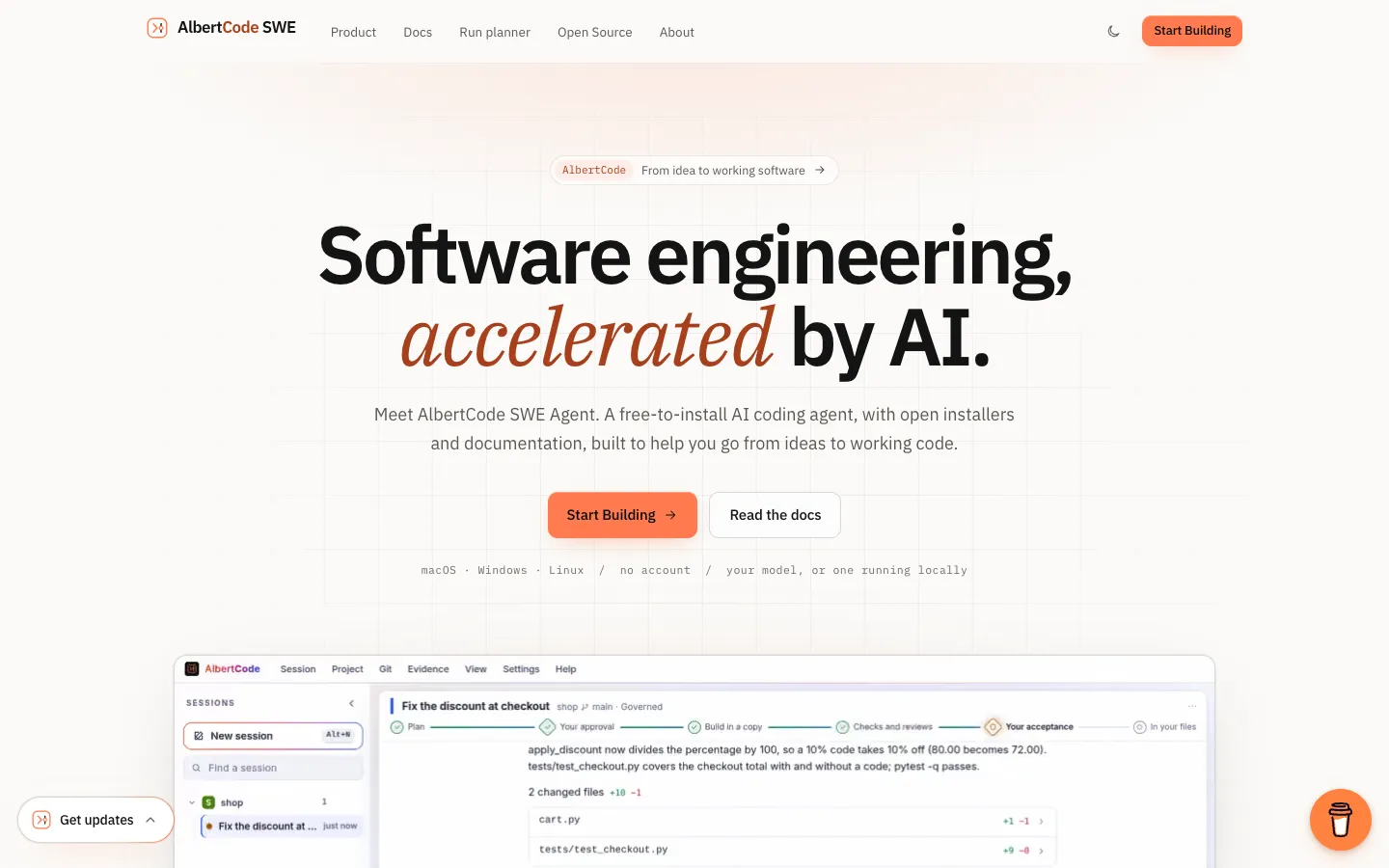
A free AI coding agent that runs on your own computer with your own model API key or a local model, plans each change for your approval, builds and tests it in a separate copy of your code, and edits your files only after you accept the final changes.
Short description
AlbertCode SWE Agent is a coding agent that you install and run on your own computer. You can work with it in a full-screen terminal app, a browser workspace or a VS Code panel. It doesn't come with an AI model. You connect your own: a hosted provider such as OpenRouter, Hugging Face, Kimi or Anthropic with your own API key, any service that accepts OpenAI's request format, or a model running on your computer through Ollama, LM Studio, vLLM or llama.cpp. You pay the provider directly, or nothing with a local model.
Its default Governed mode asks for your approval twice. The agent first writes a plan listing the files it expects to change, how it will test them and the risk. After you approve, it builds the change in a separate copy of your repository, runs your project's own tests and has the model review the result for security and quality. Your real files change only when you accept the final changes. Direct mode handles quicker edits, and Ask-only mode answers questions without touching your code.
It's for developers who want a coding agent without another subscription and with tight control over what lands in their code. The app is proprietary and free to install, with no account and no usage tracking. The public GitHub repository holds only the installers and docs; the agent's own code isn't published. Huy Nguyen built it, and its first GitHub release (version 1.54.1) is dated October 15, 2026.
Features
Bring your own model: Connect a hosted provider with your own API key (OpenRouter, Hugging Face, Kimi or any OpenAI-compatible service) or a model running on your computer through Ollama, LM Studio, vLLM or llama.cpp. The model must support tool calling, meaning it can read files and run commands through the agent instead of only replying with text. The albertcode models test command checks this for you.
Two approval steps: In Governed mode, the default, you first approve a written plan covering the goal, files, steps, test plan, a security note, how to undo it and the risk. Then you approve the final changes before anything reaches your files.
Separate build copy: Each governed change is built in its own copy of your repository. Rejecting the change deletes the copy, and the agent won't apply a change if you edited one of the same files in the meantime.
Runs your own tests: Uses the test tools your project already has (pytest, npm scripts, go test, cargo, Maven, Gradle, dotnet) and shows what passed and what failed.
Security and quality reviews: On the "thorough" setting, the model runs a separate security review and quality review on every governed change. The "fast" setting skips both and uses about half as many model calls.
Three modes: Governed for planned, tested changes; Direct, which edits your real files and asks before each write (or approves automatically) and needs Git; and Ask only, which answers questions without changing anything.
Terminal, browser and VS Code: All three connect to the same agent running on your computer, so you can start a task in one and follow it in another.
Rules file for your repo: A file named albertcode.contract.toml can block certain folders, cap how many files a change can touch, require tests to pass and make high-risk plans wait for an administrator.
Exportable task record: Each task keeps its plan, test results, reviews and changes in a log where every entry is linked to the one before it, so any later edit to the record shows up. You can export the log.
App preview and browser tests: Runs your project in a preview panel at desktop, tablet or phone width, and writes Playwright tests, which are automated tests that click through your app in a browser, into your e2e folder.
Scripts and automated pipelines: The albertcode run command sends one request without opening the interface, approves only the steps you name with --approve, and returns an exit code that tells a script or CI pipeline (an automated build and test setup) whether it worked.
No account or tracking: You don't need an account and the app collects no usage data. API keys stay in your system's keychain and are never passed to commands the agent runs.
Pricing
AlbertCode itself is free. What you pay for is the AI model: a hosted provider charges you for what you use, and a model on your own computer costs nothing.
AlbertCode app: Free to install, with no account needed. AlbertCode doesn't charge for model usage.
Model costs with your own key: You pay the provider you choose directly, at its own rates, through your own account. AlbertCode adds no markup and sells no credits.
Local models: No model cost when the model runs on your computer through Ollama, LM Studio, vLLM or llama.cpp.
Paid plans: None listed. The repository says terms for the app itself will be published with its first public release, and they aren't out yet.
Optional support: A Buy Me a Coffee link. Nothing in the app depends on it.
Integrations
Platforms: CLI on macOS, Windows and Linux, a browser workspace that runs on your own computer rather than a hosted site, and a VS Code extension. There's no JetBrains plugin, no official Docker image and no hosted or cloud version. The research doesn't mention a mobile app.
VS Code: An AlbertCode panel inside VS Code. It isn't on the VS Code Marketplace; you install it from a file attached to each GitHub release, and AlbertCode must already be installed and running.
MCP servers: MCP is a standard way to plug outside tools into an AI agent. AlbertCode has a gallery of 88 ready-made connectors, such as Git, Filesystem, GitLab and Linear, and you can add your own local or remote servers, including ones that need a sign-in.
Plugins: Package custom commands, custom agents and MCP servers in one folder or Git repo to share with a team.
Model providers: OpenRouter, Hugging Face, Kimi (Moonshot), Anthropic, any OpenAI-compatible service, and models on your own computer through Ollama, LM Studio, vLLM or llama.cpp.
Test tools: pytest, npm scripts, go test, cargo, Maven, Gradle and dotnet, plus Playwright for browser tests.
Git: Accepted changes are ordinary file edits that you review, commit or undo with Git. Direct mode requires Git.
Platforms
- CLI (macOS, Windows, Linux)
- browser workspace
- VS Code
Frequently asked questions about AlbertCode SWE
Is there a free AI coding agent?▼
Yes. AlbertCode SWE Agent is free to install, needs no account and doesn't charge for model usage. You connect your own model. With a hosted provider you pay that provider for what you use, and with a local model running through Ollama, LM Studio, vLLM or llama.cpp there's no model cost at all. Terms for the app will be published with its first public release.
Can I use a local LLM for coding?▼
Yes. AlbertCode connects to a model server on your own computer, such as Ollama, LM Studio or vLLM. With a local model your code stays on your computer, and the agent works offline once installed. The model needs reliable tool calling, which is the ability to read files and run commands through the agent. The docs say results vary with the model's size and how heavily it has been compressed. Run albertcode models test to check a model before you rely on it.
What is a BYOK (bring your own key) coding agent?▼
It's a coding agent that uses your own account with an AI model provider instead of bundling model access into a subscription. In AlbertCode you run /connect, paste an API key from a provider such as OpenRouter, Hugging Face, Kimi or any OpenAI-compatible service, and pick a model. AlbertCode checks the key before saving it, stores it in your system keychain and sends it only to that provider. The provider bills you for what you use, and AlbertCode charges nothing.
Is there a free AI coding agent for VS Code?▼
Yes. AlbertCode has a free VS Code panel with the same agent and approval steps as its terminal and browser versions. It isn't on the VS Code Marketplace. Download the albertcode-<version>.vsix file from the GitHub releases page and choose Install from VSIX in VS Code. AlbertCode itself has to be installed and running first.
Is it safe to let an AI coding agent change my files?▼
In AlbertCode's default Governed mode, nothing is written to your files until you approve both the plan and the final changes. The change is built in a separate copy, your own tests run there, and a rules file in your repository can block sensitive folders such as payments or migrations. The vendor says its security and quality reviews are done by the model you connect, so a passed review only shows that the check ran. It can still miss problems, and a person should still review the changes.
Similar tools
Alternative AI options