AppuBot
A desktop app that turns the Claude Code, Codex, Cursor, Grok, Copilot or OpenCode account you already have into a set of AI bots that click and type in the real apps on your computer and reply to you on Telegram. It's free on your own machine, and a cloud computer for the bots starts at $19 a month.
Short description
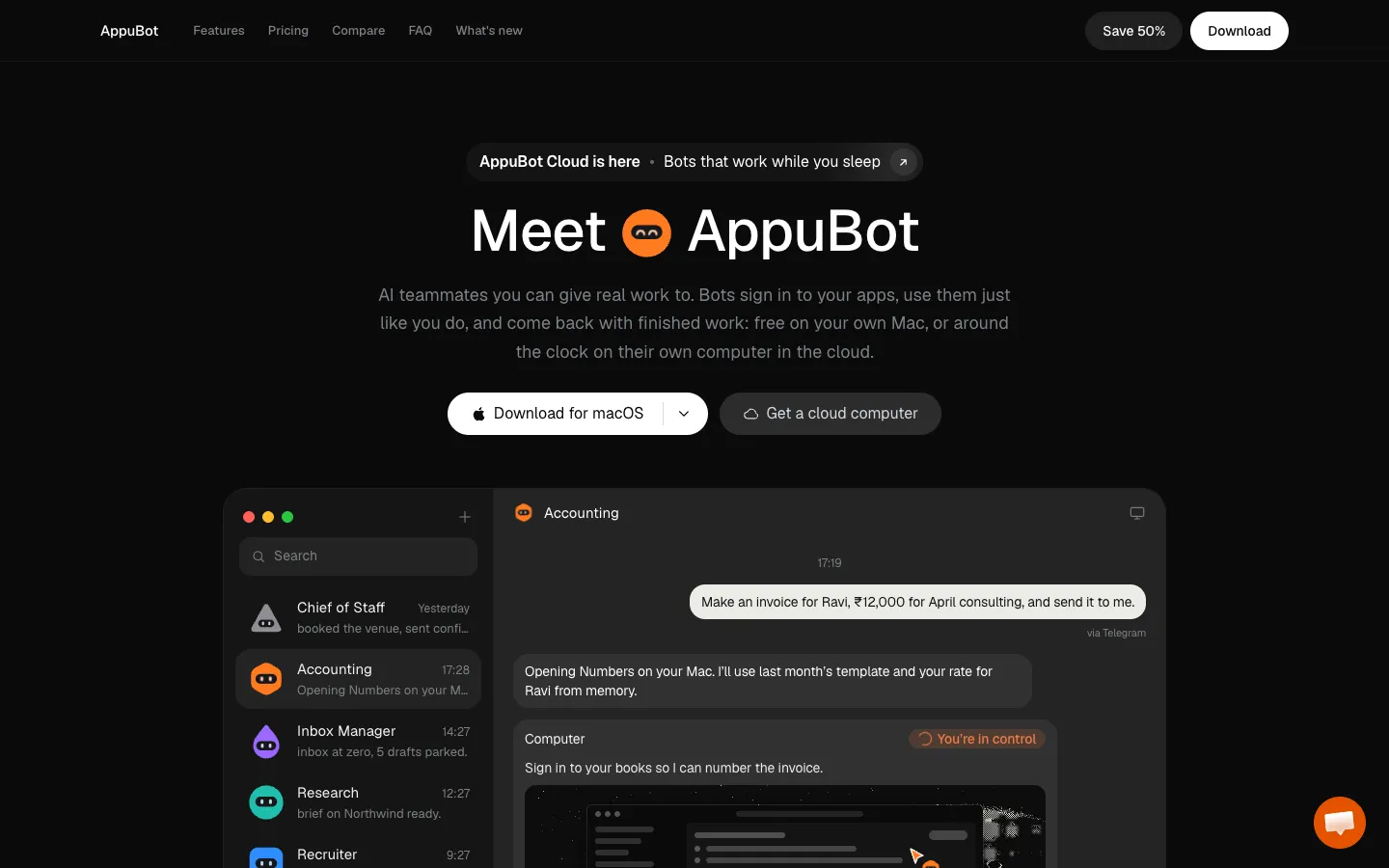
AppuBot is a desktop app for Mac, Windows and Linux that gives you what it calls AI teammates. Each bot has its own name, job and AI model, and it works inside the apps on your computer. It reads an app's window, finds the buttons and fields by name, and then clicks, types and scrolls through several steps at a time. That's enough to fill an invoice in Numbers, download a statement from a supplier's portal or test your own sign-up flow. It works inside the app's window and mostly leaves your mouse alone.
The bots run on an AI agent you're already signed in to: Claude Code, Codex, Cursor, Grok, GitHub Copilot or OpenCode. So there's no API key to set up, and AppuBot doesn't charge for the AI. You can message a bot from the desktop app, the phone app or Telegram, teach it a task by doing it once, put it on a schedule, or have several bots split up a job between them. Anything important waits for your approval.
On your own computer the app is free and needs no account. AppuBot Cloud is a paid add-on that gives the bots a Linux computer in the cloud, so they keep going after you close your laptop. The first release came out on October 19, 2026, and the public launch followed on November 10. Sarthak Gupta, an independent developer in India, makes it.
Features
Works in your real apps: A bot opens any app on Mac, Windows or Linux, reads the named buttons and fields in its window, and clicks, types and scrolls through several steps per turn. On a Mac it needs Accessibility and Screen Recording permission. In background mode the bot's window stays behind yours, and it waits for you to pause before doing anything that needs the screen.
Runs on the AI you already pay for: Uses Claude Code, Codex (ChatGPT), Cursor, Grok, GitHub Copilot or OpenCode with the account you're signed in to, and Google Antigravity and other agents can be added in Settings. You can also plug in Ollama, LM Studio or any OpenAI-compatible server, and pick the model and how hard it thinks for each bot or chat.
A Telegram line to each bot: Connect a Telegram bot you make with @BotFather, then send text, photos, voice notes and files from your phone. Only Telegram accounts you approve, using a code shown on your computer, can talk to it.
Teach a task once: Press Teach and do the task while AppuBot records your clicks, keys and screenshots. The bot turns that into a skill and runs it by itself next time.
Memory you can edit: Bots keep notes on things like your rates or how you like your replies, and you can read and change every line.
Routines on a schedule: Runs a task every hour, on weekdays at 9 or once a month, either quietly or with a notification.
Approvals for each bot: Set a bot to ask before anything important or give it full access. You can watch it work, take over or stop it.
Bots that work as a group: Put bots in a group and mark one as chief, and it hands out parts of the job with @mentions. A single bot can also propose a longer goal, which you approve and can pause, resume or stop.
Connected apps: Gmail, Google Sheets, Calendar, Drive and Docs, Notion, Slack, GitHub, Linear, Jira, HubSpot, Salesforce, Stripe, QuickBooks, Xero, Figma and others connect through a Composio account. You choose which apps each bot may use.
Vault for logins and cards: Stores logins, cards and API keys so a bot can fill in a form or sign in without ever seeing the password. It asks you before using them.
Voice that stays on your computer: Voice mode, calls from the menu bar, dictation and Telegram voice notes. Speech runs locally on one of 11 models, including Parakeet, Whisper, Qwen3-ASR, SenseVoice and one for Hindi, and replies are read in a Supertonic or Kokoro voice.
Phone apps and a cloud computer: The iPhone app (in TestFlight beta) and the Android app let you chat, approve steps and watch the screen live. AppuBot Cloud gives the bots a Linux desktop with a browser that wakes in seconds and sleeps when there's nothing to do.
Pricing
The app is free on your own computer. You pay only for AppuBot Cloud, and in every case you keep paying for your own AI plan.
Free: $0 on your own computer, with no account or card. Includes unlimited bots, computer use, Telegram, routines, teach mode and memory on Mac, Windows and Linux. Bots only work while your computer is on.
Starter: $19 a month, or $190 a year (about $15.83 a month). A cloud computer with 4 GB of memory, 2 vCPU and 12 GB of storage, for about 3 to 4 bots working at once.
Pro: $49 a month, or $490 a year (about $40.83 a month). 8 GB of memory, 4 vCPU and 20 GB of storage, for about 8 bots at once.
Max: $79 a month, or $790 a year (about $65.83 a month). 16 GB of memory, 4 vCPU and 40 GB of storage, for about 15 or more bots at once.
Ultra: $109 a month, or $1,090 a year (about $90.83 a month). 32 GB of memory, 4 vCPU and 80 GB of storage, for about 30 or more bots at once.
Work plans for teams: A team shares one cloud computer. Team (8 GB, up to 5 people), Business (16 GB, up to 15) and Scale (32 GB, up to 30) cost $49, $79 or $109 a month, plus $20 for each extra member, so the cheapest is $69 a month for 2 people. Five people on Team pay $129 a month or $1,290 a year.
Trial and refunds: Every cloud plan starts with a 3-day free trial, which needs a card. Plans have no hour limits, only a fair use policy, and you can ask for a full refund within 14 days of your first payment. Prices are in US dollars before tax.
Claude launch allowance: For a limited time, paid plans come with a monthly Claude allowance, using Claude Haiku 5.5 by default, while Sonnet uses it up faster. The allowance for each plan isn't published, it's not part of the plan price, and it may change or end with notice.
Discount for videos: Post your own video of AppuBot and reach set view counts, and you get 50% or 100% off your first month of a cloud plan.
Integrations
AI agents: Claude Code, Codex, Cursor, Grok, GitHub Copilot, OpenCode and Google Antigravity, signed in with your own account or an API key.
Local and custom models: Ollama, LM Studio or any server that works like OpenAI's.
Telegram: One Telegram bot for each AppuBot bot, for messages, files and voice notes.
Business apps through Composio: Gmail, Google Sheets, Calendar, Drive and Docs, Notion, Slack, GitHub, Linear, Jira, Trello, Asana, HubSpot, Salesforce, Airtable, Outlook, Microsoft Teams, Discord, Dropbox, Shopify, Stripe, QuickBooks, Xero, Figma and Calendly. Composio is the service AppuBot uses to sign in to these apps.
Desktop apps: Any app on your own computer through computer use, such as Numbers, Excel, Safari, Finder or your accounting software.
Platforms
- macOS
- Windows
- Linux
- iOS
- Android
Frequently asked questions about AppuBot
Can AI control my computer?▼
Yes. With AppuBot, a bot opens an app on your Mac, Windows PC or Linux computer, reads the buttons and fields in its window by name, and clicks, types and scrolls through the task a few steps at a time. On a Mac you first give it Accessibility and Screen Recording permission. You can watch it, take over or stop it whenever you like.
What AI can control your computer for free?▼
AppuBot is free on your own computer and needs no account or card. It runs on an AI agent you already have, such as Claude Code, Codex, Cursor, Grok, GitHub Copilot or OpenCode, so the AI usage goes on that plan. You only pay AppuBot if you want AppuBot Cloud, which keeps bots running on a cloud computer while yours is off, from $19 a month.
Is it safe to let AI use my computer?▼
In AppuBot you decide how much each bot can do alone. On "Approve for me", a bot asks before anything important and waits for your answer, which you can give from the app or your phone. Pictures of the window go only to the bot's own AI provider, logins in the Vault are used without the bot seeing them, and only Telegram accounts you approve can message a bot.
Is there a free alternative to Claude Cowork?▼
AppuBot runs Claude Code on your own computer with the Claude plan you already have, and the app itself is free, with no API key. It also works with Codex, Cursor, Grok, GitHub Copilot and OpenCode, so different bots can use different AI plans. If you want bots to keep working with your laptop closed, AppuBot Cloud adds a cloud computer from $19 a month.
How much does AppuBot cost?▼
The app is free on your own computer. AppuBot Cloud costs $19, $49, $79 or $109 a month for Starter, Pro, Max and Ultra, a year costs ten times the monthly price, and team plans start at $69 a month for 2 people. Every cloud plan starts with a 3-day free trial that needs a card, and you keep paying for your own AI plan either way.
Similar tools
Alternative AI options