Stella
An emotional wellness AI for iPhone that you talk to out loud in its app or text in iMessage, which remembers your earlier conversations and asks how direct you want it to be, and which its maker says is not therapy and not for emergencies.
Short description
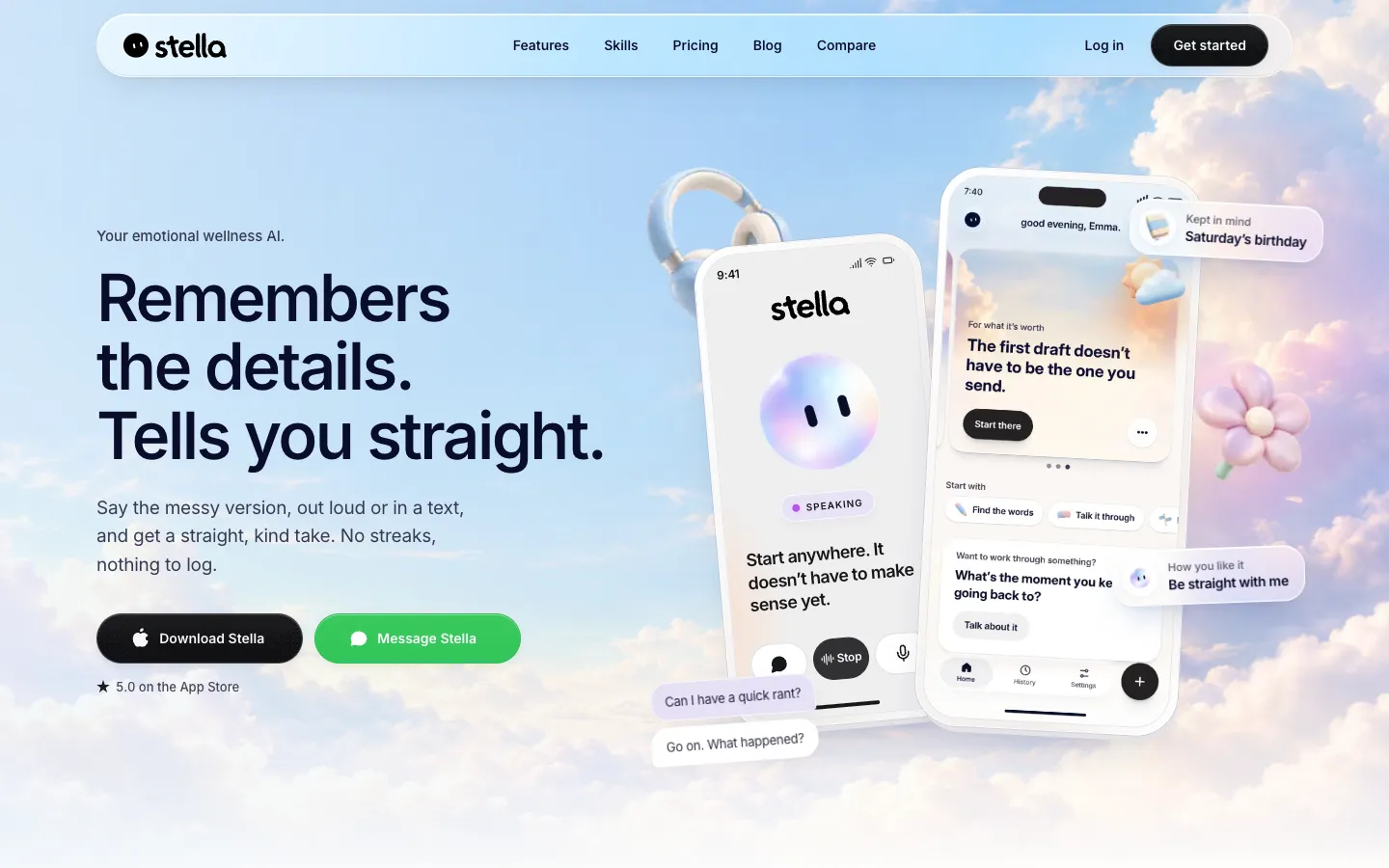
Stella is an AI you talk to about what's on your mind, from a text you keep rewriting to a night when you can't switch off. In the iPhone app you can speak out loud or type. A separate text line called Text Stella works through Apple's Messages app: you answer a few questions on the website, send your first text, and can link the text line to your app account by adding your phone number in Settings.
Stella keeps context from earlier conversations, so a person or event you mentioned before comes up again. When you start, you choose how direct it should be, for example "Read the room" or "Be straight with me". Each conversation ends with a one-line summary, and the History screen shows past talks tagged by topic. There are no streaks, and reminders stay off unless you turn them on. Voice runs on Hume AI and text features on OpenAI.
The maker, StellaLabs, says Stella is not therapy, not a medical device and not a crisis service, and points people in crisis in the US to 988, the Crisis Text Line and 911. Stella costs $9.99 a month or $59.99 a year in the US. The app launched on the App Store in March 2026, and version 2.0 came out at the end of October 2026. StellaLabs, LLC is a Delaware company with an address in Miami, Florida, and the site footer says the app is built in Los Angeles.
Features
Voice conversations: Talk out loud in the iPhone app. Voice runs on Hume AI's Empathic Voice Interface.
Typed chat in the app: Type instead of speaking when you can't talk out loud.
Text Stella in iMessage: Text Stella from Messages after answering a short set of questions on the website. To link the text line to your Stella account, add your phone number in the app's Settings. Features and access can differ between the text line and the app.
Memory across conversations: Stella stores summaries, key facts and embeddings (a number-based version of your text that helps it find related past moments), so people and events you mentioned come up again later. The vendor says it can still get a detail wrong.
Choose how direct it is: Pick a style at the start, such as "Read the room" or "Be straight with me".
Conversation starters: The Home screen has prompts such as "I can't switch off at night", "A friendship that's one-sided" and "A text I keep rewriting", so you don't start from a blank screen.
Next steps when you ask: Ask for wording for a hard conversation or a small next step, or just talk without one.
History and summaries: Each conversation ends with a one-line summary of where you landed. Past conversations are saved and tagged by topic, including ones held over text.
Optional daily reminders: Off by default. Turn one on and pick the time.
No streaks or logging: Nothing to track or fill in.
Free web tools: 14 browser tools that need no account, including "Should I send this?", "Am I overreacting?", a feelings wheel and an unsent letter. Three of them use an AI model from Anthropic, and the rest run only in your browser.
Crisis notice: The site, app listing, terms and privacy policy all say Stella is not for emergencies and give 988, text HOME to 741741, and 911 for the US.
Pricing
Stella is a subscription billed through Apple. The app is free to download, but you need to subscribe to keep using it.
Monthly: $9.99 a month in the US, billed through the Apple App Store.
Yearly: $59.99 a year in the US, about $5 a month.
Free use: The site doesn't say how much you can use the app before the paywall, and trial details are only shown in the App Store before you buy.
Text Stella: Pricing and access for the iMessage line aren't published on the site. The vendor says to check the purchase information shown in the conversation.
Free web tools: The tools at stellalabs.ai/tools are free and need no account.
Regional prices: Apple shows the local price before you subscribe. Only US prices are published.
Refunds and cancellation: Cancel any time in your Apple account settings. Apple handles refunds.
Integrations
Platforms: iPhone app (the App Store also lists it for iPad and Apple silicon Macs, and it needs iOS 18.6 or later), iMessage through Text Stella, and free tools on the web. There's no Android app.
Apple Messages (iMessage): Text Stella from your phone's Messages app. You can link the text line to your app account by adding your phone number in Settings.
Sign-in options: Sign in with Apple, Google Sign-In or email.
Slack: The privacy policy and terms mention a separate "Stella for Slack" app with its own privacy policy, which works through direct messages and slash commands. The site doesn't link to an install page, so it's unclear whether you can get it now.
Platforms
- iPhone
- iPad
- Mac (Apple silicon)
- iMessage
- web
What users love about Stella
Help with late-night overthinking: App Store reviewers describe opening Stella late at night, when their mind won't switch off or a work worry keeps going round, and when there's nobody else to talk to.
Support between therapy sessions: People who see a therapist once a week or twice a month say they use Stella on the days in between, when stress about work or relationships comes up.
Talking out loud instead of typing: Several users say the voice mode is what made it work for them, because typing out their thoughts felt like too much when they were overwhelmed.
Feels conversational: Users who had tried other AI wellness apps say Stella felt like a real conversation rather than robotic or clinical, and one compared it favourably with general chatbots.
Frequently asked questions about Stella
Is Stella AI free?▼
The app is free to download, but you need a subscription to keep using it. In the US it costs $9.99 a month or $59.99 a year, billed through the App Store, and Apple shows your local price before you buy. Any trial or introductory offer is shown only in the App Store. The 14 web tools at stellalabs.ai/tools are free and don't need an account.
Can Stella replace therapy?▼
No. StellaLabs says Stella is not therapy and not a substitute for professional care, that it doesn't diagnose or prescribe, and that the app is not a medical device. Its terms describe Stella as a self-help and emotional wellness tool. It's also not a crisis service: in the US, the vendor points people to 988 (call or text), the Crisis Text Line (text HOME to 741741) or 911.
Is it safe to talk to Stella about personal issues?▼
Your messages, voice audio and transcripts go to StellaLabs' servers and to its AI providers, Hume AI for voice and OpenAI for text, so Stella can reply. Conversations, summaries and memory data are kept while your account is active, and the original voice audio StellaLabs keeps is deleted within 30 days. StellaLabs says it doesn't sell user data and that any use for model training is opt-in. You can delete your account in the app's Settings or by email. The privacy policy doesn't mention HIPAA, the US health privacy law.
Can you text an AI on iMessage?▼
Yes, Stella has a text line called Text Stella. You answer a few short questions on stellalabs.ai, then send your first text from Messages. Add your phone number in the app's Settings to link the text line to your Stella account, and your texts are then saved in the app's History. The vendor says features and access can differ between the text line and the app, and it doesn't say which countries the text line works in.
Is there an AI you can talk to out loud about your feelings?▼
Stella's iPhone app has voice conversations, run on Hume AI, as well as typed chat. You choose how direct it is at the start, and it remembers what you've told it in earlier conversations. It needs iOS 18.6 or later, and there's no Android app.
Similar tools
Alternative AI options