
Buddy
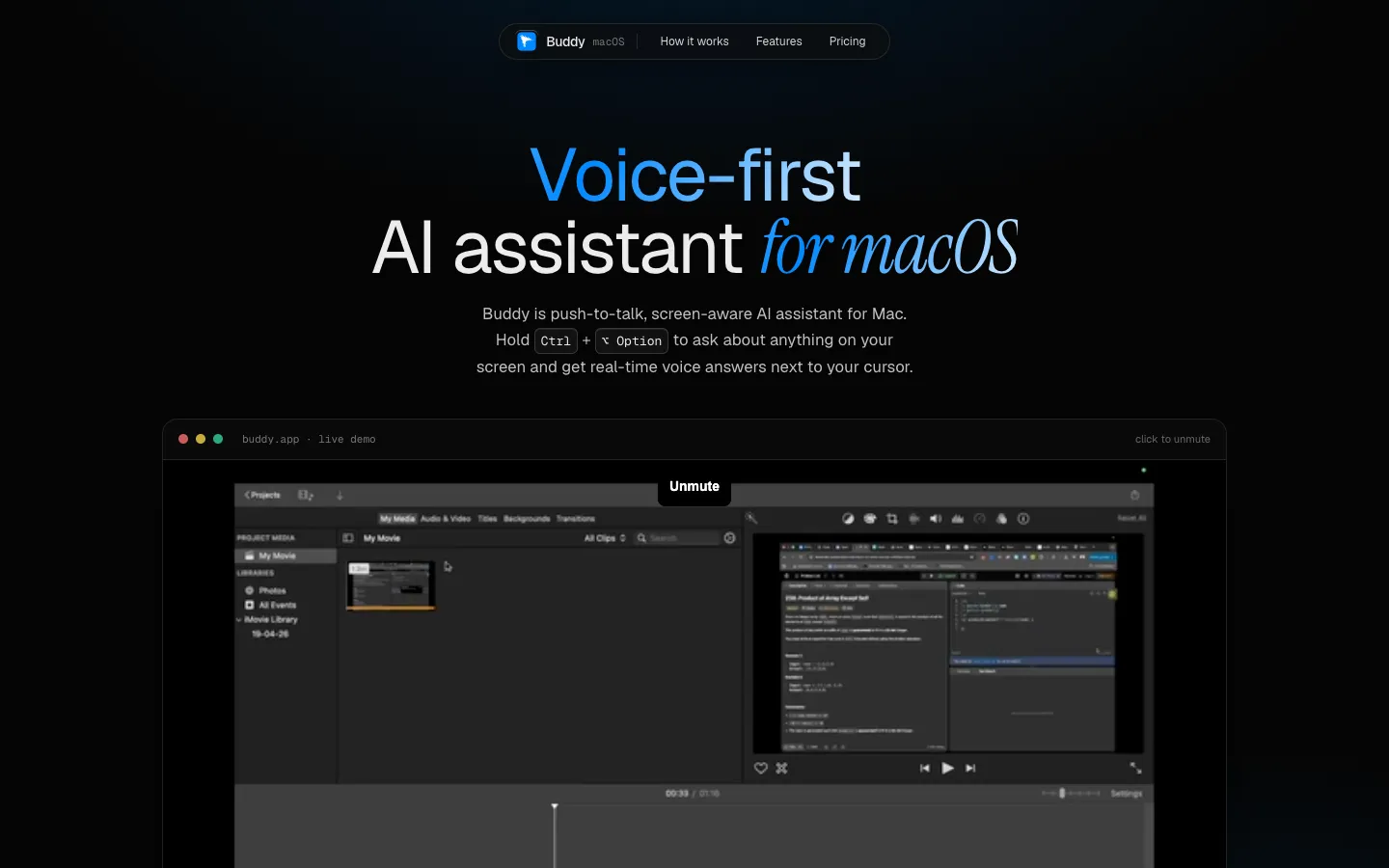
A push-to-talk Mac assistant: hold Control + Option, ask out loud about whatever is on your screen, and GPT-5.4 answers with a short spoken summary and a full written answer while a small cursor points at what it's talking about.
Short description
Buddy is a voice-first AI assistant that lives in the Mac menu bar. You hold Control + Option anywhere, ask your question and let go. Buddy then takes a screenshot of the display your cursor is on, sends it to OpenAI with your question, and answers in two ways at once: a short spoken summary in a calm voice you can adjust, and the full answer in a floating window you can drag around. A small companion cursor sits next to your pointer and moves to the buttons or panels it's describing.
The maker built it to get help inside apps that have no AI of their own. The setup guide shows it walking someone through an edit in DaVinci Resolve, and Figma is the maker's other example. There's no wake word to say and no chat window to open, and your conversation history stays on your Mac.
You can pay for a Hosted plan, where Buddy provides the OpenAI access with daily and monthly limits, or buy a one-time BYOK ("bring your own key") license and use your own OpenAI account, with your key stored in the macOS Keychain. Solo developer Monis Azeem makes Buddy, and it launched in May 2026. A Windows version has a waitlist.
Features
Push-to-talk shortcut: Hold Control + Option anywhere on the Mac to talk, and a small cue appears by the cursor while it listens. There's no wake word and no chat window to open.
Answers about what's on screen: When you let go of the keys, Buddy screenshots the display your cursor is on and answers about what's in front of you. It only captures while you hold the shortcut.
Spoken summary plus full text: A short spoken summary plays while the full written answer opens in a floating window you can drag around. The window stays until you close it.
Pointing cursor (beta): A small second cursor follows your pointer, moves to the things it's explaining and shows a speech bubble where you're already looking. Every user has it, but it's still labeled beta.
OpenAI models: Answers come from GPT-5.4, speech recognition from GPT-4o mini Transcribe and the voice from gpt-4o-mini-tts, whose speaking style you can adjust. The maker says Gemini and Claude models might be added.
Voice and model settings: The menu bar panel lets you pick a voice, set up models and switch between Hosted and BYOK.
Fast spoken replies: Buddy keeps the spoken part short and uses a quick audio format so you hear the answer sooner.
Keys stored in Keychain: Your license key and, on BYOK, your OpenAI key are kept in the macOS Keychain and never leave your Mac.
Local history, no training: Conversation history stays on your Mac. On Hosted, your questions and screenshots pass through Buddy's server on the way to OpenAI but aren't stored after the request or used to train models. Only basic details about each request are logged.
Guided first run: A setup window walks you through activating your license and giving the three macOS permissions it needs (Microphone, Screen Recording and Accessibility), then runs a test question.
Pricing
Buddy is paid. The download is free, but the app won't work without a license key. Hosted plans include the AI usage, while the BYOK license is a one-time payment and you pay OpenAI for usage yourself.
Hosted, monthly: $14.99 a month early-bird price (listed regular price $19.99). Buddy provides the OpenAI access, so you don't need an API key. Limited to 75 requests a day and 750 a month, with limits on the model and request size. Includes GPT-5.4, GPT-4o mini Transcribe, updates while you're subscribed and the pointing cursor beta.
Hosted, annual: $119.88 billed yearly, which works out to $9.99 a month (listed regular price $11.99 a month). Same limits and features as monthly.
Hosted, quarterly and semi-annual: Mentioned in the FAQ, but no prices are shown on the site.
BYOK lifetime: $29.99 one-time early-bird price (listed regular price $59.99). Lifetime use of the app with your own OpenAI API key (the access code OpenAI gives you to use its models from other apps), no Buddy usage limits and 1 year of updates. OpenAI bills you directly for what you use.
Free trial: Hosted plans start with a 7-day free trial, and you aren't charged if you cancel during it. The site's FAQ still says a free trial "might" come later, so the site isn't consistent on this.
Free tier: None. The app downloads for free but won't run without a license key.
Refunds: BYOK has a 7-day no-questions-asked refund. Hosted payments can't be refunded once charged, apart from case-by-case exceptions.
Integrations
OpenAI: All answers, transcription and speech come from OpenAI, through Buddy's server on Hosted or straight from your Mac with your own key on BYOK.
macOS permissions: Needs Microphone, Screen Recording and Accessibility access.
Works on top of any app: Because it reads the screen, it can help in apps that have no AI built in. The maker's examples are DaVinci Resolve and Figma.
Payments: Licenses are sold through Dodo Payments, and your activation key shows on the checkout screen and arrives by email.
Platforms
- macOS
Frequently asked questions about Buddy
Is Buddy free?▼
No. The app is a free download, but it needs a license key to work. Hosted plans cost $14.99 a month, or $119.88 a year ($9.99 a month), and start with a 7-day free trial. The BYOK lifetime license is $29.99 once, and you use your own OpenAI API key and pay OpenAI for usage.
Is there an AI that can see your screen and answer questions on a Mac?▼
Buddy does this. Hold Control + Option, ask your question out loud and let go. Buddy screenshots the display your cursor is on and answers with a spoken summary and a full written answer in a floating window, while a pointing cursor moves to the parts of the screen it's talking about.
Is there an AI that can see your screen and talk to you?▼
Yes. Buddy replies out loud using OpenAI's gpt-4o-mini-tts voice in a calm style you can adjust, and keeps the spoken part short so the reply starts quickly. The full written answer appears at the same time in a window you can drag around, so you can read the details after hearing the summary.
Is it safe to let an AI app see my screen?▼
Buddy only takes a screenshot while you hold the shortcut, never in the background. Screenshots and audio go to OpenAI to produce the answer and aren't stored on Buddy's servers or used for training, and your conversation history stays on your Mac. With a BYOK license, requests go straight from your Mac to OpenAI, and your key is kept in the macOS Keychain.
How many questions can I ask Buddy?▼
Hosted plans allow 75 requests a day and 750 a month, with extra limits on the model and request size. The BYOK license has no Buddy limits, since you pay OpenAI for each request with your own API key.
Similar tools
Alternative AI options