
OpenMausBot
A free, open-source desktop chat app where each contact is an AI bot running on your own Claude, Codex or Grok setup, with its own model, computer and connected apps, plus optional Cloud plans from $15 a month.
Short description
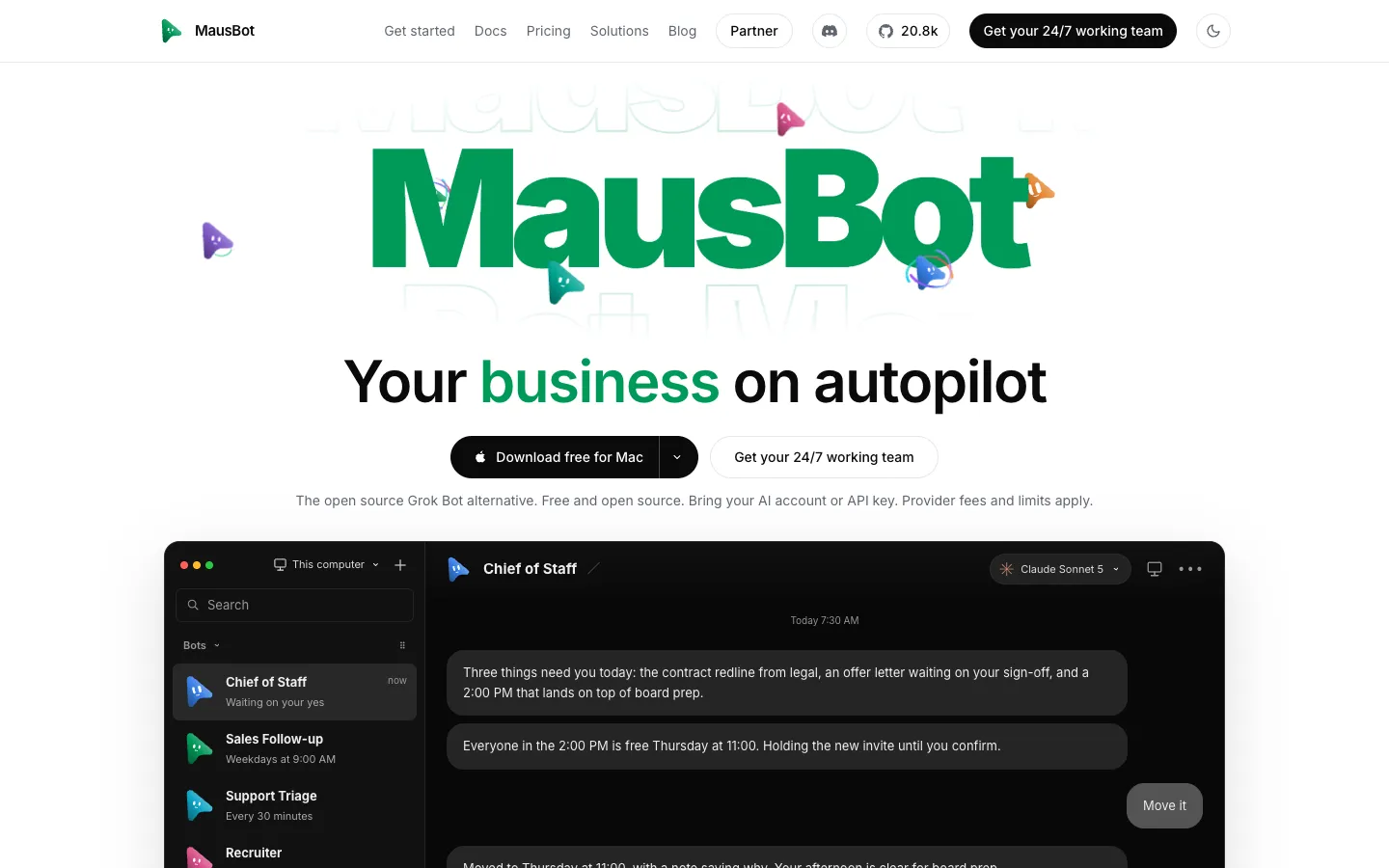
OpenMausBot, also sold as MausBot, is an open-source version of xAI's Grok Bot. It looks like a messaging app: your AI agents sit in a sidebar like contacts, and each one has its own personality, model, apps and computer. That computer can be a cloud Linux desktop, an isolated virtual machine on your own hardware or, once you opt in, your actual computer. You chat with the bots, watch a live preview of their screen while they work, and approve risky steps from cards in the conversation.
The bots run on the agent command-line tools you already have installed (claude, codex or grok), so they use the logins and subscriptions you already pay for. Other engines can be added through settings. A small server on your machine manages every agent, and your transcripts, keys and events are stored in a folder on your own disk, though your prompts still go to whichever AI provider you choose. Through Composio, bots can use more than 500 apps such as Gmail, Slack, GitHub and Notion, and they can run on a schedule, from a webhook or when something happens in a connected app.
The app is free under the Apache 2.0 licence. Paid Cloud plans for individuals cost $15 to $99 a month and add an always-on cloud machine, voice replies and phone access. The project started on GitHub on August 11, 2026 under the name OpenGrokBot. Milind Soni and Omkar Satpute build it under Supamaus Software Private Limited, which doesn't say where it's based. It's for people who want a Grok Bot style team of agents running on models they already pay for.
Features
Bots you manage like chat contacts: Every bot has its own personality, model, computer and apps. Right-click one to pin it, mark it unread, edit it, duplicate it, hide it or delete it.
Runs on the AI tools you already use: Bots work through the claude, codex and grok command-line tools on your computer, signed in with your existing accounts. You can also plug in other agent tools or any OpenAI-compatible service, such as OpenRouter, Fireworks AI or DeepSeek, through settings.
A different model for each bot: Pick Claude, Codex or another model for each bot and change it in the middle of a conversation. Providers you can't use right now are greyed out with the reason.
Each bot gets a computer: Choose a cloud Linux desktop from Boat, an isolated virtual machine on your own hardware, or your own computer after you switch that on (macOS, Windows and Ubuntu on Xorg; it stays off on Ubuntu Wayland). You see a live preview of the screen and can take over in your browser.
Approval cards in the chat: Shell commands, file edits and questions from a bot show up as Allow or Deny cards. The site notes that whether a bot asks first depends on the engine and the tool, so it isn't guaranteed for every action.
500+ connected apps: A one-click app store built on Composio covers Gmail, Slack, GitHub, Notion, Linear and more. You sign in to each app once and every bot can use it.
Triggers and routines: Ask a bot in plain words and it sets up a schedule (once, on chosen weekdays or every 5 to 1,440 minutes), a webhook or an app event such as a new email. A Triggers page shows them all with a calendar and run history.
Channels and shareable teams: Keep work, personal life and each project in separate channels, each with its own history, instructions, working folder and set of bots. You can install a ready-made team from a single Markdown file, or share a whole department as a file that leaves out chat history and keys.
Bots that talk back: Bots can read replies aloud or take a live call, using ElevenLabs, Fish Audio, Grok, the built-in Mac voices or a local Chatterbox server. Dictation runs on the device on macOS.
Your data stays on your disk: One local server runs every agent, and transcripts, keys and events stay in a folder on your computer. The app's interface never shows a saved secret, only whether it's set.
Control it from other tools: It includes an MCP server, a standard way for AI apps to call outside tools, so Claude Desktop or Cursor can create bots and send them work (with no access to approvals, deletion or credentials). An openmausbot command runs teams from scripts and automated pipelines.
Run it on a server and reach it from your phone: One command (npx openmausbot serve) runs it on a rented server, reachable through Tailscale, your own domain or a tunnel. iOS and Android companion apps and an installable phone web app connect to it.
Pricing
Free: $0 for the open-source app, with unlimited bots, any model on your own plan or API key, the desktop and phone apps, and live voice calls on your own OpenAI key. Bots only run while your computer is on, and there's no cloud machine, backup or included voice. Support is on Discord.
Starter: $15/mo. An always-on cloud machine with 2 shared CPUs, 2 GB of RAM and 10 GB of storage that can grow to 20 GB, 100 cloud computer-hours a month, about 30 minutes of voice replies, 2,000 connected-app events a day and 1,500 research lookups. Two bots can work at once and five can stay awake. Daily backups are kept 14 days, with email support.
Pro: $49/mo. 4 shared CPUs, 4 GB of RAM, storage up to 100 GB, 300 computer-hours, about 1 hour of voice, 5,000 research lookups and $10 of Claude credit a month. MausBot estimates 3 to 4 bots can work at once. Includes a 30-minute setup call and priority email.
Max: $99/mo. 8 shared CPUs, 8 GB of RAM, storage up to 100 GB, 800 computer-hours, about 3 hours of voice, 15,000 research lookups and $20 of Claude credit a month. MausBot estimates 8 or more bots at once. Includes the setup call and priority email.
Team: $169/mo for up to 5 people, with an 8 vCPU, 8 GB machine, 1,000 shared computer-hours, about 8 hours of voice and an admin console. Teams bring their own AI accounts.
Business: $599/mo, or $479/mo billed yearly by agreement, for up to 20 people, plus $25 for each extra person. Includes 3,000 computer-hours, about 20 hours of voice and an onboarding call. Your own logo, name and domain cost $99/mo more.
Business self-hosted: $299/mo, or $239/mo yearly by agreement, for up to 20 people on your own servers, plus $10 per extra person. Install help is $600 a day.
Extra usage: Extra computer-hours on Team and Business cost $0.05 each. Any AI usage beyond the included credit is billed by your own provider.
White-label for software companies: For businesses that resell MausBot under their own brand. Starter is $1,000/mo for 25 workspaces and 100 users, Growth $3,000/mo, Scale $9,000/mo and Volume is custom. There's a $5,000 setup fee and a 12-month agreement. A self-hosted version costs $5 per user a month, with a $1,000 minimum.
Billing: Individual plans are monthly with no contract, and you can cancel any time. There's no published annual price for individual plans and no free trial.
Integrations
Claude Code, Codex and Grok CLIs: The engines behind every bot, run on your computer with your existing logins. You can point an engine at your own build of the tool in Settings.
Other model providers: Any compatible agent tool or OpenAI- or Anthropic-compatible service, with guides for OpenRouter, Fireworks AI, DeepSeek and Cline. The homepage also lists Kimi.
Composio: More than 500 apps, including Gmail, Slack, GitHub, Notion and Linear, connected by signing in once. Needs a Composio key or the connected apps included with MausBot.
Boat (boat.dev): Supplies each bot's cloud Linux computer. Boat is a paid service once its trial ends.
Cua Driver: Lets bots use your own computer, and ships inside the desktop app.
Voice services: ElevenLabs, Fish Audio and Grok voices with your own key, the built-in Mac voices or a local Chatterbox server. Live calls use your OpenAI key.
MCP: Claude Desktop and Cursor can drive MausBot through its MCP server, and your bots can use extra MCP tool servers you add without writing code.
BotMRR team playbooks: An "Add to OpenMausBot" button on botmrr.io installs a ready-made team, or you can import one from a Markdown file on GitHub.
Tailscale and webhooks: Reach your bots from a phone through Tailscale or your own secure proxy. A local webhook receiver lets outside services start a bot.
Platforms
- macOS
- Windows
- Linux
- iOS and Android companion apps
- web
- CLI
What users love about OpenMausBot
It runs on subscriptions you already pay for: People who left Grok Bot say they now point their bots at a Claude plan they already had, or at a cheap API like DeepSeek, so they stopped paying for a second $200 subscription. One small-business owner splits work across Cursor, OpenAI, Groq and Kimi.
Grok Bot routines carry over: One switcher used the built-in migration prompt and rebuilt the same routines, including an email webhook that wakes a bot when mail arrives. It worked with Claude, ChatGPT and Outlook.
The bots help you set them up: Several users say their agents talked them through Tailscale, domain and server installs, using the terminal and screenshots, until everything ran.
Lots of settings and hosting choices: Testers like how much you can configure and the mobile app. They also like being able to run bots on their own computer, a virtual machine, a home server or paid hosting. One person who had tried many alternatives says local models and approval prompts worked without much fiddling.
Anyone can fix it: Because it's open source, users can add what's missing. One says they've had several pull requests merged, written by their own bots.
What users complain about OpenMausBot
A lot of setup before it's useful: One user spent half a day getting it running on a server and found nearly everything needed extra configuration. Another says moving over takes a long time even with exported bots, because every app connection has to be redone.
Less polished than Grok Bot: Several people who have used both call it serviceable, and say it isn't yet as polished or proactive as Grok Bot.
Routines can be hit or miss: One tester found that routines sometimes worked right away and other times went in circles.
Slower, and updates can break things: A switcher measured it at about 30% slower than Grok Bot, though others say speed depends on the model you pick. A two-week user says frequent updates kept interrupting their setup.
Phone pairing drops: An iPhone user says Tailscale loses the connection whenever the phone sleeps, and then asks for a new pairing code.
Frequently asked questions about OpenMausBot
Is there an open-source alternative to Grok Bot?▼
OpenMausBot is one, licensed under Apache 2.0. It keeps Grok Bot's idea of a team of bots in a chat app, each with its own computer and apps. Each bot can run Claude, Codex or Grok through the tools on your own machine, and your transcripts stay on your disk. One folder in the code, enterprise/, is under a separate licence that lets you read and test it but needs a paid key for production use. Delete that folder and the rest builds as the fully open-source edition.
Is MausBot free?▼
The desktop app is free and open source, with unlimited bots on your own AI plan or API key, but the bots only work while your computer is on. You still pay your AI provider, and extras like Boat cloud computers or ElevenLabs voices cost money. Paid Cloud plans start with Starter at $15 a month, which adds an always-on cloud machine, 100 computer-hours, voice replies and daily backups. Pro is $49 and Max is $99.
How is MausBot different from Grok Bot?▼
Grok Bot is xAI's closed product, sold as part of a paid plan and running on Grok. MausBot lets you choose a supported model for each bot, run everything on your own computer or server, and keep your data on your own disk. MausBot's own comparison lists two gaps: it can't yet learn a task by watching you, and bots on your computer stop when it sleeps unless you use a Cloud plan or a machine that stays on.
Does MausBot work with Claude?▼
Yes. Bots can run on Claude Code installed and signed in on your computer, so they use your existing Claude subscription. The Pro plan includes $10 and Max $20 of Claude credit a month. Beyond that, you bring your own Claude or ChatGPT account or API key. Codex, Grok and other OpenAI- or Anthropic-compatible providers work as well.
How do I download and install MausBot?▼
Get it from mausbot.com or the project's GitHub releases page. There's a signed Mac app for Apple silicon or Intel, an installer for 64-bit Windows that doesn't need admin rights, and an Ubuntu 24.04 package that's still in beta. You also need at least one of the claude, codex or grok tools installed and signed in. To run it on a server, use npx openmausbot with Node 24 or newer. The Windows installer isn't code-signed yet, so Windows warns about an "unknown publisher" the first time you run it.
Similar tools
Alternative AI options