
TalkPilot
A real-time AI conversation coach for Mac, Windows, iPhone and Android that listens to your call or in-person conversation from your own device and shows your next line on screen or whispers a short tip in your earbuds, with no bot joining the meeting and no audio stored.
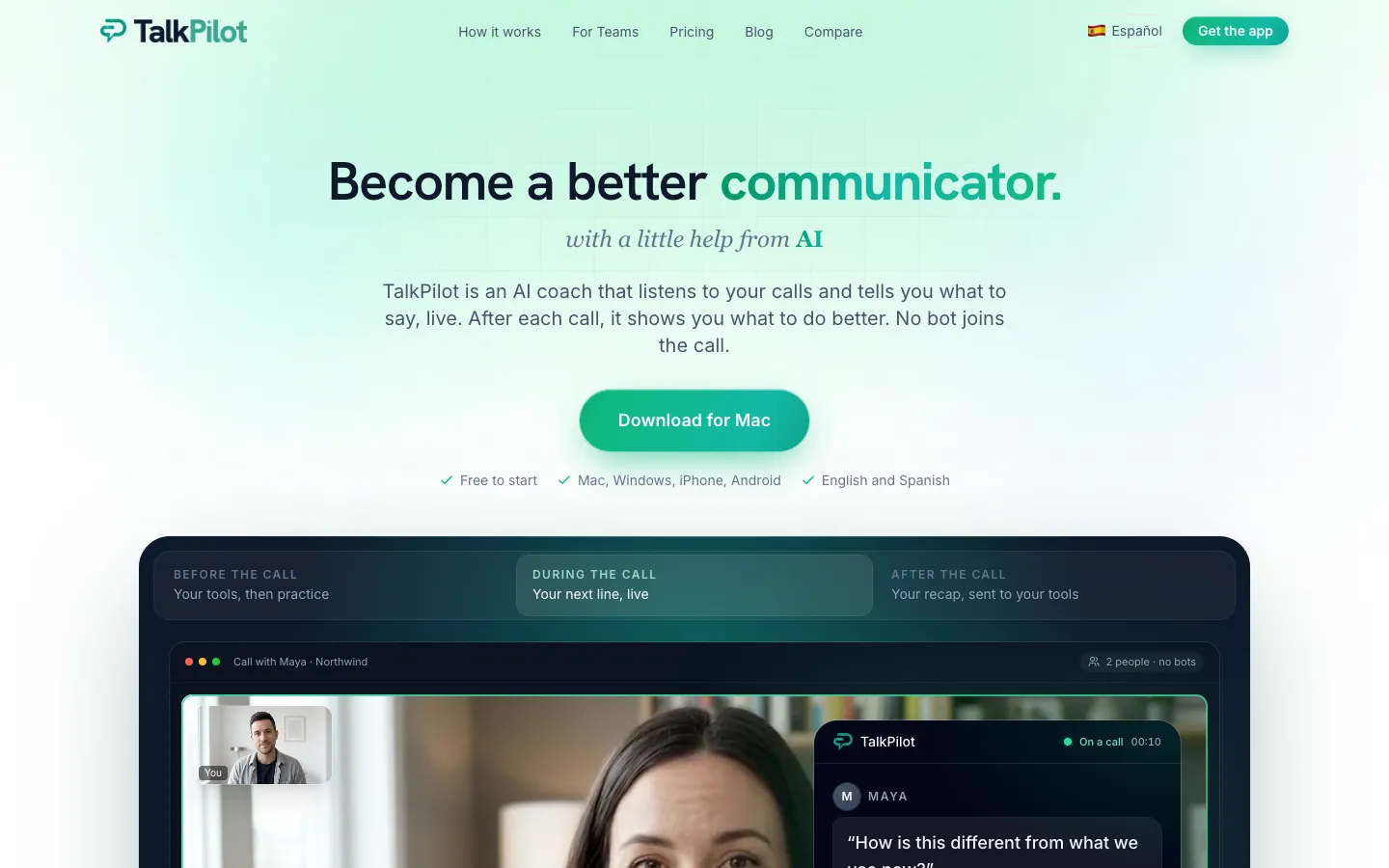
Short description
TalkPilot is a desktop and mobile app that suggests what to say while a conversation is happening, and then gives you a recap when it ends. On Mac or Windows it hears your microphone and your computer's sound, so it works alongside Zoom, Google Meet, Microsoft Teams, Webex or a softphone (a calling app on your computer) without adding a bot to the call. On iPhone or Android it hears the room for in-person talks, and Pro users can get a 2 to 4 word tip whispered in their earbuds.
When the other person finishes talking, TalkPilot shows a suggestion based on your one-line goal for the call, your profile, your calendar, Memory from past calls and, on Pro, your own documents. You choose how much help you get: Standby waits until you ask, Nudges gives a short direction after each turn, and Teleprompter (Pro) gives the full sentence. Before a call you can rehearse with an AI that plays the other person and get a score out of 100. Afterwards you get a takeaway, action items and a follow-up draft.
It works in English and Spanish, even when a call switches between them. TalkPilot says it doesn't record or store audio and keeps only the transcript. It's made by Allign Inc., a Delaware company founded by Alexis Daniels, and the iPhone app launched in May 2026. A Teams plan adds shared playbooks and call scoring for sales and support teams.
Features
Live next-line suggestions: Shows what to say or ask next once the other person stops talking, never while you speak. The vendor says transcription takes under half a second from speech to screen.
Three coaching styles: Standby, the default, stays quiet until you tap Assist or say a trigger phrase like "Let me think". Nudges gives a short direction after every turn. Teleprompter shows the exact line to say and is Pro only.
Conversation modes: General mode on Free. Pro unlocks every mode, including Sales, Interview, Negotiation, Relationship, Social and Therapy, plus your own custom modes.
Coaching based on your context: Uses a one-line brief for each call, your profile, your calendar event and Memory, which holds lessons from past calls and your notes. Pro adds your own PDF, TXT or MD documents, and HubSpot or Salesforce can supply the contact and open deal.
Earbud whisper and Apple Watch: On iPhone and Android with Pro, a 2 to 4 word tip plays only in your earbuds while the full card stays on screen. Pro also shows coaching on Apple Watch.
Live transcript in two languages: Transcribes the call with speaker labels in English and Spanish, and coaching follows the language of the call even if it switches midway.
No bot in the meeting: Runs on your own computer or phone, so no notetaker shows up in the participant list. It only listens after you press Start.
Hide from screen shares: TalkPilot shows up in your screen share by default. Undetectable mode keeps its windows out of what you share, on Mac and Windows with Pro (the help center also lists Teams).
Practice with an AI roleplay: Rehearse out loud with an AI playing an interviewer, buyer or boss and get a score out of 100 with one drill for next time. You can also rehearse a meeting from your calendar or redo a past conversation. There are 9 ready-made scenarios plus 5-round story arcs and daily drills.
After-call recap: A one-line takeaway, action items, the full transcript and a follow-up email draft. The full Deep Dive on what went well is Pro only, and nothing is sent until you approve it.
TalkPilot Teams: Shared playbooks (templates include SPICED, BANT, Sandler and MEDDIC sales methods), approved answers to known objections, guardrail alerts, Team DNA drawn from your best reps, and a web Command Center where managers see every call scored.
Smart glasses pilot: A closed, free test of coaching shown on the lens for Even Realities G2 and Meta Ray-Ban Display owners.
Pricing
There's a free plan with monthly limits and a single paid Pro plan for individuals. Teams and Enterprise are priced on request per team.
Free: $0, no card. 5 live conversations a month of up to 30 minutes each, 5 practice runs a month of up to 15 minutes each, the first 3 scenarios, and General mode with Standby and Nudges only. Teleprompter, other modes, earbud coaching, Undetectable and the full Deep Dive are locked.
Pro: $20 a month, bought inside the app through the App Store, Google Play, or by card on Mac and Windows. Store prices may vary by country. Includes unlimited conversations of up to 2 hours each (subject to fair use), every mode, Teleprompter, earbud coaching, Apple Watch, your documents, the full Deep Dive, full practice and Undetectable on Mac and Windows. Month to month, with no annual price published. The pricing page says there's no Pro trial.
Student discount: 50% off Pro after a manual check of proof of enrolment.
Teams: Custom price per team, from 3 users with no maximum. Every seat gets everything in Pro, plus playbooks, approved answers, a shared knowledge base, Team DNA, the Command Center and admin, manager and member roles. New self-serve workspaces get a 30-day pilot at $0, with a payment method required at setup.
Enterprise: Custom price, billed annually. Everything in Teams plus SCIM user provisioning (adding and removing users automatically from your company's account system), a custom contract and help with security reviews.
Integrations
Platforms: macOS, Windows, iOS with Apple Watch on Pro, Android, a web Command Center for Teams managers, and smart glasses in a closed pilot.
Zoom, Google Meet, Microsoft Teams, Webex and softphones: Works alongside any calling app on Mac or Windows by hearing the computer's audio. Nothing needs installing in those apps.
Google Calendar and Outlook: Shows upcoming meetings, reminds you, builds rehearsals from invites, and offers Join & Start on Mac and Windows. Apple Calendar also works on iPhone.
HubSpot and Salesforce: See the contact and open deal before a call, log the call as a note, call or meeting, and turn action items into tasks after you approve them.
Gmail, Outlook and Apple Mail: Follow-up emails open as drafts. With Outlook, TalkPilot can send after you review.
Slack: Post a call recap to a channel.
Asana: Turn action items into tasks.
Reminders and Messages: On iPhone and Mac, turn action items into reminders or texts.
Claude and ChatGPT: With Pro or Teams, use TalkPilot inside Claude or ChatGPT to look through your calls and prepare for the next one.
Even Realities G2 and Meta Ray-Ban Display: Coaching on the lens in a closed pilot, through the Even Realities app for G2 and a TestFlight test build on iOS 17.2 or later for Ray-Ban Display.
Platforms
- macOS
- Windows
- iOS
- Apple Watch
- Android
- web
- smart glasses (closed pilot)
Frequently asked questions about TalkPilot
Is there a free Cluely alternative?▼
TalkPilot has a free plan with no card: 5 live conversations a month of up to 30 minutes each, plus 5 practice runs. Like Cluely, it listens to a call on your computer and puts help on your screen without a bot joining. The free plan uses General mode with the Standby and Nudges styles. Pro, at $20 a month, adds unlimited conversations, every mode, Teleprompter and hiding from screen shares.
Is there an AI that listens to your conversation and tells you what to say?▼
Yes. TalkPilot listens from your own Mac, Windows PC, iPhone or Android phone after you press Start, and when the other person finishes talking it shows your next line, question or direction. You can keep it quiet until you tap Assist, get a short nudge after each turn, or on Pro see the full sentence in Teleprompter mode. On a phone with Pro and earbuds in, it whispers a 2 to 4 word tip that only you hear.
Can Zoom detect AI assistants like TalkPilot?▼
TalkPilot says no bot joins the call and nothing appears in the other person's meeting, because it hears the audio on your own device. The exception is screen sharing: TalkPilot shows in your share by default unless you turn on Undetectable, a Pro setting on Mac and Windows only. TalkPilot also notes that rules on AI help in interviews, exams and recorded calls vary, so you should check the ones that apply to you.
Does TalkPilot record your calls?▼
TalkPilot says it doesn't record or store audio. While you talk, the audio goes to its speech-to-text provider, Deepgram, to make the transcript, and only the transcript, recap and action items are saved in your account. Transcripts are sent to OpenAI and Anthropic for coaching under zero-retention terms, meaning those companies don't keep them, and they aren't used to train models. In the personal app only you can see your conversations. On Teams, managers see call scores, and they see transcripts only if the workspace allows it.
Is it legal to record a conversation without consent?▼
It depends on where you are, and TalkPilot puts that responsibility on the user. Its terms note that one-party consent places such as New York and Texas need only your consent, while all-party consent places such as California, Washington, Florida, Illinois and most of the EU need every participant's consent. TalkPilot doesn't tell other participants by default. Its help center suggests telling the other person when in doubt, and Teams workspaces can switch on a notice added to calendar invites or sent by email, which is off by default.
Similar tools
Alternative AI options