
DeepTutor
A free, open-source AI tutor from the University of Hong Kong that you run on your own computer, which teaches from your own textbooks and notes, makes quizzes, interactive books and narrated video lessons, and keeps a memory of you that you can read and edit.
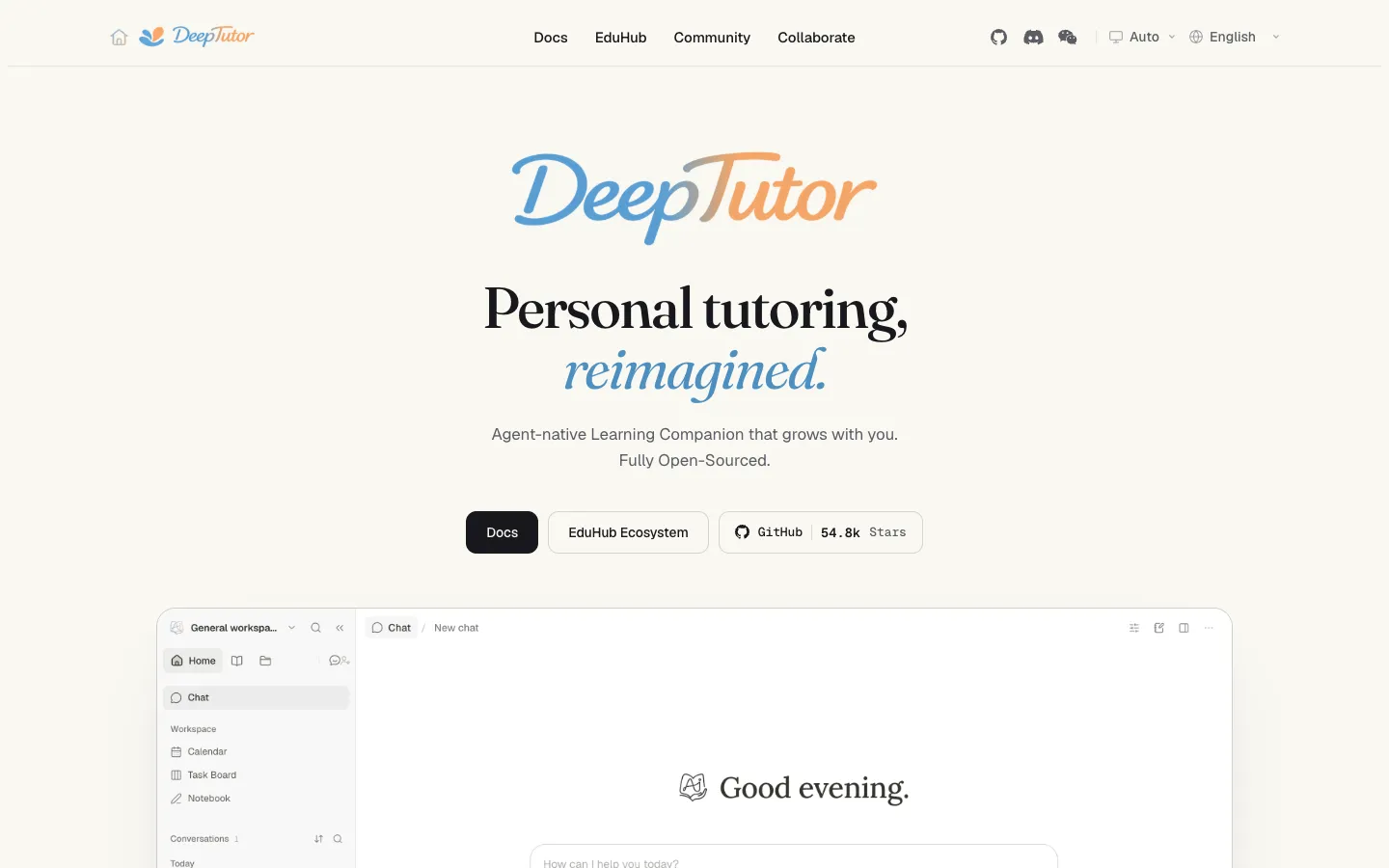
Short description
DeepTutor is an open-source learning workspace from the Data Intelligence Lab at the University of Hong Kong (HKUDS). You install it on your own machine with Docker, pip or a desktop preview, and open it in a browser. You give it your own material, such as textbooks, lecture notes, papers, web pages, YouTube videos or an Obsidian vault, and it builds a searchable knowledge base that the tutor answers from, with citations linking back to the source.
Each subject gets its own workspace with a chat tutor with modes for quizzes, worked problem solving, cited research reports, visualizations and narrated video lessons. There's also a Mastery Path that splits a goal into topics, interactive "living books" with quiz and flashcard blocks, a question bank that brings back weak areas for review, a task board and a calendar. Its three-layer memory, which you can read, edit and check, keeps your preferences and progress between sessions.
DeepTutor doesn't include an AI model. You connect a hosted provider such as OpenAI, Anthropic, Gemini or DeepSeek with your own API key and pay that provider for usage, or run a local model through Ollama, LM Studio, llama.cpp or vLLM with no key. It's Apache 2.0 licensed, and the team says it has no paid online products. It was released on December 29, 2025 and updates often (v1.7.1 came out November 1, 2026). It suits students and self-learners who are comfortable setting up software and want a tutor built on their own course material.
Features
Tutor that learns from your material: Builds knowledge bases from uploaded documents (PDF, DOCX, PPTX, XLSX, EPUB, Markdown and more), GitHub repositories, documentation sites, local folders or an Obsidian vault, and answers with citations linked to the source.
Several learning modes in one chat: Switch between Chat, Ask Questions, Quiz, Visualize, Video Lesson, Research (cited reports) and Solve (worked reasoning), all within the same conversation.
Quizzes and question bank: Generates quiz questions from your sources, saves them in a Question Bank with answers, explanations and your mistakes, and schedules review of weak areas in Practice.
Narrated video lessons: Generates a lesson that plays in the browser with captions and narration from the text-to-speech provider you set up, with Microsoft Edge voices as a fallback. The lesson's layout is checked automatically, and broken frames are repaired.
Living Books: Turns the sources you pick into an interactive book. You review a chapter outline first, and each chapter is made of editable blocks such as text, quizzes, flashcards, timelines, code, figures, animations and concept maps, with its own chat for that page.
Mastery Path: Breaks a learning goal into a map of topics with guided lessons and a mastery check before you move on.
Immersive Reading: Study beside a document, web page, YouTube or Bilibili video, or audio file, with checked citations, highlights, notes and progress tracking.
Memory you can inspect: Three memory layers (a raw log of events, curated facts per subject and an overall summary of your profile and preferences) are stored as files you can read and edit. A Memory Graph shows the evidence behind each fact.
Any model, cloud or local: Works with more than 35 hosted AI providers, or with models running on your own computer through Ollama, LM Studio, llama.cpp, vLLM and Lemonade, which need no API key.
Partners on your chat apps: Ongoing tutor companions, each with its own persona, memory and library, that you can reach through Telegram, Slack, Discord, WhatsApp, Microsoft Teams, Feishu, WeChat Work and other apps.
Study planning: A Task Board, a Calendar that exports .ics files, and a Learning notebook with an AI helper called Dito. Notebook flashcards export to Anki.
Accounts for families and groups: Optional sign-in for shared installs, with a separate workspace for each user, Learner accounts with locked features and daily limits, and guardian reports and approvals.
Command line and agent use: A deeptutor command for the terminal with an interactive mode and machine-readable JSON output, so other AI agents can drive it. It can also consult Claude Code, Codex or Grok CLI from inside a chat.
Pricing
The software is free. The only running cost is the AI model: a hosted provider bills you for tokens, the small chunks of text a model reads and writes, while a model on your own computer costs nothing beyond your hardware.
Software: Free and open source under the Apache 2.0 license. The README says the team has no paid online products of any kind.
No hosted version: There's no official online app or subscription. You install and run it yourself with Docker, pip, from the source code or with the desktop preview.
AI model costs: If you connect a hosted provider such as OpenAI, Anthropic, Gemini or DeepSeek, you use your own API key and pay that provider for the tokens DeepTutor uses. Local models through Ollama, LM Studio, llama.cpp or vLLM need no key. You can also sign in with an existing ChatGPT plan (through OpenAI Codex, experimental) or GitHub Copilot instead of using an API key.
Optional paid add-ons: Some optional services are charged by their own vendors, for example the hosted PageIndex retrieval service (the README lists a $20 discount code) or paid web search services. Free options such as SearXNG and DuckDuckGo search are also supported.
Integrations
Platforms: A web app you run yourself and open in your browser, installed with Docker or as a Python package on macOS, Windows or Linux. It also has a command line tool, a Python SDK (a toolkit for developers) and a server API, plus a desktop preview for macOS and Windows. Desktop downloads need a GitHub sign-in, and one user reports the Windows preview doesn't work. The research doesn't mention a mobile app, though Partners can be reached through chat apps.
Hosted AI providers: OpenAI, Anthropic, Gemini, Azure OpenAI, DeepSeek, Mistral, Groq, OpenRouter, xAI, Moonshot (Kimi), Zhipu (GLM), DashScope (Qwen), MiniMax, NVIDIA NIM, SiliconFlow and more than 20 other providers, plus any service that accepts OpenAI's request format.
Local models: Ollama, LM Studio, llama.cpp, vLLM and Lemonade, with no API key.
Account sign-in instead of a key: OpenAI Codex sign-in, which uses your ChatGPT plan and is experimental, GitHub Copilot login and CodeBuddy.
Knowledge sources: Obsidian vaults, MarginNote 4, Tencent IMA, Kiwix offline archives, WeKnora, LightRAG Server, GitHub repositories and documentation sites, which re-sync every 24 hours by default.
Research tools: Zotero library search, paper search, web search (including SearXNG, DuckDuckGo, Brave, Firecrawl and others) and GeoGebra analysis.
Video and audio: YouTube captions, Invidious and Bilibili for Immersive Reading. Text-to-speech providers include Microsoft Edge, MiniMax, Xiaomi MiMo, Mistral and Gemini.
Exports: Anki flashcards, .ics calendar files for Apple Calendar, Google Calendar, Outlook and Thunderbird, and Markdown and Word export for notebook pages and books.
Chat apps for Partners: Telegram, Slack, Discord, WhatsApp, Microsoft Teams, Feishu/Lark, DingTalk, WeChat Work, QQ, Matrix, Zulip, Mattermost, email and others.
Coding agents: Consult Claude Code, Codex, Grok CLI, Antigravity, Kimi, opencode and other coding agents from a chat. Import past conversations from ChatGPT, Claude Code and Codex.
Skills and add-on tools: Installs community skills from EduHub, its own catalog, and from ClawHub. It also connects to MCP services (a standard way to plug outside tools into an AI) and runs command line apps from the CLI-Anything catalog in a sealed-off sandbox.
Platforms
- Self-hosted web app
- Docker
- Python package
- CLI
- desktop preview for macOS and Windows
- chat apps
What users love about DeepTutor
Tutoring from your own course material: A student on Reddit says the appeal is uploading your own textbooks, papers and lecture notes and getting step-by-step solutions, practice exams and visual explanations drawn from that content instead of a generic database.
Free instead of a paid tutor: The same user says it replaced private tutoring they used to pay for, because the software itself costs nothing.
Tutor companions that remember you: Users like setting up several tutor personas with their own memory (one made a "brutal research advisor") that pick up where they left off.
Worth using daily despite rough edges: A daily user on GitHub says they genuinely like the app, and another team is building its own education product on top of it.
What users complain about DeepTutor
Long setup before you can study: Users say that before the tutor answers anything you have to choose a provider, connect it, pick or type a model name, set a context window (how much text the model can handle at once) and tick model capabilities, and each update adds more settings. One Linux user also couldn't get the documented install to work.
Frequent releases break things: A daily user reports that fast releases fixed one bug while breaking another, for example Markdown uploads opening as a single page, and asks for a stable release channel.
Slow, costly study sessions: A student studying cell biology says ordinary exchanges in Mastery Path could take several minutes and use a lot of tokens. Another user suggests indexing files with a local model, because sending large files through a paid provider can get expensive.
Tutor doesn't reliably adapt: The same student says the tutor would acknowledge feedback about pace or explanation style and then repeat the same pattern, stall on source checks even when the material was uploaded, and announce learning-path changes it didn't actually make.
Frequently asked questions about DeepTutor
Is DeepTutor free?▼
Yes. DeepTutor is open source under the Apache 2.0 license, and the team says it has no paid online products. The software doesn't include an AI model, though. If you connect a hosted provider such as OpenAI, Anthropic or Gemini, you use your own API key and pay that provider for usage. Running a local model through Ollama, LM Studio, llama.cpp or vLLM needs no key, so it costs nothing beyond your own computer.
How do I install and use DeepTutor?▼
The quickest way is Docker: one docker run command starts the full web app at http://127.0.0.1:3782 without installing Python or Node.js. You can also install it with pip install -U "deeptutor[full]" (this needs Python 3.11 to 3.14 and Node.js 20.9 or newer), then run deeptutor init and deeptutor start. Once it's running, add a model provider in Settings, create a workspace for a subject, build a knowledge base from your files and start chatting or generating quizzes. Desktop installers for macOS and Windows are only available as previews that need a GitHub sign-in to download.
DeepTutor vs NotebookLM: what's the difference?▼
DeepTutor is software you host yourself, and it's built around tutoring as well as answering questions about your sources. Besides cited chat over your documents, it has quizzes with a question bank and spaced review, a Mastery Path with checks before you move on, narrated video lessons, interactive books and a memory of your preferences that you can edit. It works with whichever AI model you choose, including fully local models, and your files stay on your own machine or server. The trade-off is that you have to install it and connect a model yourself, because there's no hosted version.
Does DeepTutor work with Claude?▼
Yes. Anthropic is a supported provider, so you can run DeepTutor on Claude models with your own Anthropic API key. You can also connect a local Claude Code install under My Agents and consult it from a chat, and import past Claude Code conversations as searchable references.
Is there a free AI tutor that runs locally?▼
DeepTutor can run fully on your own hardware. Its docs list Ollama, LM Studio, llama.cpp, vLLM and Lemonade as local providers that need no API key, and Ollama can also handle the embeddings, the step that turns your documents into searchable data. The docs don't give minimum RAM or graphics card requirements, saying only that they depend on the models and workload you choose.
Similar tools
Alternative AI options