OLVA
A bot-free AI meeting assistant for Mac, Windows, iPhone and Android that listens from your own device, spots questions as people ask them and drafts answers from the live transcript and your own documents, with a free 2-hour trial and paid plans from $2.99 a month.
Short description
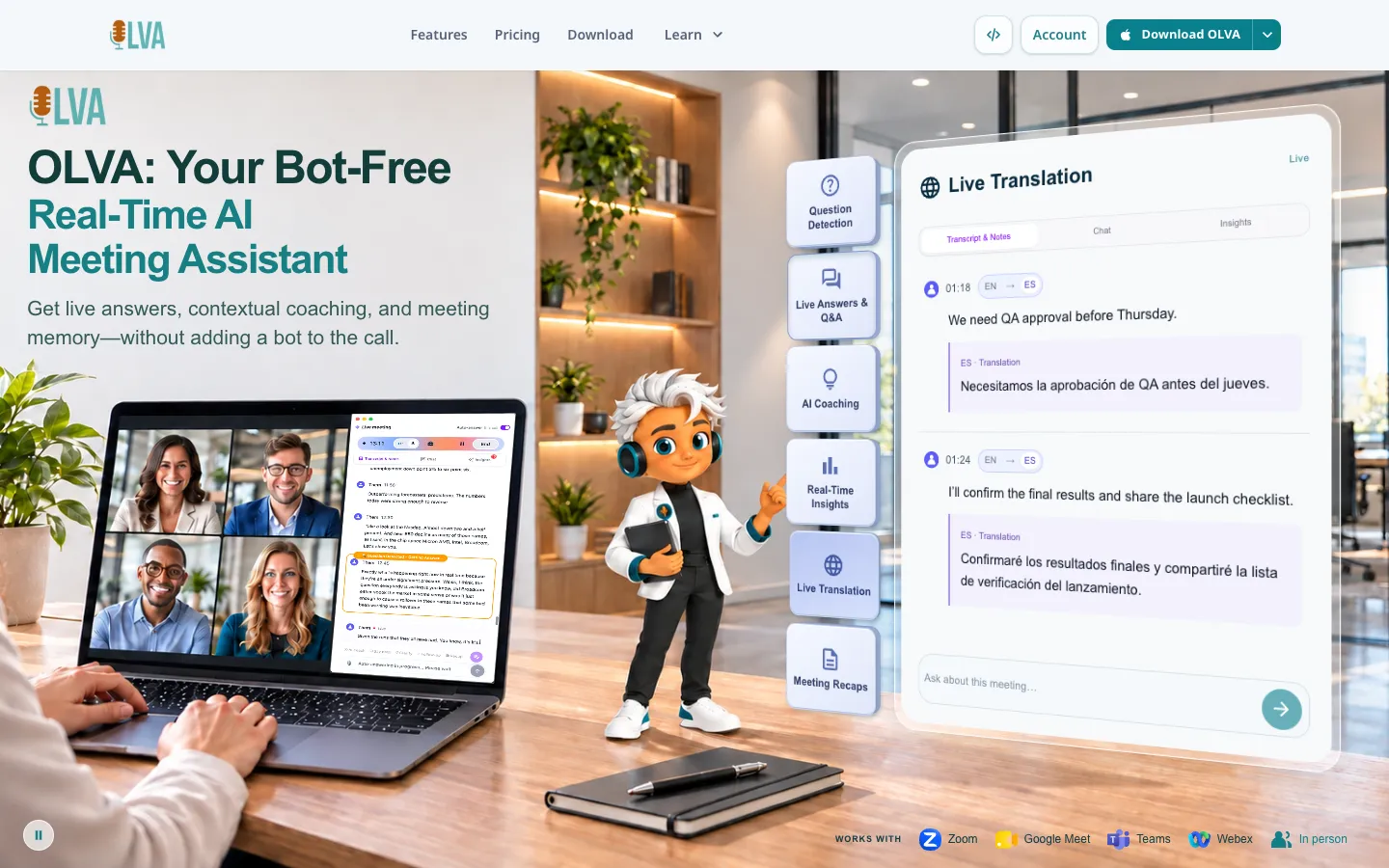
OLVA runs beside Zoom, Google Meet, Microsoft Teams, Slack huddles, Webex and in-person conversations without joining the call. On macOS and Windows it captures your microphone and system audio, so nobody sees an extra participant on the roster. On iOS and Android it uses the phone's microphone for conversations in the room.
During the meeting OLVA transcribes each speaker, detects when the language changes (it offers up to 87 language and regional options), picks out questions and suggests answers. Before a call you can load a meeting context with notes and PDF, text, Markdown, Word or PowerPoint files, and OLVA draws on that material for its answers, fact checks, definitions and coaching prompts. You can also type questions about the meeting while it's going, switch on live translation, or use a two-language mode that translates both sides of a face-to-face conversation.
Once the call ends, OLVA writes summaries, minutes, action items, decisions and risks. Past meetings stay searchable, you can ask questions across them, and any meeting can become an editable PowerPoint deck. The company says it doesn't store meeting audio or video and doesn't train models on customer content.
OLVA is made by Mindle Inc., whose app store developer address is in Toronto, Canada. The iPhone app came out in June 2026, and BetaList featured OLVA on November 4, 2026. It's aimed at sales reps, consultants, founders and anyone who wants help while the conversation is happening, on top of a recap afterwards.
Features
No meeting bot: Captures audio on your own device, so it works alongside Zoom, Google Meet, Microsoft Teams, Slack huddles, Webex and in-person meetings and never appears on the participant list.
Live transcript with speaker separation: Keeps up with each speaker in real time and detects the language as the conversation moves between languages, with up to 87 language and regional options depending on how transcription is set up.
Automatic question detection: Recognizes questions as they come up and puts them in front of you, so you don't have to stop and search or type mid-call. It stays on even when live insight is switched off.
Live answers and in-meeting chat: You can ask OLVA about the meeting while it's still running, and it answers from the live transcript and whatever context you've connected.
Answers from your documents: Add PDF, text, Markdown, Word (.docx) or PowerPoint (.pptx) files to a reusable meeting context. Notes and files share one word limit, from 5,000 words on Free to 500,000 on Ultra. Chat itself can't take file attachments.
Real-time insights and coaching: A live-insight switch surfaces signals, risks, follow-ups, fact checks and plain definitions of unfamiliar jargon. The AI coach suggests what to say next, follow-up questions and recaps of the meeting so far.
Live translation and Lingo Mode: Translates the live transcript into the language you pick, and you can view the original, the translation or both. The dual-language mode translates both sides between two chosen languages and can read each translation aloud, which suits travel and face-to-face talks.
Minutes and meeting memory: Writes summaries, action items, decisions, next steps, risks and sticky notes after each meeting, sorts meetings into folders and answers follow-up questions across past meetings. Persistent meeting memory can pull earlier decisions into the call you're on now.
Editable PowerPoint decks: Builds an editable PowerPoint file from a finished meeting's transcript, insights and Q&A, which you can also import into Google Slides. Each deck uses feature credits, and the app shows the cost before it generates.
Three AI model levels: Light handles simple questions, Balanced is the everyday default, and Deep (Pro and Ultra only) is the most capable and uses up your AI allowance faster.
Incognito screen sharing: On Pro and Ultra, the desktop app can hide the OLVA window from supported screen-sharing capture. OLVA notes this is separate from bot-free capture and doesn't guarantee it is hidden from every capture or detection tool.
Meeting reminders and connection recovery: OLVA recognizes supported Zoom, Teams and Google Meet calls and reminds you to start it, and a dropped network connection doesn't end the live meeting.
Pricing
Free: $0. A one-time trial with 2 hours of meeting time in total, a trial AI allowance, a 5,000-word meeting context and 1 week of meeting history. The live features are included: transcription, question detection, insights, the coach, live chat and translation.
Starter: $2.99 a month, or $35.88 a year (still $2.99 a month). 2 hours of meeting time a month, a monthly AI budget on the Balanced model, a 10,000-word context and 2 months of history. You get the included slide decks only, with no option to buy more deck credits.
Plus: $14.99 a month, $149.90 a year ($12.49 a month) or $80 every 6 months ($13.33 a month). 15 hours of meeting time a month, a 20,000-word context, 6 months of history and calendar-aware meeting workflows.
Pro: $24.99 a month, $249.90 a year ($20.83 a month) or $134.99 every 6 months ($22.50 a month). Unlimited meeting time, the Deep model, a 50,000-word context, unlimited history, Notion, Slack and Google Drive integrations, outbound webhooks and Incognito Mode.
Ultra: $99.99 a month, or $999.90 a year ($83.33 a month). Everything in Pro, plus no AI usage limit and a 500,000-word context.
Note (note taker, coming soon): $14.99 a month, or $149.90 a year ($12.49 a month). Unlimited meeting time for capture and review only, with 6 months of history. It leaves out live question detection, insights, the coach, in-meeting chat and reusable meeting contexts.
Teams & Enterprise: Priced through sales. Adds admin controls, usage reporting, audit logs, custom insight categories, SSO, role-based access, custom data retention, customer-managed encryption keys, private cloud or data residency, CRM and internal-system integrations and a custom SLA.
How usage works: Meeting time covers transcription and live translation and assumes the Balanced model. Deep draws more from the AI balance, so the balance can run out before the meeting time does. Slide decks beyond the included ones cost feature credits, which you buy separately on plans that allow top-ups.
Integrations
Calendar: Calendar-aware meeting workflows from Plus up, including a read-only Google Calendar connection.
Notion: Sends reviewed meeting output straight to Notion on Pro and Ultra.
Slack: Slack integration on Pro and Ultra.
Google Drive: Google Drive integration on Pro and Ultra.
Signed outbound webhooks: Sends meeting events to your own app or automations, such as a CRM or project tool, on Pro and Ultra. A webhook is an automatic message OLVA posts to an address you choose whenever something happens, and there's a developer guide for setting one up.
Video-call apps: Works with Zoom, Google Meet, Microsoft Teams, Slack huddles and Webex by listening on your device, so there's no plug-in to install in those apps.
Coming soon: A public API, an MCP server (a standard connector that would let other AI tools use your OLVA meeting context), and Zapier, Make and n8n recipes built on the webhooks.
Platforms
- macOS
- Windows
- iOS
- Android
What users love about OLVA
No bot on the call: A reviewer who found OLVA through a ChatGPT recommendation says meetings still feel normal because nothing joins the call, so other people don't get distracted or uncomfortable.
Questions caught and terms defined live: Two reviewers name automatic question detection as the best feature, and one says having terms defined inside the conversation is unmatched.
Staying present instead of taking notes: Reviewers in security and software roles say they can concentrate on the discussion and still leave with the key points, decisions and follow-ups, without replaying a recording.
Answers from your own documents: One reviewer likes being able to ask questions against their meeting documents during the call to get on top of the details quickly.
Easy start, fair price: The same reviewer found onboarding easy thanks to detailed how-to videos and thinks the annual plan is good value.
What users complain about OLVA
Few integrations so far: Two reviewers want more app integrations, and one specifically asks for tighter links with ChatGPT and Claude.
Not tailored enough yet: One reviewer would like more personas and answers that adjust automatically to different needs.
Frequently asked questions about OLVA
Is there an AI meeting assistant that doesn't join as a bot?▼
Yes. OLVA is a desktop and mobile app that stays off the meeting itself. On macOS and Windows it captures your microphone and system audio, so it works beside Zoom, Google Meet, Microsoft Teams, Slack huddles and Webex without showing up on the participant list. You're still responsible for telling people and getting whatever consent your meeting requires.
Can OLVA take notes in Zoom and Microsoft Teams meetings?▼
Yes. OLVA listens from your computer during Zoom, Teams or Google Meet calls, transcribes them live and then writes summaries, minutes and action items into a searchable meeting history. It can also recognize supported Zoom, Teams and Meet calls and remind you to start it.
Is there an AI that listens to conversations and answers questions?▼
OLVA does this. It follows the live transcript, detects questions automatically and suggests answers while the conversation is still going. Answers can draw on documents you add to a meeting context (PDF, text, Markdown, Word or PowerPoint), and you can type your own questions about the meeting too.
Is there a free AI meeting note taker?▼
OLVA's Free plan gives you 2 hours of meeting time in total, once, with live transcription, question detection, insights, translation and 1 week of meeting history. After that, Starter is $2.99 a month for 2 hours a month, Plus is $14.99 a month for 15 hours, and Pro is $24.99 a month for unlimited meeting time.
Can an AI meeting assistant work for in-person meetings?▼
Yes. On iPhone and Android, OLVA uses the phone's microphone to transcribe conversations in the room, such as client visits and classes, and its dual-language mode translates both sides of a face-to-face talk. Keep the app open, because capture can pause when OLVA goes into the background or another app takes over the audio.
Similar tools
Alternative AI options