VecSnap
An image to SVG converter for logos, icons and AI-made art that redraws the picture as real shapes, so circles stay circles, readable words stay editable and the file has far fewer anchor points than a free tracer leaves. Converting is free, and one credit keeps an image.
Short description
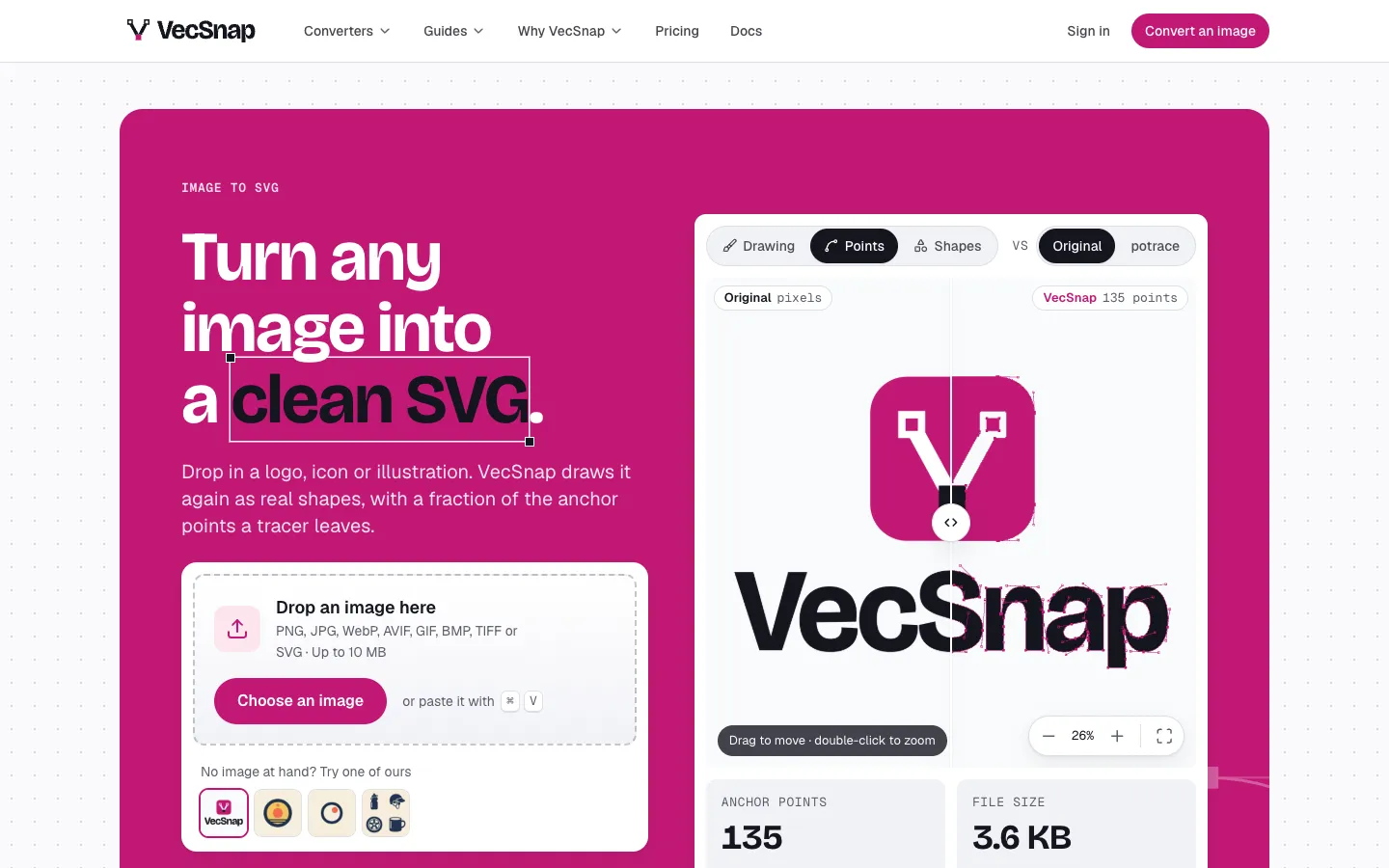
VecSnap is a web app that turns PNG, JPG, WebP, AVIF, GIF, BMP and TIFF images, and existing SVGs, into clean vector files. Tracers like potrace follow the pixel edges and drop a point at every wobble. VecSnap finds the shapes in the image and draws them again, so a circle comes out as a circle, a ring as a ring, and a word it can read stays a word in the file, set in a matching open font. On the vendor's own test images, made with Gemini, its files had 97% to 99.6% fewer anchor points than potrace and 89% to 98% fewer than VTracer. Each result shows its anchor point count and file size before you pay.
You can convert and preview for free, even without an account. One credit unlocks an image for good, and that covers every format: a light SVG for the web, a layered SVG for design tools, PNG, PDF and EPS, plus a cut-ready SVG and DXF when the drawing can be cut. Re-runs and re-downloads cost nothing. The same engine runs inside ChatGPT and Claude, through an MCP server and through an API with Node.js and Python SDKs.
It's built for designers, illustrators, front-end developers and print, sign and laser shops who work with logos, icons, stickers and flat illustrations. Photos aren't its job. StudyLah Learning Pte. Ltd. in Singapore runs VecSnap, which had its first public launch in November 2026, and the engine is built and trained in-house.
Features
Redraws images as real shapes: Fits circles, rings and paths to the drawing, so a logo comes back with tens or hundreds of anchor points where a tracer leaves thousands. On the vendor's badge example that was 36 points against potrace's 4,051.
Anchor points shown before you pay: Every result displays each anchor point, much like Illustrator's outline view, along with the total count and file size. You can put potrace's trace of the same image next to it.
Editable text: A word VecSnap can read is kept as a named, grouped word in the layers, with each letter drawn from its matching open font. Letters it can't read come out as clean shapes.
One-click color changes: Pick a color and swap it, and every shape painted with it changes together. Preset looks (Night, Two-tone, Grays), color reduction and brand colors are free to use before you unlock.
Single lines for pens, foil and lasers: The centerline option draws one line down the middle of each stroke, so a pen plotter, Cricut or laser doesn't go round both edges. You see the machine's path before paying.
Cutter, laser and CNC files: Drawings that can be cut also get a cut-ready SVG and a DXF in millimeters or inches, with a preview of every piece the blade will follow. If a machine can't follow the drawing, VecSnap refuses it before any credit is spent.
Shape editor in the browser: Moving, resizing, turning, hiding, recoloring, arranging, flipping and duplicating shapes are free. Unlocked images also get merge, cut out, simplify, corner rounding or sharpening, make a circle and a sticker border.
Every format for one credit: An unlocked image downloads as a Web SVG for code, a Design SVG with named layers for Figma and Illustrator, and PNG, PDF and EPS. Downloading it again or re-running it is free.
Works inside ChatGPT and Claude: Install "VecSnap Image to SVG" in ChatGPT or connect it to Claude, ask for an SVG, and the drawing appears in a card. A credit is spent only when you press Download, and a connection can spend at most 25 credits a day.
API, SDKs and command line: One call to /v1/vectorize converts an image. There are Node.js and Python SDKs, an npx command line tool, webhooks and free test keys. Live API keys come with the Pro plan.
Batch actions in the library: Select up to 500 images to download as one ZIP, unlock or delete together.
Inputs and limits: Takes PNG, JPG, WebP, AVIF, GIF, BMP, TIFF or SVG files up to 10 MB and 4096 x 4096 pixels. A detailed illustration can take up to a minute.
Pricing
US prices include tax. At checkout, Paddle shows the price in your own currency. Yearly billing saves 20%.
Free: $0, with 3 credits at sign-up that never expire, 10 free full-quality conversions a day, and anchor point and file size readouts. You can convert and preview without an account, but downloading needs an account and a credit.
Starter: $10 a month, or $8 a month billed yearly ($96 a year). You get 100 credits a month ($0.10 or $0.08 an image), unused credits that roll over up to 300, 100 free conversions a day and every format of each unlocked image.
Pro: Everything in Starter plus live API keys, webhooks and 5 conversions running at once. The price depends on monthly credits: 200 for $20 a month ($16 yearly), 500 for $40 ($32), 1,000 for $70 ($56), 2,500 for $150 ($120), 5,000 for $250 ($200) and 10,000 for $450 ($360). Above 10,000 credits, you contact the team.
Credit packs: One-time purchases whose credits never expire: 20 credits for $10 ($0.50 each), 50 for $15 ($0.30), 200 for $45 ($0.225), 1,000 for $150 ($0.15) and 5,000 for $600 ($0.12).
How credits work: One credit unlocks one image the first time you download it. After that, re-runs with other settings, every format and every later download of that image are free. A failed conversion costs nothing.
Refunds: You can get your money back within 14 days of a purchase if you haven't spent a credit since. If a result isn't right, VecSnap gives the credit back.
Integrations
ChatGPT: Install "VecSnap Image to SVG" from ChatGPT's plugin directory. It works on ChatGPT's free plan too. Attach an image or paste a public link, then download from the card.
Claude: One press opens Claude's connector form with VecSnap's address already filled in, and you drop your image on the VecSnap card. On Claude's free plan, it can be your one custom connector.
Claude Code: Added with one terminal command. It works from a public image link, and you unlock the file on its VecSnap page.
Any MCP client: Add https://mcp.vecsnap.com/mcp as a remote MCP server (MCP is a standard way for AI apps to use outside tools) and sign in to VecSnap once.
REST API: Uses bearer keys and allows 300 requests a minute on live keys. Files can be up to 4 MB sent directly or 10 MB through an upload, and webhooks report finished conversions. Test keys are free and return a sample result.
Node.js and Python SDKs: @vecsnap/sdk (Node 20 and later, Deno, Bun and edge runtimes) and the vecsnap Python package handle converting, waiting for slow results and checking webhooks.
Command line: npx vecsnap logo.png writes logo.svg, with options for a color limit, the Design file and JSON output.
Figma and Illustrator: The Design SVG opens with named layers and real shapes.
Cricut, Silhouette, lasers and CNC: Cut-ready SVG and DXF files and single-line paths work with cutters, pen plotters and lasers.
Paddle: Handles payments and refunds as the merchant of record, so its name appears on your card statement.
Platforms
- Web
- ChatGPT plugin
- Claude connector
- MCP server
- API
- command line tool
Frequently asked questions about VecSnap
How do I convert a PNG to SVG?▼
Drop, paste or choose the PNG on vecsnap.com. VecSnap redraws it as shapes and shows the result with its anchor point count and file size, free and without an account. To download, sign in (new accounts get 3 free credits) and spend one credit to unlock the SVG along with PNG, PDF and EPS versions. Files can be up to 10 MB and 4096 x 4096 pixels.
Can I convert a PNG to SVG for free?▼
Partly. Converting and previewing are free without an account, and the free plan allows 10 conversions a day at full quality. Downloading takes a credit. A free account comes with 3 credits that never expire, so your first 3 images cost nothing. After that, credits range from $0.08 an image on a yearly Starter plan to $0.50 each in the smallest pack.
How do I convert a PNG to SVG for Cricut?▼
Upload the PNG to VecSnap and choose Cutter or laser in the Download tab. You get a cut-ready SVG where every piece is separate and nothing is stacked. For writing or foil, the single lines option draws one line down each stroke so the machine doesn't trace both edges. VecSnap shows the cut path before you spend a credit and refuses drawings a machine can't follow.
How much does VecSnap cost?▼
The free plan is $0 and includes 3 credits. Starter costs $10 a month, or $8 a month billed yearly, for 100 credits. Pro starts at $20 a month ($16 yearly) for 200 credits with API access and goes up to $450 a month for 10,000 credits. One-time packs run from 20 credits for $10 to 5,000 credits for $600, and pack credits never expire.
Is there a free alternative to Vectorizer.AI?▼
VecSnap lets you convert and inspect results for free without an account, and a free account includes 3 downloads. Past that, you can pay per image with credit packs that never expire, so a subscription is optional. One credit unlocks an image with every format and re-download included. VecSnap also shows the anchor point count before you pay and works inside ChatGPT and Claude.
Similar tools
Alternative AI options