
Yogurt
A free, MIT-licensed desktop app for Mac, Windows and Linux that records your microphone and call audio with no bot in the meeting, then transcribes the call, summarizes it and answers questions about it using AI models that run on your own computer.
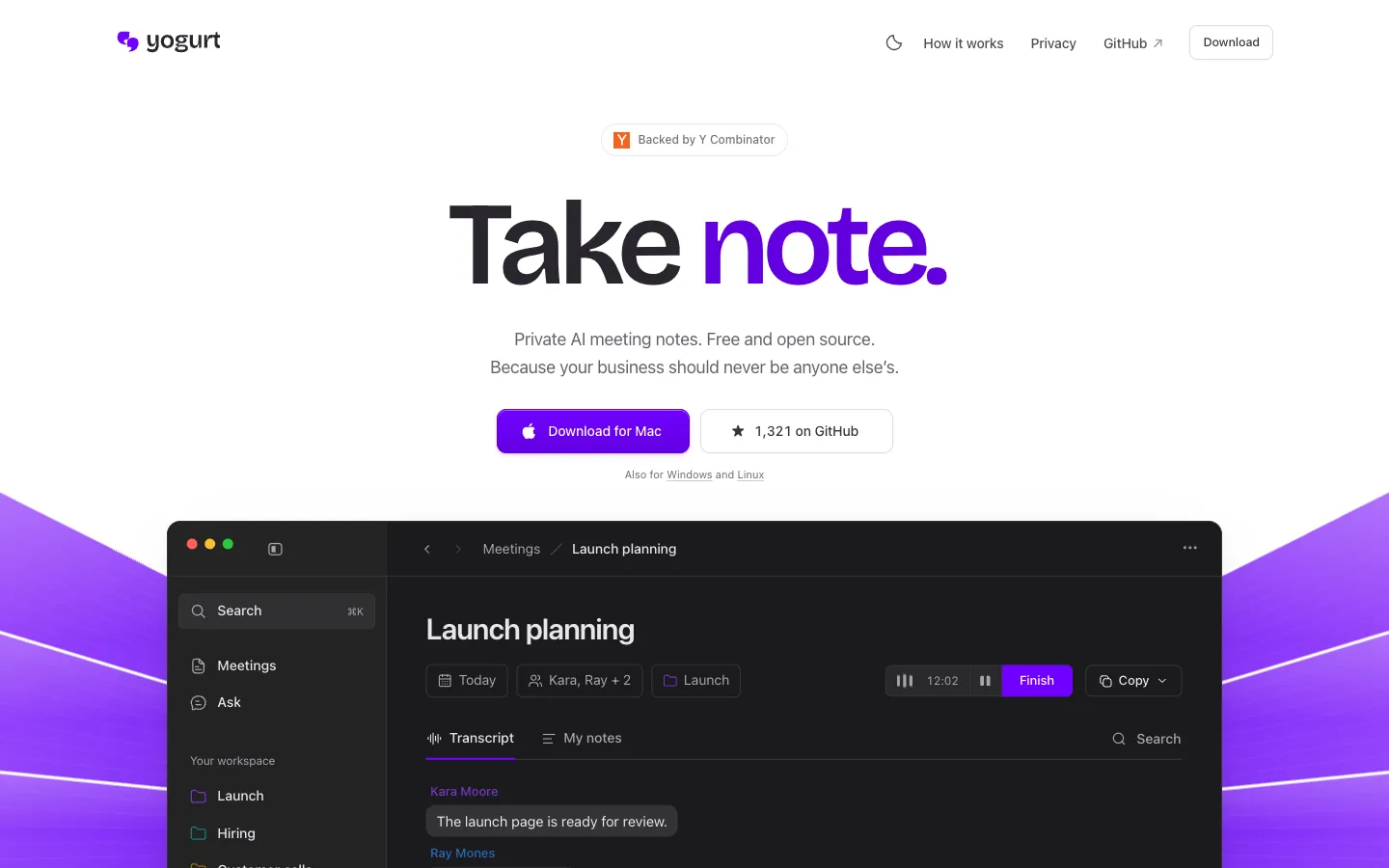
Short description
Yogurt is an AI meeting notes app that keeps your meetings on your computer. It records your microphone and the audio playing on your computer, so it works with any call app, no bot joins the meeting, and nobody else on the call has to install anything. You get a live transcript while you talk and can type your own notes alongside it. When the call ends, Yogurt merges your notes and the conversation into one summary with next steps, and you can ask questions about past meetings and get answers that link back to the transcript.
Transcription runs on Whisper through whisper.cpp, with Apple's SpeechAnalyzer supplying the live words on supported Macs. Summaries and answers come from an open-weight model from the Gemma 4, gpt-oss or Qwen3 families, picked to suit your hardware and run locally with llama.cpp. Once the models are downloaded it works offline, with no account and no telemetry. An optional local MCP server, off by default, lets an AI assistant app read your notes.
Frigade makes Yogurt, and the site says it is backed by Y Combinator. The GitHub repo was created on November 10, 2026, and the app launched on Hacker News the next day. It's for people who want Granola-style notes without paying a subscription or uploading their calls.
Features
No meeting bot: Records your microphone and system audio, so nothing joins the call and the other people don't install anything. Yogurt's FAQ asks you to tell them you're recording.
Live transcripts: Writes down speech as you talk using Whisper (large-v3-turbo, or a smaller model on slower computers) through whisper.cpp. On supported Macs, Apple SpeechAnalyzer shows the live words and Whisper produces the saved transcript.
Summaries that include your notes: Type notes during the call, and afterwards Yogurt folds them into a summary of the conversation with the plan and each person's next steps.
Ask questions across meetings: Answers questions about one meeting or many and links each answer to its place in the transcript. Answers come back in the language you asked in.
Runs locally and offline: Summaries and answers use an open-weight model from the Gemma 4, gpt-oss or Qwen3 families, chosen for your hardware and run with llama.cpp. After the one-time model download, transcription and summaries work without internet.
99 transcription languages: The Multi-language setting transcribes 99 languages; English only is the default. You can switch the language from a note's footer before or during a recording, and the app itself comes in 32 languages.
Speaker names from call apps: On a Mac with Accessibility permission, Yogurt reads who is speaking from Zoom, Teams and Google Meet. Releases v0.3.8 and v0.3.14 added reading call names on Linux too.
Call detection and auto stop: Spots when Zoom, Teams or Meet starts using your microphone (for browser calls it checks the tab title or a calendar event with a call link) and offers to record. Recording starts only when you click and stops by itself when the call ends.
Calendar on Mac: Shows upcoming meetings with titles and attendees from the calendars already on your Mac. You don't sign into a calendar account.
Folders, search and export: Find meetings by folder, title, notes or transcript. Copy notes or transcripts, or save both as Markdown.
Backup and restore: Exports your meetings and audio to one ZIP file, which you can import on any Mac, Windows or Linux computer. Importing adds missing meetings and leaves existing ones alone.
Local MCP server: MCP is a standard way for AI apps to read data from other tools. When you turn it on in Settings, an assistant app you choose can read your meetings, notes and transcripts but can't change them. There's no per-app password, so any app running under your user account can read while access is on.
Pricing
Yogurt: Free and open source under the MIT license, with no account needed. The site and GitHub repo list no paid plans.
Model downloads: Free, but large. Setup first downloads a notes model of about 5 GB, then the best model your computer can run, which is about 14 GB on a Mac with 64 GB of memory and about 63 GB on one with 96 GB or more.
Integrations
Zoom, Microsoft Teams and Google Meet: Yogurt detects calls in all three and, on a Mac with Accessibility permission, reads speaker names from them. It can record any other call app too, since it captures your microphone and system audio.
Mac Calendar: Uses the calendars already on your Mac once you grant Calendar permission, with no separate sign-in. Mac only.
AI assistant apps through MCP: Add Yogurt's helper command as a local MCP server in your assistant app to let it read your notes. Access is read-only, and the connected app may send what it reads to its own online model.
Hugging Face: Yogurt downloads its local AI models from Hugging Face during setup.
Markdown export: Notes and transcripts save as Markdown files you can open in other apps.
Platforms
- macOS
- Windows
- Linux
What users love about Yogurt
Polished for a local tool: A user who had been doing the same job with another local notes app said Yogurt is far more polished.
Holds up on real calls: Someone who tried it on a Microsoft Teams call said it transcribed and summarized the meeting well.
Meetings stay on the computer: People who had avoided cloud note takers, including one living in a state where everyone on a call must consent to recording, said this is the first recorder they'd feel comfortable using. They also liked the built-in reminder to tell others on the call.
What users complain about Yogurt
Heavy on resources: One user said the local summary and question features use a lot of computing power and asked for a way to hand them to a cloud model. Another noticed their Mac heating up during a 30-minute call.
Speaker names are hit and miss: On a Teams call it didn't pick up the other speaker's name. Users also pointed out that names come from the call app and mostly work on Mac, so there's no voice-based speaker separation for in-person meetings.
Little control over models and storage: Users want to choose their own model (one already had the same model downloaded), pick the folder where meetings are stored, and manage or delete the large model files.
Frequently asked questions about Yogurt
Is there a free, open-source alternative to Granola?▼
Yes. Yogurt is a free desktop app released under the MIT license, and its makers pitch it as an open-source alternative to Granola. Like Granola, it records calls with no bot in the meeting. Your recordings, transcripts and notes stay on your computer, and you don't need an account.
Is there an AI note taker that doesn't join meetings?▼
Yogurt never joins the meeting. It records your microphone and the sound playing on your computer, so nobody else on the call needs to install anything. Because there's no bot to announce it, Yogurt's FAQ asks you to tell the other people you're recording.
Can AI meeting notes run locally and offline?▼
They can with Yogurt. Transcription uses Whisper through whisper.cpp, and summaries and answers use an open-weight model from the Gemma 4, gpt-oss or Qwen3 families run through llama.cpp. After a one-time model download, starting with a notes model of about 5 GB, transcription and summaries work offline, and the app sends no telemetry.
Is there a Granola alternative for Windows and Linux?▼
Yogurt runs on Windows 10 version 2004 or later (64-bit), on 64-bit Linux such as Ubuntu 22.04 or newer, and on Apple Silicon Macs with macOS 14.4 or later. Every computer needs at least 8 GB of memory. Calendar access and speaker names from calls are Mac only for now.
Does Yogurt work with Zoom, Teams and Google Meet?▼
Yes. It can record any call app because it captures your microphone and system audio, and it detects calls in Zoom, Teams and Meet so it can offer to record. On a Mac with Accessibility permission, it also reads speaker names from those apps.
Similar tools
Alternative AI options